
October 8, 2026
APPLORE
An app icon inspiration library and AI icon generator for developers and designers.
 1 / 4
1 / 4Product facts
- Type
- Web App / SaaS
- Category
- Design & UX › Icon Libraries
- Pricing
- Freemium
- Launched
- Oct 8, 2026
- Listed
- Oct 8, 2026
- Website
- applore.app
Overview
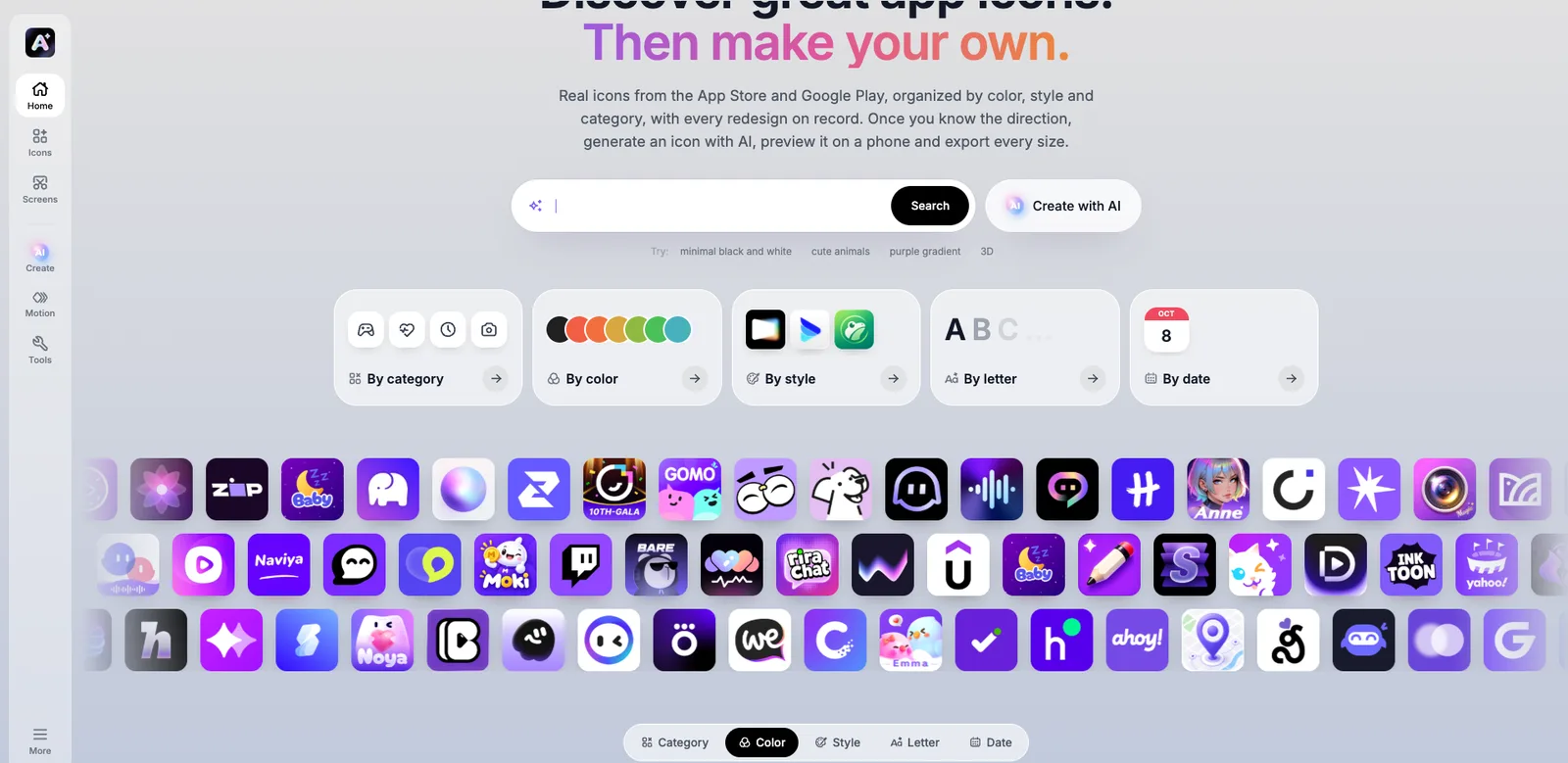
APPLORE is a web app that combines an app icon inspiration library with an AI icon generator. It features over 18,400 real app icons from the App Store and Google Play, organized by color, style, category, initial letter, and date, while archiving every historical redesign of each icon. Once you've settled on a design direction, use the built-in AI tool to generate your own icons, preview them on a phone or store page, and export all the sizes needed for iOS, macOS, Android, and Web. ### Key Features - **Icon Library Browsing**: Filter by category (Social, Productivity, Health, etc.), dominant color, design style (Flat, 3D, Glass, etc.), initial letter, and release date, or search using natural language. - **AI Icon Generation**: Describe your app's function, pick a reference icon or style, and generate a ready-to-use icon. Each generation costs 5–15 credits, automatically refunded if it fails. - **SVG Vector Conversion**: Redraw images into clean vectors with fewer anchor points, or convert PNG to SVG for free in your browser. - **AI Logo Animation**: Analyze your logo and generate animations. Download as Lottie for app splash screens, or as animated SVG for websites. - **Device Preview**: Simulate how your icon looks on iPhone or Android home screens and store pages. - **Export Packs**: Convert a single image into all required sizes for each platform and download them as a package. - **AI Naming**: Describe your app's function, and the AI suggests names while checking if an app with that name already exists. - **Store Screenshot References**: Hand-picked store listing screenshots from 4,319 apps for inspiration. ### Who It's For APPLORE is built for developers, designers, and product teams designing mobile app icons, helping them quickly research competitors' visual styles and produce ready-to-use icon assets.
Key features
- App Icon Library: 18,400+ real icons, browsable by category, color, style, letter, and date.
- AI Icon Generator: Describe your app, pick a reference style, and generate usable icons in seconds.
- SVG Vector Conversion: Redraw images into clean vectors, or convert PNG to SVG for free.
- AI Logo Animation: Analyze your logo and generate animations, exportable as Lottie or SVG.
- Multi-Size Export Packs: Convert one image into all sizes needed for iOS, macOS, Android, and Web.
- Device Preview: Simulate your icon on iPhone and Android home screens and store pages.
- AI Naming: Describe your app's function, get name suggestions, and check for existing apps with that name.
- Icon History Archive: Track every redesign of each icon to see its evolution over time.
- Store Screenshot References: Hand-picked store listing screenshots, including videos, from 4,319 apps.
Releases
Notify me Initial · APPLORE
Q&A
- What is APPLORE?AI-generated
- APPLORE is an app icon inspiration library and AI icon toolkit. It collects 18,400+ real icons from the App Store and Google Play, organized by color, style, category, and letter, with historical versions archived. It also offers AI icon generation, device previews, multi-size exports, and AI naming.
- Is APPLORE free?AI-generated
- Browsing the icon library, searching, device previews, and quick export packs are free. Sign up to get 50 credits to try the AI tools. For more credits or full library access, choose the Pro or Max plan, or pay once to become a Founder.
- Can I use icons from the library in my own products?AI-generated
- No. Icons and logos in the library belong to their owners and are for browsing and reference only. However, icons generated via AI can be used in your own products.
- How does the AI icon generator work?AI-generated
- Describe your app's function, choose a reference icon or style, and get an icon in seconds. Each generation costs 5–15 credits, and failed generations are automatically refunded.
- What sizes are required for iOS and Android app icons?AI-generated
- The App Store requires a single 1024×1024 icon, which iOS scales automatically. Google Play needs a 512×512 store icon, and Android also uses adaptive icons with separate foreground and background layers. Export packs convert one image into all required sizes.
- How often is the icon library updated?AI-generated
- New apps and icon changes are checked daily. New icons are added to the library, and older versions are kept in each app's icon history.
Bookmark
This product has no owner yet
It was listed by the platform or its author left. If it is your work, prove your relationship to become the owner.
Claim this productAlternatives




The product content on this page was translated by AI from the author's original.