
October 16, 2026

An open-source AI Agent skill that generates interactive, standalone HTML diagrams from natural language or source code.
MIT
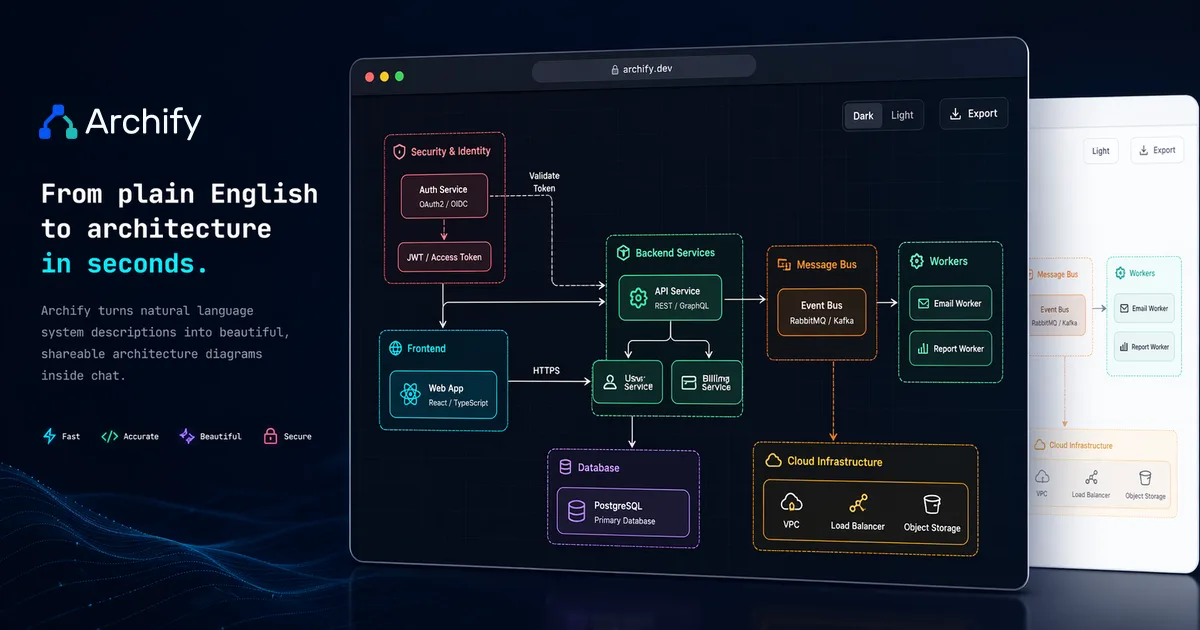 1 / 7
1 / 7Product facts
- Type
- Web App / SaaS
- Category
- Data & Analytics › Data Visualization
- Pricing
- Open source
- License
- MIT
- Launched
- Oct 16, 2026
- Listed
- Oct 16, 2026
- Website
- archify.si
Overview
Archify is an open-source AI Agent Skill under the MIT license that turns system architectures, business processes, or daily plans into interactive diagrams. It supports AI Agents such as Claude Code, Codex, Cursor, OpenCode, and GitHub Copilot. ### What it is Archify works like this: users describe their needs in natural language, the AI Agent converts them into typed JSON, and Archify renders, validates, and delivers the result as a standalone HTML file. The generated diagrams have zero runtime dependencies—no server or build tools required—and can be opened directly in any browser. ### What problem it solves Traditional diagramming tools require learning specific syntax or tedious manual work. Archify lets you describe steps, roles, components, or states in plain language while the Agent handles the drawing automatically. It also solves the delivery and sharing problem: all styles, scripts, and data are bundled into a single HTML file that can be sent as an email attachment or pasted into a PR comment. ### Key capabilities - **Multiple diagram types**: Supports ten categories, including architecture diagrams, workflows, sequence diagrams, data flows, lifecycles, entity-relationship diagrams, class diagrams, tree diagrams, timelines, and waterfall charts. - **Conversational iteration**: After generating a diagram, refine it with natural language instructions like "add a Redis node" or "highlight the deadline in red." - **Dual-theme output**: Built-in light and dark theme variable sets let HTML and SVG switch together, automatically following the reader's system theme. - **Multi-format export**: Natively render and export PNG, JPEG, WebP, SVG, and animated WebM in the browser, or copy directly to the clipboard. Bitmap formats support up to 4× resolution export. - **Path inspection and playback**: Preserves the full authoring path, allowing stop-by-stop inspection or controlled journey playback along inbound relationships. - **Semantic design system**: Provides seven node colors that stay consistent across light and dark themes, with legend labels customizable for your business context. ### Input methods Start from natural language descriptions, plans, existing Mermaid text, or codebase evidence. Note that Archify does not promise automatic parsing of all Mermaid syntax. ### Who it's for Ideal for developers and non-technical users who need to quickly generate architecture diagrams, flowcharts, or life planning charts via AI Agents. The current stable release is v3.1.0.
Key features
- Ten diagram types: architecture diagrams, workflows, sequence diagrams, data flows, lifecycles, entity-relationship diagrams, class diagrams, tree diagrams, timelines, and waterfall charts.
- Conversational iteration: fine-tune diagram details with natural language—like adding nodes or changing colors—without learning a diagramming tool.
- Standalone HTML delivery: a single HTML file contains everything, with zero dependencies and no server required. Just open it in any browser.
- Automatic dual-theme switching: built-in coordinated dark and light variable sets automatically follow the reader's system theme preference.
- In-browser multi-format export: export to PNG, JPEG, WebP, SVG, animated WebM, or copy to clipboard—all rendered natively in the browser.
- Ultra-clear 4× export: bitmap formats are natively rasterized by the browser at up to 4× resolution, perfect for Retina displays or print.
- Path inspection and playback: preserves the full authoring path, supporting stop-by-stop inspection or controlled journey playback along precise inbound relationships.
- Multi-Agent compatibility: one Skill works across Claude Code, Codex, Cursor, OpenCode, and GitHub Copilot.
- Multiple input sources: generate diagrams from natural language descriptions, plans, existing Mermaid text, or codebase evidence.
- Semantic design system: seven node colors stay consistent across light and dark themes, and legend labels can be renamed to fit your context.
- Automatic pre-delivery validation: every output passes nine validation checks to ensure the generated diagram meets specifications.
Releases
Notify me Initial · Archify
Q&A
- What is Archify?AI-generated
- Archify is an open-source Agent Skill that turns systems, processes, or plans into diagrams. The Agent writes typed JSON, and Archify renders, validates, and delivers a standalone interactive HTML output. Both the Skill and the renderer are licensed under MIT.
- What inputs can I provide?AI-generated
- You can start from natural language descriptions, plans, existing Mermaid text, or codebase evidence—a codebase isn't required. The Agent interprets the input and creates Archify JSON; Archify does not promise automatic parsing of all Mermaid syntax. Missing facts should be flagged or confirmed further.
- Which Agents can use Archify?AI-generated
- Installation examples cover Claude Code, Codex, Cursor, OpenCode, and GitHub Copilot, all using the same Archify Skill. Your environment provides the Agent's file permissions, local Node.js runtime, and any tools needed for your chosen export features.
- What do I get, and what are the limits?AI-generated
- The main deliverables are an HTML file containing SVG and the typed JSON source. In the browser you can inspect, search, trace paths, switch themes, and export. Validation checks the authored diagram—it doesn't prove actual runtime behavior. Archify offers no hosted collaboration service and isn't a general-purpose WYSIWYG editor.
- How do I install Archify?AI-generated
- Install via the command line. For example, the global install command is `npx -y skills add tt-a1i/archify --skill archify --agent claude-code --global --copy --yes`, or use `npx skills use` for a temporary trial. The default install command uses the stable main branch source.
- Which export formats are supported?AI-generated
- Export formats include PNG, JPEG, WebP, SVG, and WebM. Availability depends on the format, browser, or local tools; before choosing a delivery format, open the output to check the export menu.
Bookmark
This product has no owner yet
It was listed by the platform or its author left. If it is your work, prove your relationship to become the owner.
Claim this productAlternatives






The product content on this page was translated by AI from the author's original.