
October 10, 2026

A native desktop UI for Claude Code with a built-in IDE that launches in milliseconds.
GPL-3.0macOSWindowsLinuxClaude Code
 1 / 8
1 / 8Product facts
- Type
- Desktop App
- Category
- Development & Engineering › AI Coding Assistants
- Pricing
- Open source
- Platforms
- macOS · Windows · Linux · Claude Code
- License
- GPL-3.0
- Launched
- Oct 10, 2026
- Listed
- Oct 10, 2026
- Website
- github.com
Overview
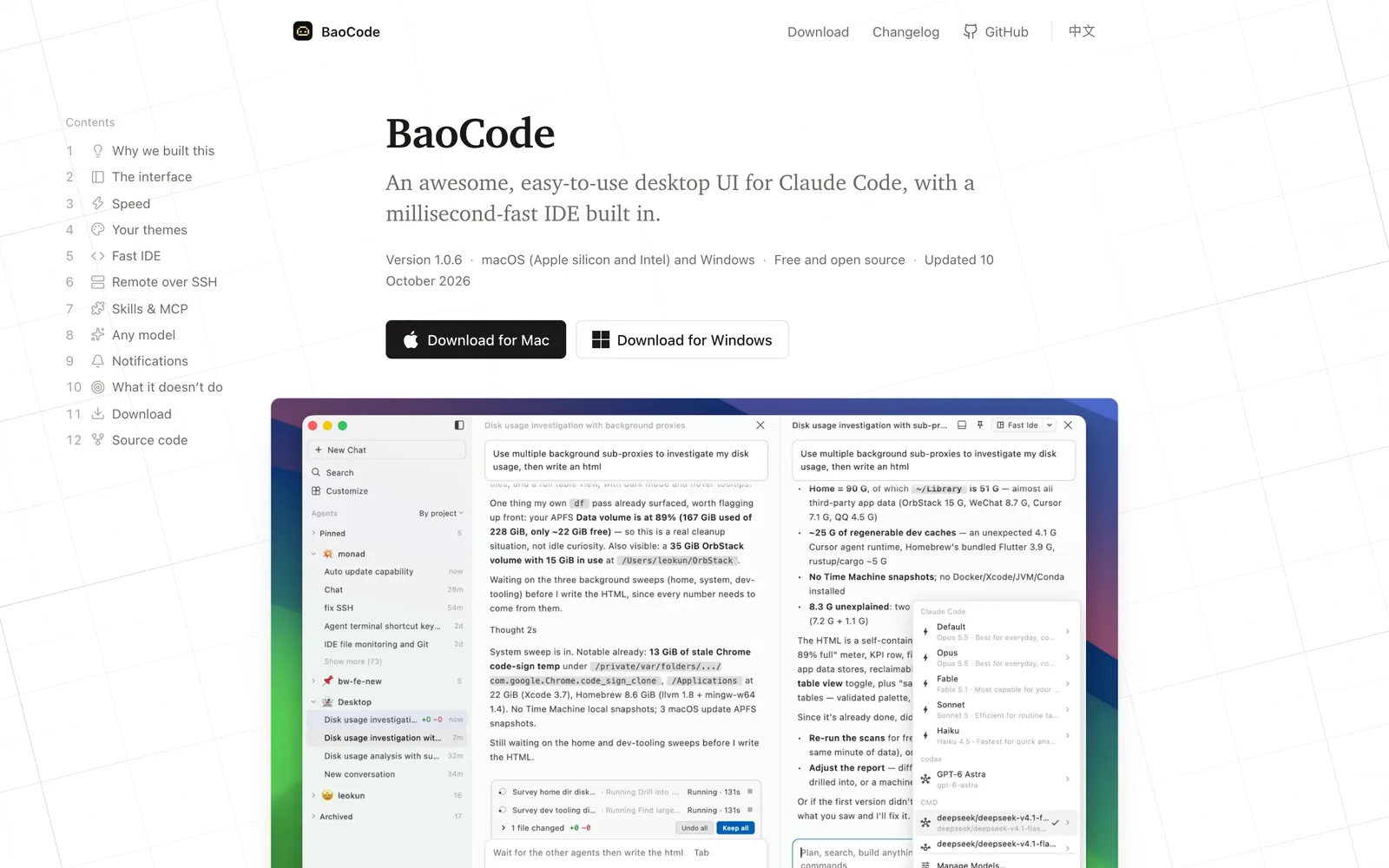
BaoCode is a desktop app built with Flutter (Dart) that provides an easy-to-use graphical interface for [Claude Code](https://github.com/anthropics/claude-code). It doesn't include its own AI Agent; instead, it runs your locally installed Claude Code directly, inheriting your existing settings and `CLAUDE.md`. ### Problems Solved When running Claude Code in the terminal, long diffs scroll out of view, past steps are hard to revisit, and reviewing changes requires switching apps. BaoCode addresses these reading and interaction pain points by collapsing reads, searches, and commands into single lines. It lets you keep or undo AI changes file by file, and stores checkpoints in its own data directory so your repo's `.git` stays clean. ### Key Capabilities - **Built-in IDE**: Includes an editor, terminal, and Source Control with a commit graph. Supports VS Code, IntelliJ, Sublime, and Atom keymaps plus language servers, and works directly with your existing VS Code themes. - **Multi-model support**: Add upstream services compatible with the Anthropic API, OpenAI Chat Completions, or OpenAI Responses. A local proxy handles protocol translation, and keys are stored in the system keychain. - **SSH remote projects**: The window stays local while files, Git, search, terminal, language servers, and Claude Code all run on a remote host (Linux x64 or arm64). - **Rich text input**: Code copied from the editor is inserted as file-and-line references. Pasted images and dragged-in files can be placed anywhere within a sentence. - **Goal mode**: Type `/goal` followed by the task you want done. Claude keeps working until the goal is met, with progress shown above the input box. - **Background execution & notifications**: Close the window and the Agent keeps running in the menu bar or tray. You'll be alerted via system notifications, sounds, and badges when it finishes or needs intervention. ### Performance Unlike Electron-based tools such as VS Code or Cursor, BaoCode is a native app that renders directly to the GPU. Official benchmarks show a ~0.18s launch time, ~120 MB idle memory per window, only 2 processes, and a ~16 MB installer on Windows. ### Who It's For Developers who use Claude Code daily and want a better reading experience than the terminal offers, integrated editor features, and a lightweight, fast-launching app. Supports macOS 12+ (Apple Silicon or Intel) and Windows 10+ (x64).
Key features
- Reading-first UI: collapses reads, searches, and commands into single lines. Keep or undo changes file by file. Checkpoints stay out of .git.
- Goal mode: type /goal to describe a task. The Agent keeps working until it's done, with live progress shown above the input box.
- Rich text input: copied code becomes file-and-line references automatically. Paste images or drag files anywhere within a sentence.
- Built-in fast IDE: editor, terminal, and Source Control in one place. Multiple keymaps, language servers, and AI-drafted commit messages.
- VS Code theme support: the editor, chat window, and sidebar all follow your existing VS Code themes.
- Plugin & MCP management: manage Skills, MCP servers, subagents, rules, commands, and Hooks in one place.
- Multi-model access: supports Anthropic API and OpenAI-compatible upstream services via a local proxy. Keys stored in the system keychain.
- SSH remote projects: UI stays local while files, Git, terminal, language servers, and Claude Code run on a remote Linux host.
- Notifications & background mode: the Agent keeps running in the tray after you close the window, alerting you via notifications, sounds, and badges.
- Auto-updates: supports silent background updates, manual updates, or disabling updates entirely.
Releases
Notify me Initial · BaoCode
Q&A
- Does BaoCode have its own AI Agent?AI-generated
- No. BaoCode intentionally doesn't include its own Agent. It runs your locally installed Claude Code directly, using your existing settings and CLAUDE.md file.
- Which operating systems are supported?AI-generated
- macOS 12 or later (separate downloads for Apple silicon and Intel) and Windows 10 or later (x64).
- What do I need to install first?AI-generated
- Besides BaoCode itself, you need to have Claude Code installed beforehand.
- Why is it faster than VS Code?AI-generated
- VS Code and Cursor are built on Electron, where each window is a web page bundled with Chromium and Node.js. BaoCode is a native Flutter app that renders directly to the GPU, resulting in faster startup and lower memory usage.
- Do you accept Pull Requests?AI-generated
- No. Issues and feedback are welcome, but Pull Requests are not accepted.
- How do I connect different AI models?AI-generated
- You can add any upstream service compatible with the Anthropic API, OpenAI Chat Completions, or OpenAI Responses. BaoCode translates protocols via a local proxy, and API keys are stored in the system keychain.
- Which hosts are supported for SSH remotes?AI-generated
- The remote host must run Linux, supporting either x64 or arm64 architecture.
Bookmark
This product has no owner yet
It was listed by the platform or its author left. If it is your work, prove your relationship to become the owner.
Claim this productAlternatives

The product content on this page was translated by AI from the author's original.