
October 8, 2026

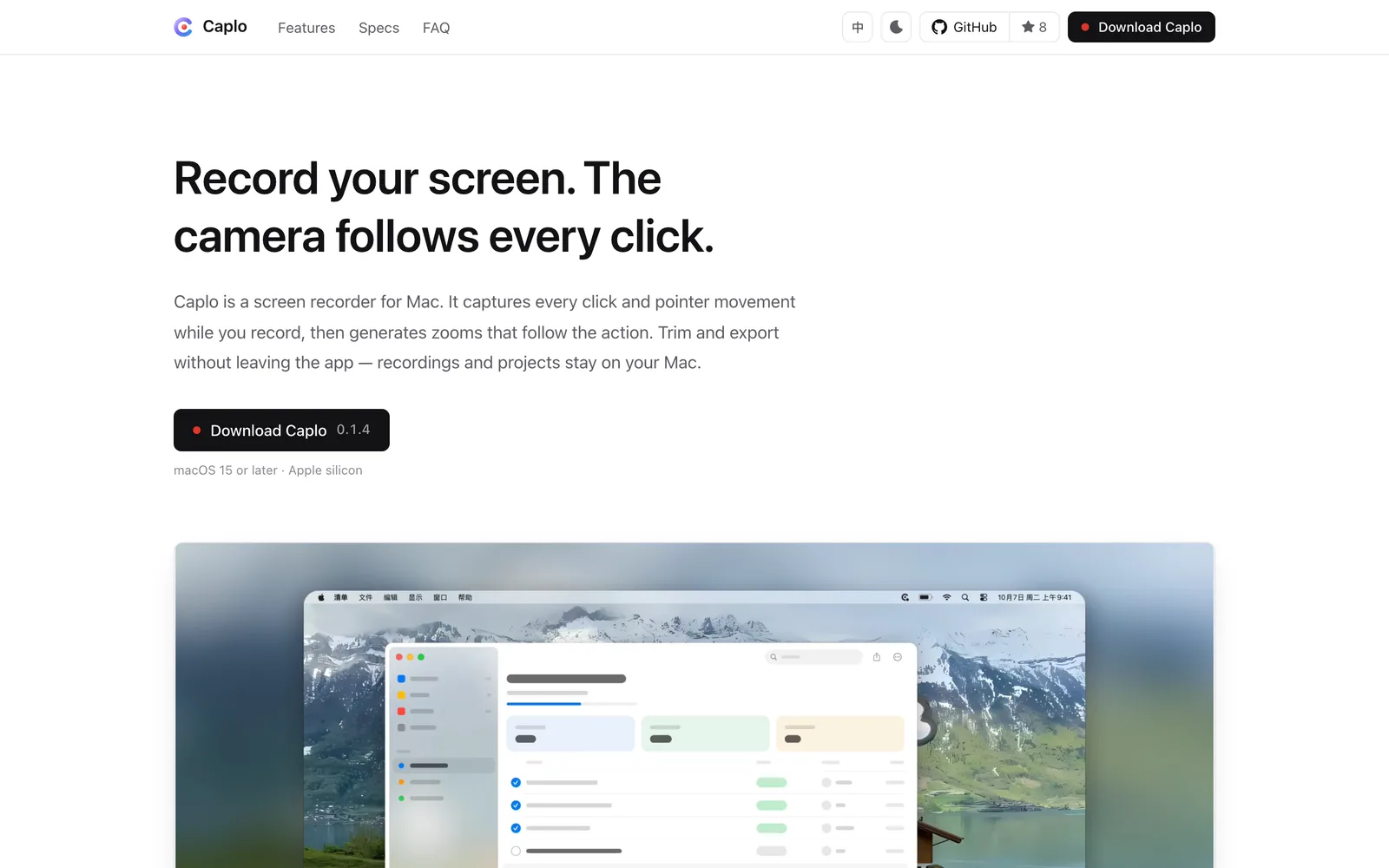
A Mac screen recorder that captures clicks and cursor paths during recording to auto-generate zoom-in and follow shots.
macOS
 1 / 4
1 / 4Product facts
- Type
- Desktop App
- Category
- Creativity & Media › Streaming and Recording
- Pricing
- Free
- Platforms
- macOS
- Launched
- Oct 8, 2026
- Listed
- Oct 8, 2026
- Website
- caplo.app
Overview
Caplo is a desktop screen recording app for macOS. The current version is 0.1.1, requiring macOS 15 or later and Apple silicon (M-series). Its core idea is to record click positions and cursor movement while capturing the screen, then automatically generate zoom-in and follow shots based on that data, reducing manual post-production work. After recording, it opens the editor with camera moves and cursor effects already generated from the captured data. **Recording Capabilities** Supports full screen, single window, or custom region recording. Camera, microphone, and system audio can be toggled independently with separate device selection. Frame rates of 30 or 60 fps are available, and preview matches export. You can pause and resume during recording; no data is written while paused, and resuming continues the same project seamlessly. **Camera & Cursor Handling** Auto-generated shots zoom in at clicks, with timing driven by your actions. Rapid consecutive clicks are grouped into one shot to avoid repeated zooming. During zoom-ins, the camera smoothly follows the cursor along a spring curve and moves ahead before transitioning to the next action. Each shot is an independent clip whose duration, position, scale, and transition time can be adjusted. Auto-generation can be disabled in favor of manual shots. About 40 cursor styles are available, supporting path smoothing, click highlights, fade-out when idle, and full hiding. **Multi-track Editing** Screen, webcam, system audio, and microphone appear on separate tracks, supporting split, delete, move, and full undo/redo. Text layers are available, and subtitles are generated via macOS offline speech recognition. Sensitive areas can be blurred or masked, and chapter cards can be inserted between clips. All editing is non-destructive, leaving source files untouched. **Export & Privacy** Exports MP4 (H.264 / HEVC), MOV (ProRes 422), and GIF up to 4K resolution, with multiple aspect ratio presets. Final parameters and estimated file size are shown before export. Media and projects stay on your machine—nothing is uploaded. There is no usage analytics or crash reporting, and network access is used only for update checks, which can be disabled. Each project is a .caplo package containing media, cursor data, and all edit info.
Key features
- Auto Shot Generation: Records clicks and cursor paths during recording to auto-generate zoom-in and follow shots, timed by your actions.
- Three Recording Modes: Record the full screen, a single window, or a custom region.
- Separate A/V Tracks: Toggle camera, mic, and system audio independently and assign input devices separately.
- Pause & Resume: No data is written while paused; resuming continues the same project seamlessly.
- Cursor Styles & Motion: Around 40 cursor styles with path smoothing, click highlights, idle fade-out, and full hiding.
- Multi-track Timeline: Edit screen, webcam, system audio, and mic on separate tracks with split, delete, move, undo, and redo.
- Offline Subtitles: Subtitles are generated via macOS offline speech recognition, so audio never leaves your device.
- Blur & Mask: Blur out sensitive areas like passwords and account details.
- Chapter Cards: Insert title cards between clips, with subsequent content shifting automatically.
- Non-destructive Editing: Source files remain unchanged; new files are created only on export.
- Multi-format Export: Export MP4 (H.264/HEVC), MOV (ProRes 422), and GIF up to 4K resolution.
- Local Storage: Media and projects stay on your Mac—no server uploads, no usage analytics, and no crash reporting.
Releases
Notify me Initial · Caplo
Q&A
- What are Caplo's system requirements?AI-generated
- Requires macOS 15 or later and a Mac with Apple silicon (M-series).
- What system permissions does Caplo need?AI-generated
- It needs screen recording and system audio permissions; camera and microphone require separate authorization. All are requested on first use and can be managed in System Settings under Privacy & Security.
- Can I export GIFs?AI-generated
- Yes. GIFs export at 10–30 fps and 480p–1080p resolution, without audio.
- Where are project files saved?AI-generated
- By default in ~/Library/Application Support/Caplo/Projects, manageable in the Project Hub. .caplo files elsewhere can be opened via the Open Project option.
- Can I pause while recording?AI-generated
- Yes. Nothing is recorded while paused, and resuming continues the same project.
- Is my recorded data uploaded to the cloud?AI-generated
- No. Media and projects stay on your Mac and are never uploaded. The app collects no usage stats or crash reports, and uses the network only for daily update checks, which you can disable in settings.
Bookmark
Alternatives

The product content on this page was translated by AI from the author's original.