
September 26, 2026

FocusCat - Stop Doomscrolling
A Chrome extension that monitors your social media browsing time and forces you to take a break by playing cat videos.
Chrome
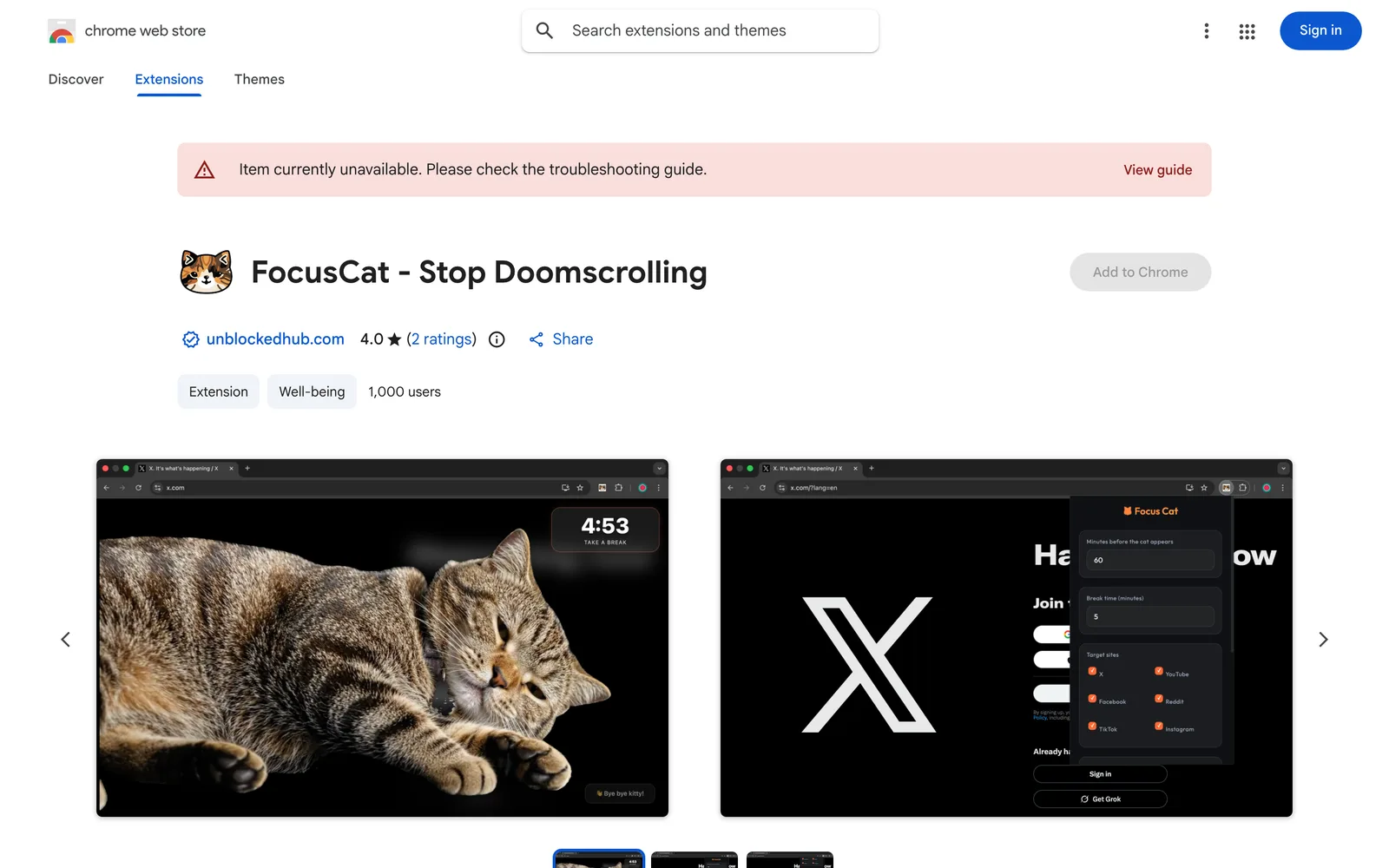 1 / 5
1 / 5Product facts
- Type
- Extension & Plugin
- Category
- Productivity & Workflow › Focus and Habits
- Pricing
- Free
- Platforms
- Chrome
- Launched
- Sep 26, 2026
- Listed
- Sep 26, 2026
- Website
- chromewebstore.google.com
Overview
### How It Works 1. **Set a time limit**: Define how long you're allowed to stay on distracting websites (e.g., 30 minutes). 2. **Set a break duration**: Decide how long your break should last once the blocker triggers (e.g., 5 minutes). 3. **Browse normally**: The extension won't interfere with your browsing until the time limit is reached. 4. **Forced break**: When time runs out, the extension displays a full-screen overlay playing cat videos and disables page scrolling until the break ends. ### Key Features - **Automatic site detection**: Built-in recognition rules for popular platforms like Instagram, Facebook, TikTok, YouTube, X (Twitter), and Reddit. - **Custom watchlist**: Manually add other distracting websites to your tracking list. - **Smart timer**: Customize both browsing limits and forced break durations. - **Personalized video replacement**: Not into cats? Upload your own local `.mp4` or `.webm` video to play during breaks. - **Dark theme UI**: Includes a dark mode interface design. ### Privacy & Data The developer states that this extension does not collect or use user data, sell it to third parties, or use it for purposes unrelated to core functionality or credit scoring. The current version is 1.0 and supports 54 languages.
Key features
- Automatic site detection: Built-in recognition rules for popular platforms like Instagram, Facebook, TikTok, and YouTube.
- Custom watchlist: Manually add any distracting website to your personal tracking list.
- Smart timer: Customize your maximum browsing time and forced break duration.
- Full-screen cat video blocker: When time runs out, a full-screen overlay plays cat videos and disables page scrolling until your break ends.
- Local video replacement: Upload your own .mp4 or .webm video to replace the default cat videos.
- Dark theme UI: Includes a dark mode interface design.
Releases
Notify me Initial · FocusCat - Stop Doomscrolling
Q&A
- How does FocusCat - Stop Doomscrolling stop me from endlessly scrolling?
- Once you hit your time limit on a tracked distracting site, FocusCat - Stop Doomscrolling displays a full-screen overlay playing a cat video and disables page scrolling until your set break duration ends.
- I don't like cats. Can I use a different video?
- Yes. FocusCat - Stop Doomscrolling lets you upload a local .mp4 or .webm video to replace the default cat videos during breaks.
- Does this extension collect my browsing data?
- According to the developer's privacy statement, the extension does not collect or use user data, sell it to third parties, or use it for purposes unrelated to its core functionality.
- Which websites does it recognize by default?
- It comes pre-configured to detect popular platforms like Instagram, Facebook, TikTok, YouTube, X (Twitter), and Reddit. You can also add other sites via the custom watchlist.
Bookmark
This product has no owner yet
It was listed by the platform or its author left. If it is your work, prove your relationship to become the owner.
Claim this productAlternatives


The product content on this page was translated by AI from the author's original.