November 11, 2026

AI creative team that generates production-ready product UI from text descriptions.
 1 / 7
Product facts
- Type
- Web App / SaaS
- Category
- Design & UX › UI Design Tools
- Pricing
- Freemium
- Launched
- Nov 11, 2026
- Listed
- Nov 11, 2026
- Website
- gesso.build
Overview
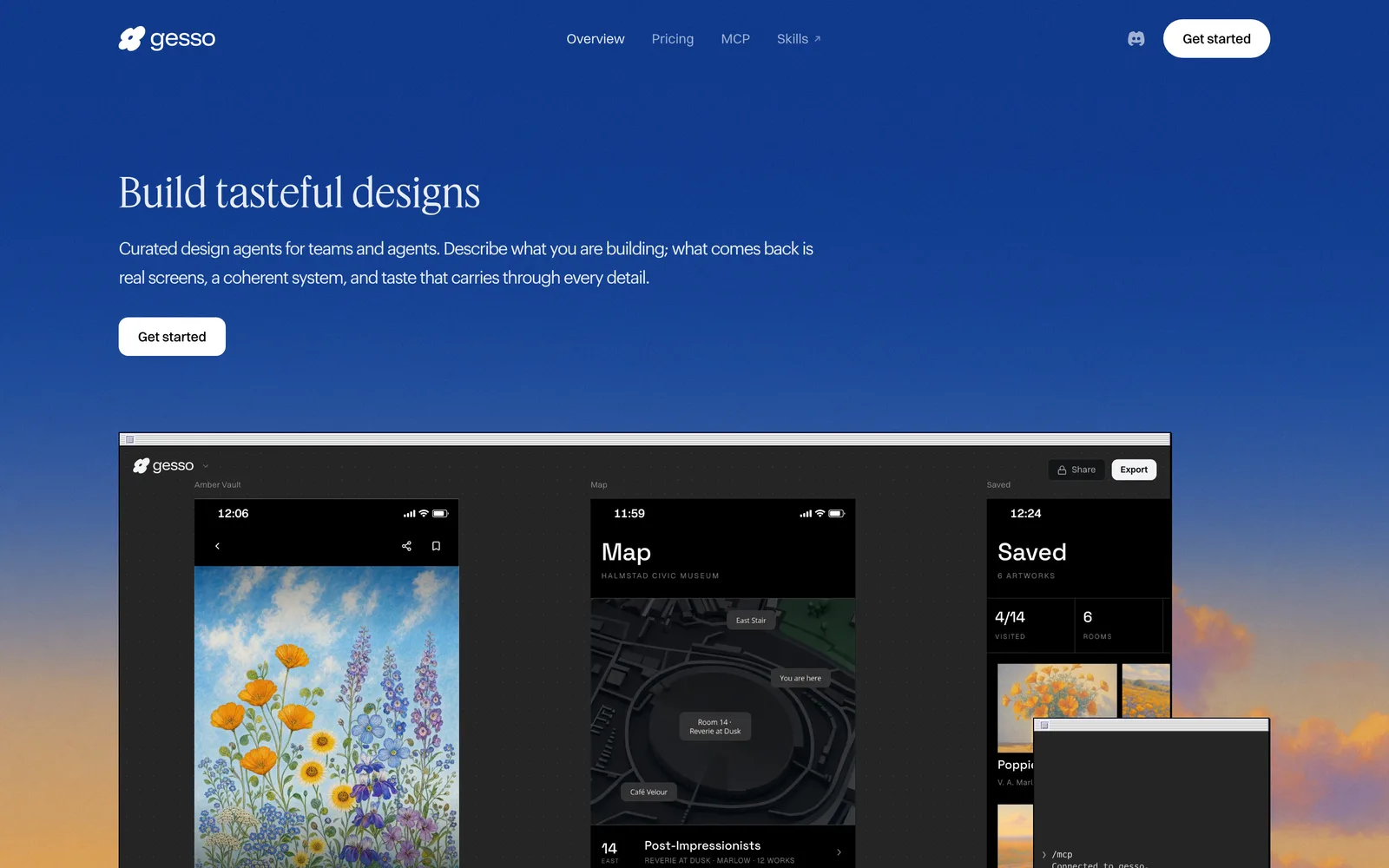
Gesso is a web-based design application that uses a team of AI agents to generate complete, production-ready product user interfaces. Users describe what they are building, and the system returns real screens, a coherent design system, and consistent visual details.
How It Works
Gesso operates through a multi-agent workflow. One agent writes the plan, another sets the creative direction, a third builds the screens, and a fourth evaluates whether the output meets quality standards before presenting it. This approach aims to avoid the common issues of generated UI, such as mismatched typography or inconsistent layouts.
Editing and Customization
Users can edit designs by tapping a component to choose from alternative designs in place, or by sketching a desired screen layout for the system to build. The platform also learns from user preferences: every accepted or rejected design trains a personal profile so subsequent screens align with the user's taste.
Anti-Slop Guard
To maintain consistency, Gesso applies an open-source rule guard consisting of 73 executable rules. These rules check every generated screen against a living specification to catch common artifacts of AI-generated UI before the user sees them.
Code Export and MCP Integration
Designs are not delivered as static images. Gesso exports screens as HTML and CSS, along with design tokens and a design.md file documenting design decisions. A hosted MCP server allows coding agents in tools like Claude Code, Cursor, or Codex to generate directions, export screens and tokens directly into a repository, and run critiques.
Pricing and Plans
Gesso uses a credit-based system where a complete design costs 10 credits and edits cost a fraction of one. Plans include:
- Free: $0/month, 60 credits (approximately 6-8 designs), one design at a time, Quality and Standard modes.
- Pro: $20/month ($16.67 billed annually), 120 credits, faster queue, model selection, credit rollover.
- Ultra: $100/month ($83.33 billed annually), 400 credits, fastest queue, model selection, credit rollover.
- Teams: Shared workspace, live collaborative canvas, admin/member roles. Requires booking a demo.
Gesso is currently in beta and open to builders, founders, and designers who want intentional design output without a traditional handoff step.
Key features
- Multi-Agent Workflow:Separate agents handle planning, direction, screen building, and quality evaluation.
- In-Place Editing:Tap components to swap designs or sketch a screen layout for the system to build.
- Personal Taste Profile:Accepting or rejecting designs trains a profile unique to each user.
- Anti-Slop Guard:73 open-source rules check every screen against a spec to catch UI inconsistencies.
- Code Export:Outputs screens as HTML, CSS, design tokens, and a design.md file.
- MCP Server Integration:Connect coding agents in Claude Code, Cursor, or Codex via a hosted MCP server.
- Credit-Based System:A complete design costs 10 credits; edits cost a fraction of one credit.
- Side-by-Side Canvas:Generates different design directions on a canvas instead of a linear chat thread.
- Live Collaboration:Teams plan allows multiple users to design on the same canvas simultaneously.
Releases
Notify me Initial · Gesso
Q&A
- What is Gesso?AI-generated
- Gesso is an AI creative team for builders. Users describe what they are building, and it designs complete, production-ready product UI including real screens and a coherent design system.
- What makes Gesso different from other AI design tools?AI-generated
- Most generated UI drifts into inconsistencies like mismatched type or random borders. Gesso's agents design against a living design spec to keep visual language consistent across all frames.
- Who is Gesso for?AI-generated
- It is for builders, founders, and designers who ship products and want intentional design without a handoff step. Output comes as real HTML and CSS for coding agents.
- How is this different from asking a chat assistant for a design?AI-generated
- Chat is linear and iterates one artifact down a thread. Gesso generates genuinely different directions side by side on a canvas so users choose between real options.
- Can my coding agent use Gesso?AI-generated
- Yes, on every plan. Adding the hosted MCP server to Claude Code, Cursor, or Codex allows the agent to generate directions, export screens and tokens into the repo, and run critiques.
- What does it cost?AI-generated
- Gesso runs on credits. A complete design is 10 credits. Free accounts get 60 credits monthly. Pro is $20/month for 120 credits. Ultra is $100/month for 400 credits.
- What is the anti-slop guard?AI-generated
- It is a set of 73 executable rules that catch tells of generated UI, such as gradient-clipped headlines or unchosen accents. It runs on every screen and is open source under MIT.
- How do designs get into my codebase?AI-generated
- As files: screens as HTML and CSS, design tokens, and a design.md recording decisions. Over MCP, agents pull them into the repo; otherwise, exported code pastes into any coding agent.
- How do I try Gesso?AI-generated
- Gesso is in beta and open to everyone. Users can get started and begin their first brief immediately.
Bookmark
This product has no owner yet
It was listed by the platform or its author left. If it is your work, prove your relationship to become the owner.
Claim this product