
September 26, 2026

GoodPlan: Your Everyday Note-Taking Companion
A Chrome extension that turns your new tab page into a distraction-free workspace for journaling, note-taking, and planning.
Chrome
 1 / 5
1 / 5Product facts
- Type
- Extension & Plugin
- Category
- Content & Writing › Note Taking and Knowledge
- Pricing
- Free
- Platforms
- Chrome
- Launched
- Sep 26, 2026
- Listed
- Sep 26, 2026
- Website
- chromewebstore.google.com
Overview
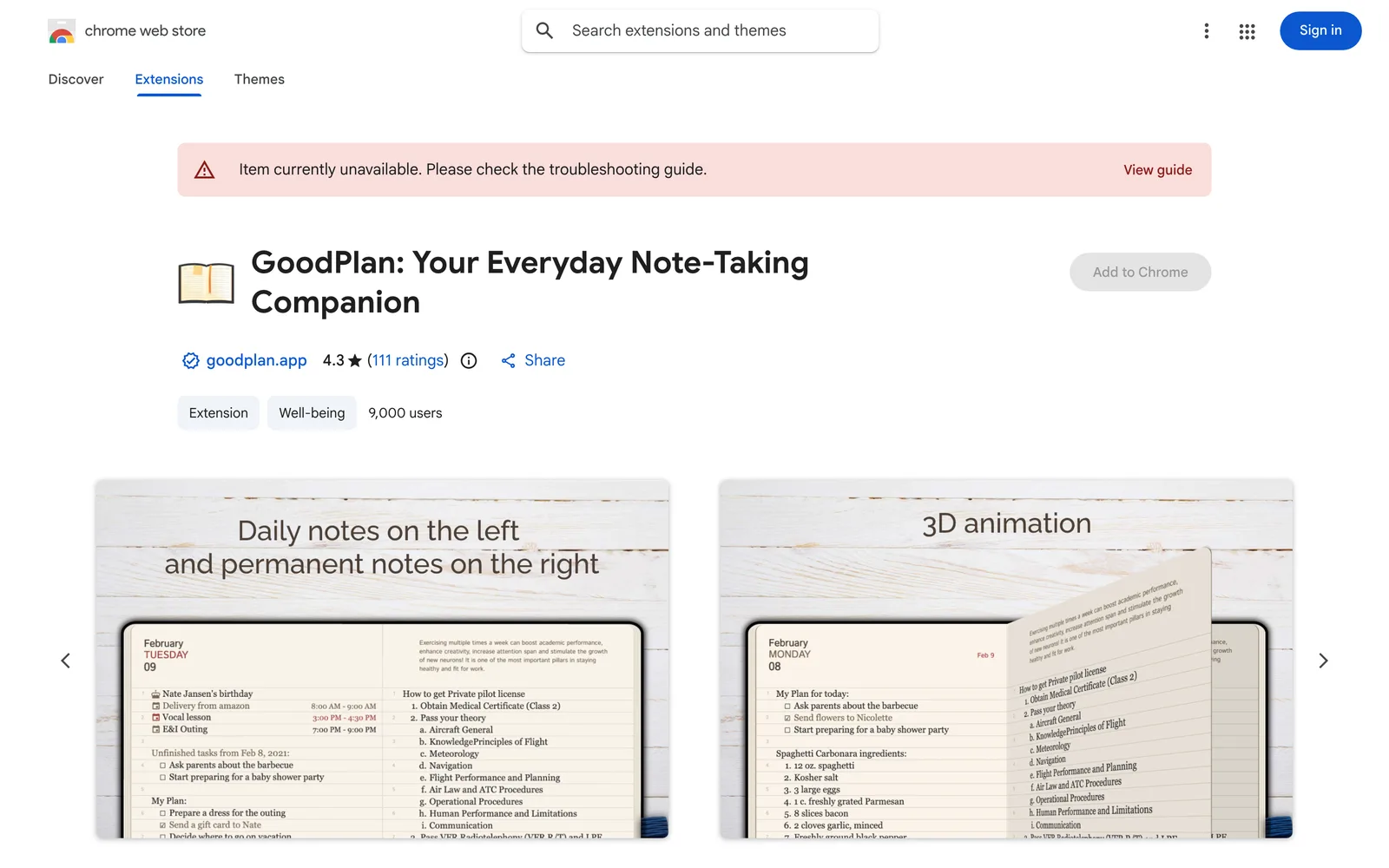
GoodPlan: Your Everyday Note-Taking Companion is a Chrome extension that replaces your default new tab page with a clean, daily workspace. It's designed for users who need to keep a journal, manage to-dos, or save web references, helping you organize scattered information. ### Key Capabilities - **Smart Planning**: Unfinished tasks automatically roll over to today; jump to any date in the calendar to review past or future notes; switch between daily and weekly views. - **Dual Note System**: A split-screen interface with Daily Notes on the left and Permanent Notes on the right for ideas or long-term goals. A full-screen editor is also available. - **Quick Capture**: A built-in Web Clipper lets you select text on any webpage and save it directly to today's journal via the right-click menu; click the extension icon to open a popup for quick access to today's notes without opening a new tab. - **Focus & Accessibility**: Auto dark mode (enabled from 21:00 to 08:00); optimized for keyboard navigation and screen readers. ### Privacy & Usage GoodPlan: Your Everyday Note-Taking Companion requires no account or password—just install and start using it. All data stays on your local device. The developer states that no user data is collected or used, sold to third parties, or used for purposes unrelated to core features. This extension suits students, developers, writers, and anyone looking to organize their thoughts. The current version is 2.0.2 and supports 11 languages, including Simplified Chinese, Traditional Chinese, English, and Japanese.
Key features
- Auto Task Rollover: Unfinished to-dos automatically move to today's plan so nothing gets lost.
- Calendar Jump: Jump to any past or future date to review old notes or plan ahead.
- Daily & Weekly Views: Switch between a focused daily view and a weekly overview.
- Split-Screen Dual Notes: Daily Notes on the left, Permanent Notes (ideas and long-term goals) on the right.
- Full-Screen Editor: A spacious, distraction-free writing environment.
- Web Clipper: Select text on any webpage and right-click to save it to today's journal.
- Quick Popup: Click the extension icon to access today's notes via a popup, no new tab needed.
- Auto Dark Mode: Automatically enables the dark theme from 21:00 to 08:00.
Releases
Notify me Initial · GoodPlan: Your Everyday Note-Taking Companion
Q&A
- Does GoodPlan: Your Everyday Note-Taking Companion require an account?
- No. Just install the extension and start typing—no account or password needed.
- Where is my note data stored?
- All data is stored locally on your device. The developer states that no user data is collected, used, or sold to third parties.
- How do I save web content to GoodPlan: Your Everyday Note-Taking Companion?
- Select the text on any webpage, right-click, and use the context menu to add it directly to today's journal.
- Will unfinished tasks be lost?
- No. GoodPlan: Your Everyday Note-Taking Companion supports auto rollover, moving unfinished items to the current date automatically.
Bookmark
This product has no owner yet
It was listed by the platform or its author left. If it is your work, prove your relationship to become the owner.
Claim this productThe product content on this page was translated by AI from the author's original.