
September 25, 2026

LaTeXSnipper
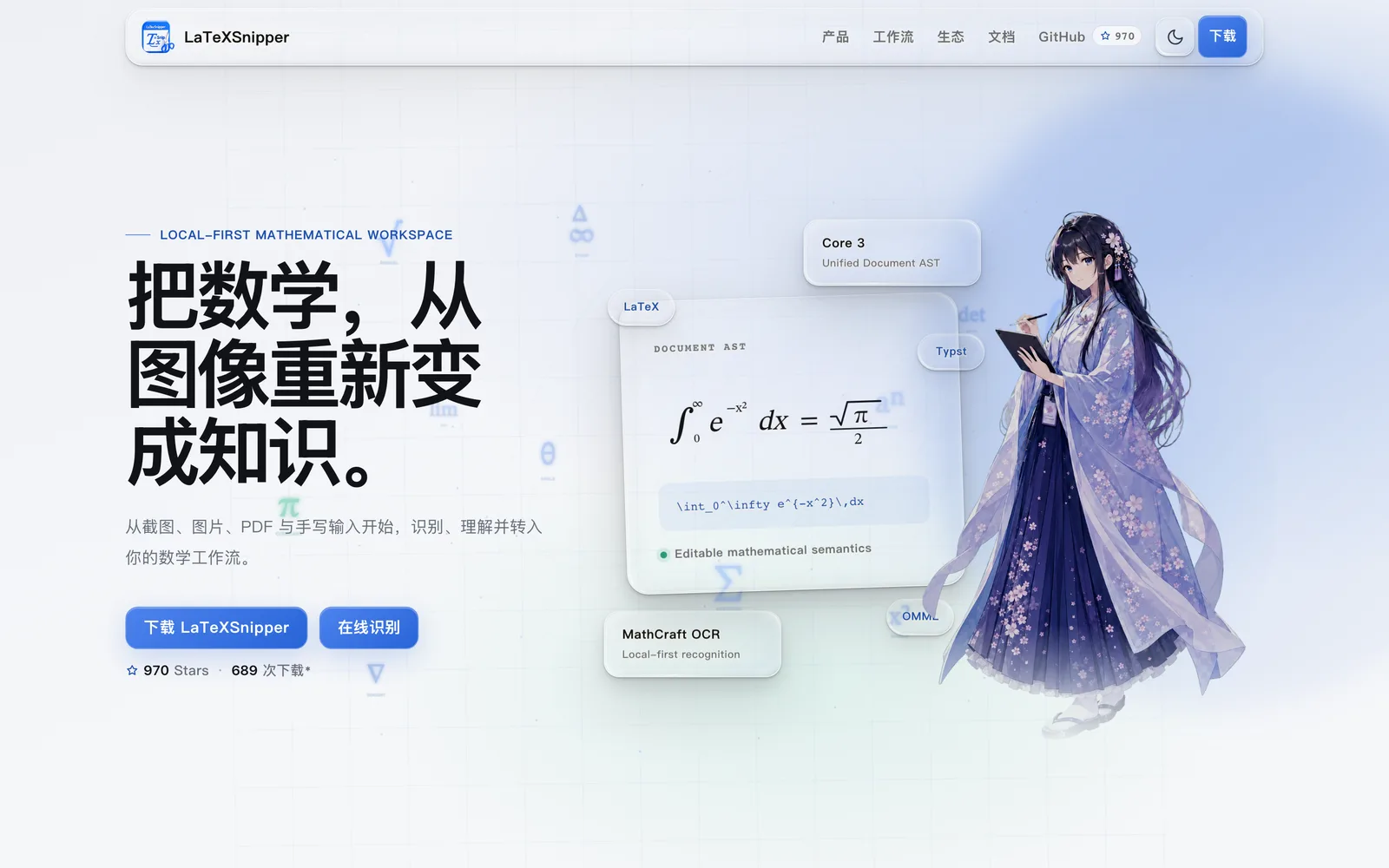
A desktop tool that recognizes screenshots, images, PDFs, and handwriting into editable LaTeX/Markdown formulas and text.
GPL-3.0macOSWindowsLinux
 1 / 7
1 / 7Product facts
- Type
- Desktop App
- Category
- Education & Research › Paper Writing and Citation
- Pricing
- Open source
- Platforms
- macOS · Windows · Linux
- License
- GPL-3.0
- Launched
- Sep 25, 2026
- Listed
- Sep 25, 2026
- Website
- github.com
Overview
LaTeXSnipper is an open-source desktop app that converts screenshots, images, PDF pages, and handwritten content into editable math formulas and text. It supports Windows, Linux, and macOS. ### Core Capabilities - **Multi-source recognition**: Recognize formulas, text, and mixed content by capturing the screen, opening image files, selecting PDF pages, or writing by hand. - **Editing & computation**: A built-in MathLive-based formula editor with live preview, plus a math workspace for simplifying, evaluating, and solving expressions. - **Multi-format export**: Copy formulas or export documents in 20 formats, including LaTeX, MathML, Word, PDF, Typst, Markdown, HTML, and SVG. Some document exports require the optional Pandoc dependency layer. - **Model selection**: Download dependencies and weights to run the MathCraft OCR model locally, or configure external local or online models. - **Office plugins**: Windows plugins for Microsoft Word and PowerPoint let you insert and edit formulas directly (OLE/OMML/PNG), preserving editable LaTeX source with support for auto-numbering and cross-references. - **Automation API**: Disabled by default, this interface lets scripts, batch tasks, or editor integrations invoke recognition. It works with screenshot tools like Snipaste, AutoHotkey, and ShareX, and can be accessed by mobile shortcuts via a secure tunnel. ### Requirements On first launch, install the required dependencies and CPU/GPU backends via "Dependency Management". The Windows build bundles a Python 3.11 runtime; Linux and macOS require a system Python (>=3.10, <3.14) with venv/pip. macOS users must grant screen recording permission for screenshots, and Linux users on Wayland may face limitations with screenshots and global hotkeys. ### Who It's For Ideal for researchers, students, teachers, and typesetters who frequently work with math formulas—especially those who need to quickly extract formulas from images or PDFs and convert them into LaTeX or other editable formats.
Key features
- Screenshot Recognition: Capture a screen region to recognize formulas, text, and mixed content.
- Image & PDF Recognition: Import images or select PDF pages to recognize formulas and text.
- Handwriting Recognition: Write formulas directly in the app and convert them into editable digital format.
- Formula Editing & Live Preview: Edit recognition results with the MathLive editor and see rendered output in real time.
- Math Workspace: Simplify, evaluate, and solve formulas in the built-in workspace.
- Multi-format Export: Export to 20 formats including LaTeX, MathML, Word, PDF, and Typst.
- Local & External Models: Run MathCraft OCR locally or connect to other local/online models.
- Microsoft Office Plugins: Insert and edit formulas directly in Word and PowerPoint on Windows.
- Automation API: Integrate with scripts, screenshot tools, or mobile shortcuts via API (disabled by default).
- UI Customization: Chinese/English UI, light/dark themes, custom hotkeys, history, and favorites.
Releases
Notify me Initial · LaTeXSnipper
Q&A
- Which operating systems does LaTeXSnipper support?AI-generated
- It supports Windows, Linux (Debian/Ubuntu), and macOS. Windows offers an .exe installer, Linux a .deb package, and macOS a .dmg or .app.zip.
- Do I need to install Python myself before using it?AI-generated
- The Windows build bundles a Python 3.11 runtime, so no separate installation is needed. Linux and macOS require a system Python (>=3.10, <3.14) along with venv/pip.
- How do I start using the recognition features?AI-generated
- After installing the desktop app, use "Dependency Management" on first launch to install the required dependencies and CPU or GPU backend, then download the model weights. If you only use external models, just configure and test the connection in settings.
- Which Office versions do the Office plugins support?AI-generated
- They support desktop Microsoft Word and PowerPoint on Windows only. Both 32-bit and 64-bit Office 2019/2021/2024, LTSC 2021/2024, and Microsoft 365 Apps are compatible.
- Is the Automation API enabled by default? Is it secure?AI-generated
- The API is disabled by default. Local clients use the address and token in automation-api.json. Remote access requires explicit enabling, a separate key, and HTTPS or an encrypted tunnel—it should never be exposed over plain public HTTP.
- What extra setup is needed to export to Word or PDF?AI-generated
- LaTeX, Markdown, MathML, HTML, Word OMML, and SVG code are supported out of the box. To export document formats like Word, PowerPoint, EPUB, PDF, and Typst, install the optional Pandoc layer in Dependency Management. PDF export also requires a LaTeX PDF engine.
- What if screenshots don't work on macOS?AI-generated
- Grant LaTeXSnipper Screen Recording permission in your system settings.
Bookmark
This product has no owner yet
It was listed by the platform or its author left. If it is your work, prove your relationship to become the owner.
Claim this productAlternatives
The product content on this page was translated by AI from the author's original.