
November 20, 2026
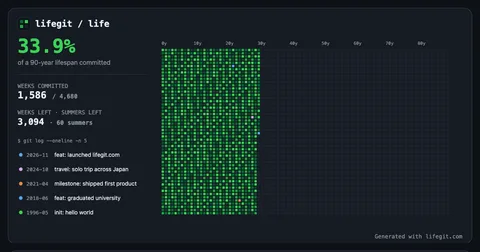
Visualize your life in weeks like a GitHub contribution graph, export wallpapers, and embed widgets in Notion.
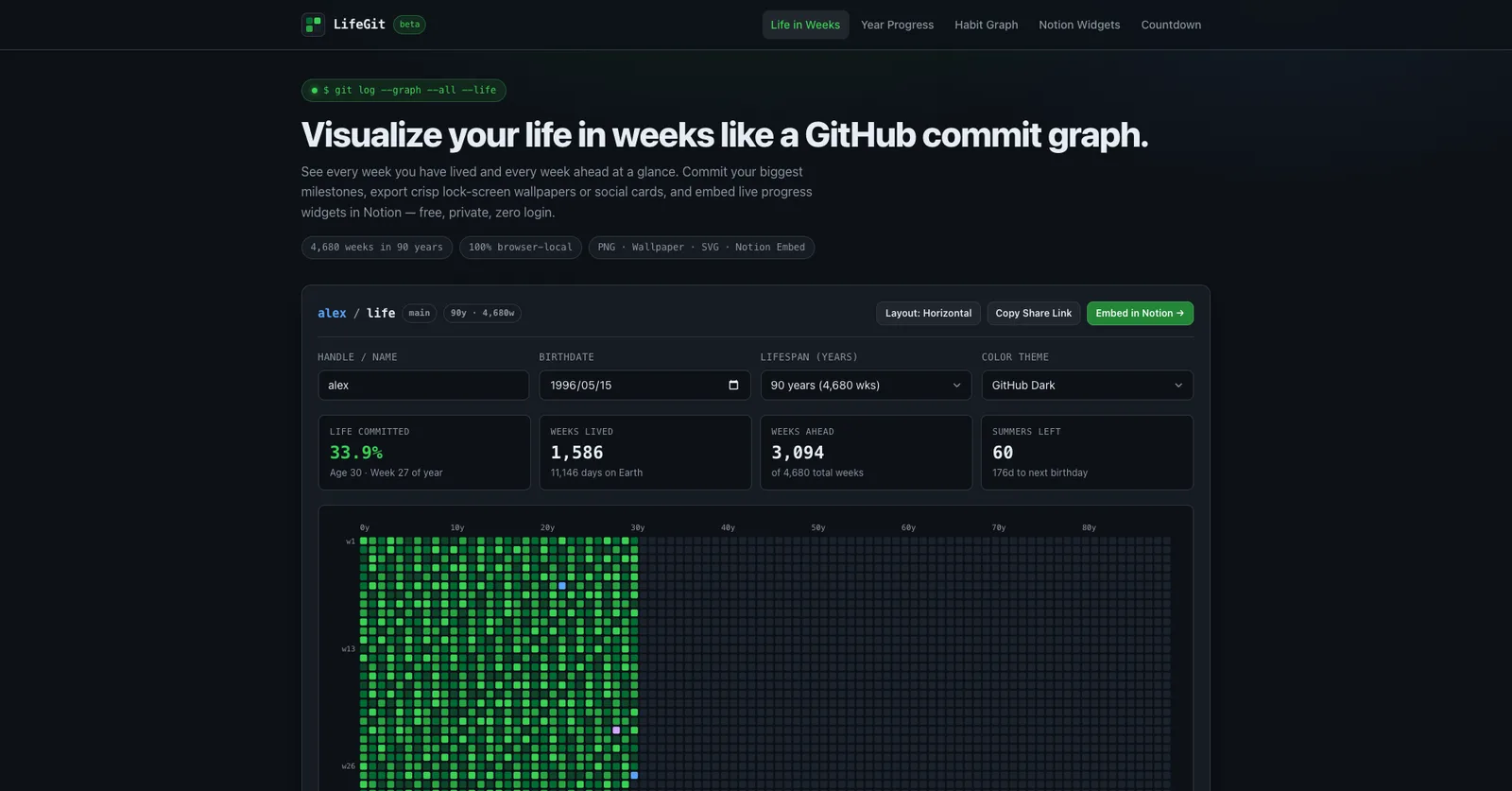
Product facts
- Type
- Web App / SaaS
- Category
- Productivity & Workflow › Focus and Habits
- Pricing
- Free
- Launched
- Nov 20, 2026
- Listed
- Nov 20, 2026
- Website
- lifegit.com
Overview
LifeGit is a browser-based tool that visualizes a person's lifespan as a grid of weekly squares, styled after the GitHub contribution graph. Inspired by Tim Urban's "Your Life in Weeks" concept, it maps a chosen lifespan (75 to 100 years) into individual week blocks. Users can log life milestones as Git-style commits with specific types such as feat, milestone, travel, love, init, and fix.
The application operates entirely in the browser. No account or login is required, and all data—including birthdate and logged milestones—is stored locally via localStorage. Nothing is sent to a backend server. Sharing is handled by encoding configuration parameters directly into the URL query string, allowing others to view or fork the graph without authentication.
Beyond the core Life in Weeks view, LifeGit includes several additional visualizers:
- Year Progress Commit Graph: A 53x7 calendar grid tracking elapsed days in the current year.
- Habit Commit Graph: A local-first streak tracker for daily habits across four intensity levels.
- Milestone Countdown Grid: Converts target dates (launches, graduations, etc.) into countdown cards and embeddable bars.
Users can export their graphs in multiple formats. Phone wallpapers are generated at native portrait resolutions (e.g., 1170x2532) with safe spacing for lock-screen clocks. Social cards export at 2400x1260, square posts at 2160x2160, and vector SVG files are also available. Color themes include GitHub Dark, GitHub Light, Cyber Violet, Amber Sunset, and Ocean Blue.
For workspace integration, LifeGit provides a Notion Embed Widget Builder. It generates zero-chrome widgets in dark, light, or transparent modes that update automatically when embedded in Notion pages using the /embed command. The tool is categorized as a Productivity Application and is currently in beta.
Key features
- Life in Weeks Graph:Maps a 75–100 year lifespan into weekly squares, highlighting lived weeks and logged milestones.
- Git-Style Milestone Logging:Log life events as commits with types like feat, milestone, travel, love, init, and fix.
- 100% Browser-Local Storage:All data is saved in localStorage; nothing is sent to a backend server.
- URL-Based Sharing:Encodes handle, birthdate, theme, and commits into the URL for account-free sharing.
- Wallpaper and Card Export:Exports phone wallpapers, social cards, square posts, and vector SVGs at high resolutions.
- Notion Embed Widgets:Generates auto-updating, zero-chrome widgets for Notion in dark, light, or transparent modes.
- Year Progress Graph:Tracks elapsed days of the current year in a 53x7 GitHub-style contribution grid.
- Habit Commit Graph:Logs daily habits across four intensity levels and tracks current and longest streaks.
- Milestone Countdown Grid:Turns target dates into commit-style countdown cards and embeddable progress bars.
- Multiple Color Themes:Offers themes including GitHub Dark, GitHub Light, Cyber Violet, Amber Sunset, and Ocean Blue.
Releases
Notify me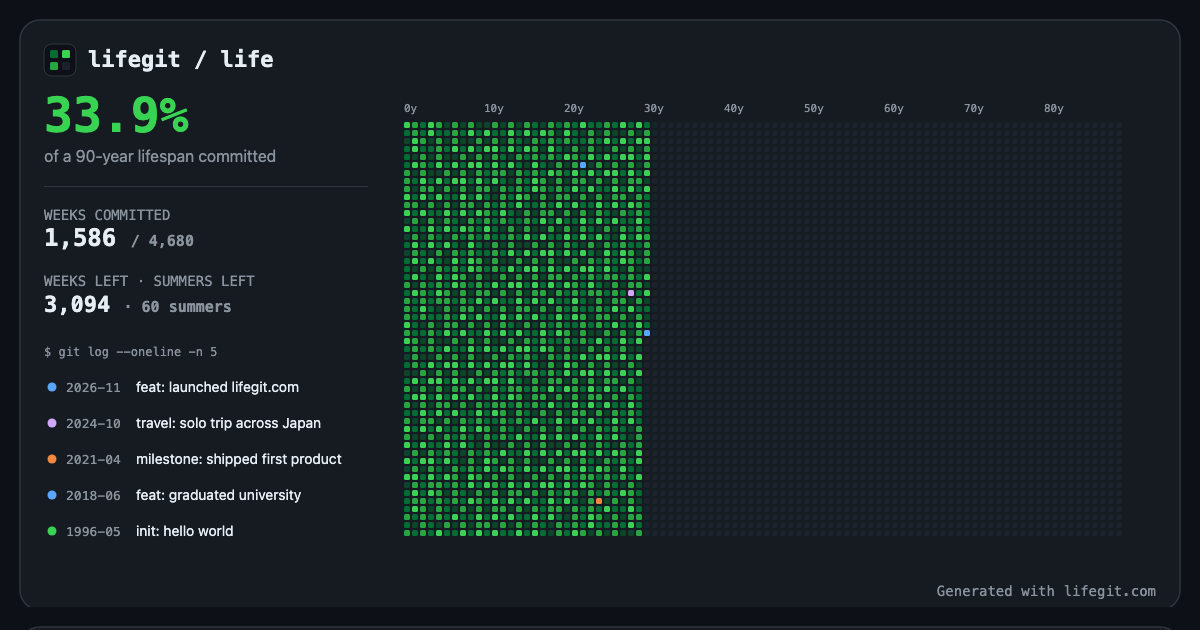 Initial · LifeGit
Q&A
- What is a Life in Weeks commit graph?AI-generated
- Inspired by Tim Urban's Your Life in Weeks and the GitHub contribution calendar, LifeGit maps a 90-year lifespan into 4,680 weekly squares. Lived weeks appear in green, and key life events are highlighted as commits in a personal git log.
- Is my birthdate or milestone data stored on a server?AI-generated
- No. LifeGit runs 100% locally in the browser. Birthdate and life commits are saved only in localStorage so they persist across reloads. Nothing is sent to a backend database.
- How do share links work without an account?AI-generated
- When clicking Copy Share Link, LifeGit encodes the handle, birthdate, lifespan, theme, and commits directly into the URL query string. Anyone opening the link sees the rendered graph and can fork it.
- Can I embed my Life in Weeks graph inside Notion?AI-generated
- Yes. Click Notion Widget to open the embed builder, choose Dark, Light, or Transparent mode, copy the URL, and paste it into any Notion page using /embed.
- What resolution are the exported wallpapers and cards?AI-generated
- Social cards export at 2400x1260, square posts at 2160x2160, and phone wallpapers at native portrait resolution (1170x2532) with safe top spacing for the clock. Vector SVG export is also available.
Bookmark
This product has no owner yet
It was listed by the platform or its author left. If it is your work, prove your relationship to become the owner.
Claim this product