
September 27, 2026
平面设计 - Linearity Curve
A vector graphics editor built for the Apple ecosystem, supporting logo, illustration, and brand design on iPhone, iPad, and Mac.
macOSiOS
 1 / 4
1 / 4Product facts
- Type
- Mobile App
- Category
- Design & UX › UI Design Tools
- Pricing
- Freemium
- Platforms
- macOS · iOS
- Launched
- Sep 27, 2026
- Listed
- Sep 27, 2026
- Website
- apps.apple.com
Overview
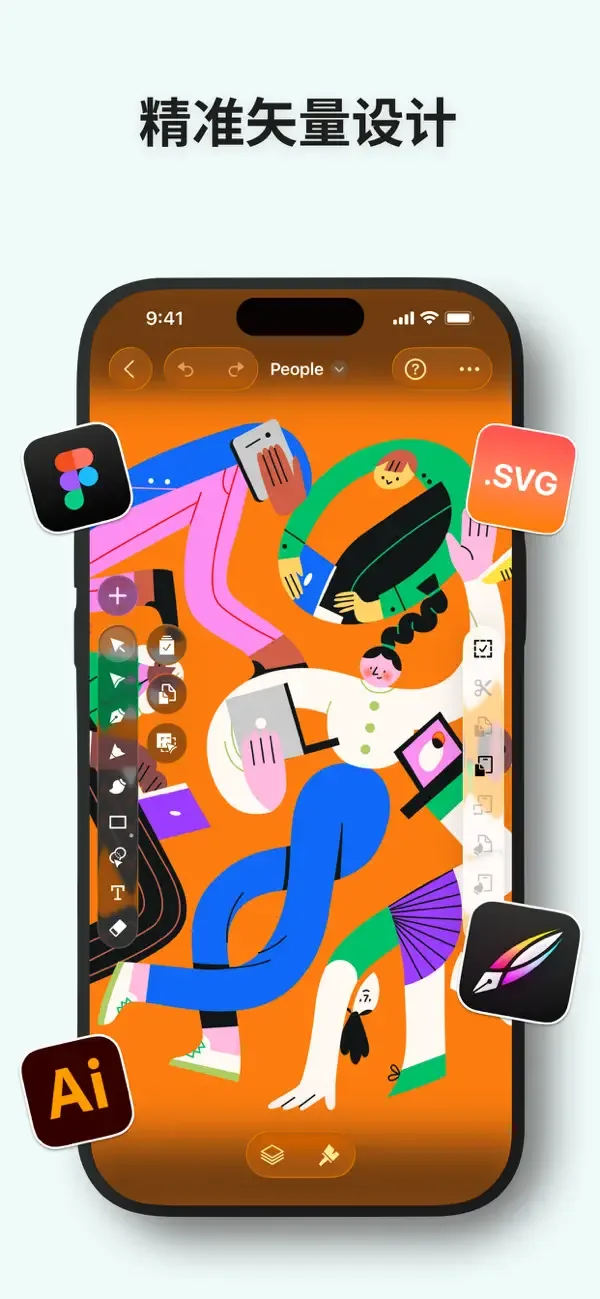
Linearity Curve (formerly Vectornator) is a vector graphics editing app developed by Linearity GmbH, built from the ground up for the Apple ecosystem. It offers vector drawing capabilities including the Pen tool, node editing, Shape Builder, and Boolean operations, along with multi-artboard support so you can complete entire marketing campaigns or branding projects in a single file. The app features an AI-powered Auto Trace engine that converts hand-drawn sketches, photos, and scans into editable vector paths, plus one-click image background removal. Version 6.11 and later introduced Prompt to Image and prompt-to-vector features, letting users generate images or fully editable vector assets directly from text descriptions, with options for Gemini 3.1 Pro or Arrow 1.0 models and various aspect ratios. For typography and illustration, Linearity Curve supports kerning adjustments, ligatures, custom font uploads, text on a path, as well as linear and radial gradients, blend modes, clipping masks, RGB and CMYK color modes, and noise effects. The app is optimized for Apple Pencil pressure and tilt sensitivity, uses a touch-first interaction design with gesture-based canvas controls, syncs automatically across iPad, iPhone, and Mac via iCloud, and works fully offline. In terms of file compatibility, it imports and exports .ai, SVG, PDF, PNG, JPG, and TIFF formats, opens Illustrator, Figma, and Sketch project files directly, and lets you import into Linearity Move with one click to add animations. It also provides real-time team collaboration, allowing members to edit simultaneously in shared workspaces. Linearity Curve is ideal for logo designers, illustrators, marketing teams, UX designers, print designers, and any creative professional who needs professional vector design on mobile devices.
Key features
- Vector Drawing Tools: Includes Pen, Node, Shape Builder, and Boolean operations for Bézier control and complex shape composition.
- AI Auto Trace: Converts hand-drawn sketches, photos, and scans into editable vector paths, with one-click image background removal.
- AI Image & Vector Generation: Create finished images or fully editable vector assets from text prompts, with model and aspect ratio options.
- Multi-Artboard Design: Manage multiple artboards in one file to build complete marketing campaigns, icon sets, or branding projects.
- Professional Typography: Supports kerning, ligatures, custom font uploads, text on a path, and in-app font downloads.
- Illustration & Layer System: Custom vector brushes, gradient controls, blend modes, clipping masks, RGB/CMYK color modes, and noise effects.
- Apple Ecosystem Optimized: Apple Pencil pressure and tilt support, touch-first interactions, iCloud cross-device sync, and offline use.
- Templates & Asset Library: Thousands of pro templates, Unsplash image library, SF Symbols icon pack, and brand asset library built in.
- Real-Time Team Collaboration: Edit live in shared workspaces, with changes synced instantly across team members and devices.
- Multi-Format Compatibility: Import and export .ai, SVG, PDF, PNG, JPG, and TIFF; open Illustrator, Figma, and Sketch files directly.
- Smooth Corners & Path Bending: Supports iOS-style squircle smooth corners and lets you drag to bend path segments with the Node tool.
Releases
Notify me Initial · 平面设计 - Linearity Curve
Q&A
- Which devices and systems does Linearity Curve support?AI-generated
- It requires iOS 16.0 or later and is compatible with iPhone, iPad, iPod touch, and Mac. The app is deeply optimized for the Apple ecosystem and supports automatic syncing across devices via iCloud.
- Is Linearity Curve free?AI-generated
- The app is listed as free on the App Store, but includes in-app purchases.
- Can I convert raster images to vectors?AI-generated
- Yes. The built-in AI-powered Auto Trace engine converts raster images like PNG and JPG, hand-drawn sketches, or photos into editable vector paths while automatically preserving layer groups and structure.
- Which file formats are supported for import and export?AI-generated
- It supports importing and exporting .ai, SVG, PDF, PNG, JPG, and TIFF formats. You can also directly open project files from popular design tools like Illustrator, Figma, and Sketch.
- Can I generate vector assets directly with AI?AI-generated
- Yes. Starting with version 6.11, the prompt-to-vector feature lets you type a description to generate fully editable vector assets, with each shape on its own layer and every path editable. You can choose between the Gemini 3.1 Pro or Arrow 1.0 models.
- Can I use it without an internet connection?AI-generated
- Yes. Linearity Curve offers full offline support so you can design anywhere, and it syncs automatically once you're back online.
- Does it support multi-user collaboration?AI-generated
- Yes. The app offers real-time team collaboration, allowing you to edit live in shared workspaces where every change is instantly visible to all team members.
- What was Linearity Curve previously called?AI-generated
- Linearity Curve was formerly known as Vectornator.
Bookmark
This product has no owner yet
It was listed by the platform or its author left. If it is your work, prove your relationship to become the owner.
Claim this productThe product content on this page was translated by AI from the author's original.