
October 8, 2026

A developer-focused browser extension for web inspection, request debugging, and page behavior verification.
Chrome
 1 / 7
1 / 7Product facts
- Type
- Extension & Plugin
- Category
- Development & Engineering › Debugging and Reverse Engineering
- Pricing
- Free
- Platforms
- Chrome
- Launched
- Oct 8, 2026
- Listed
- Oct 8, 2026
- Website
- chromewebstore.google.com
Overview
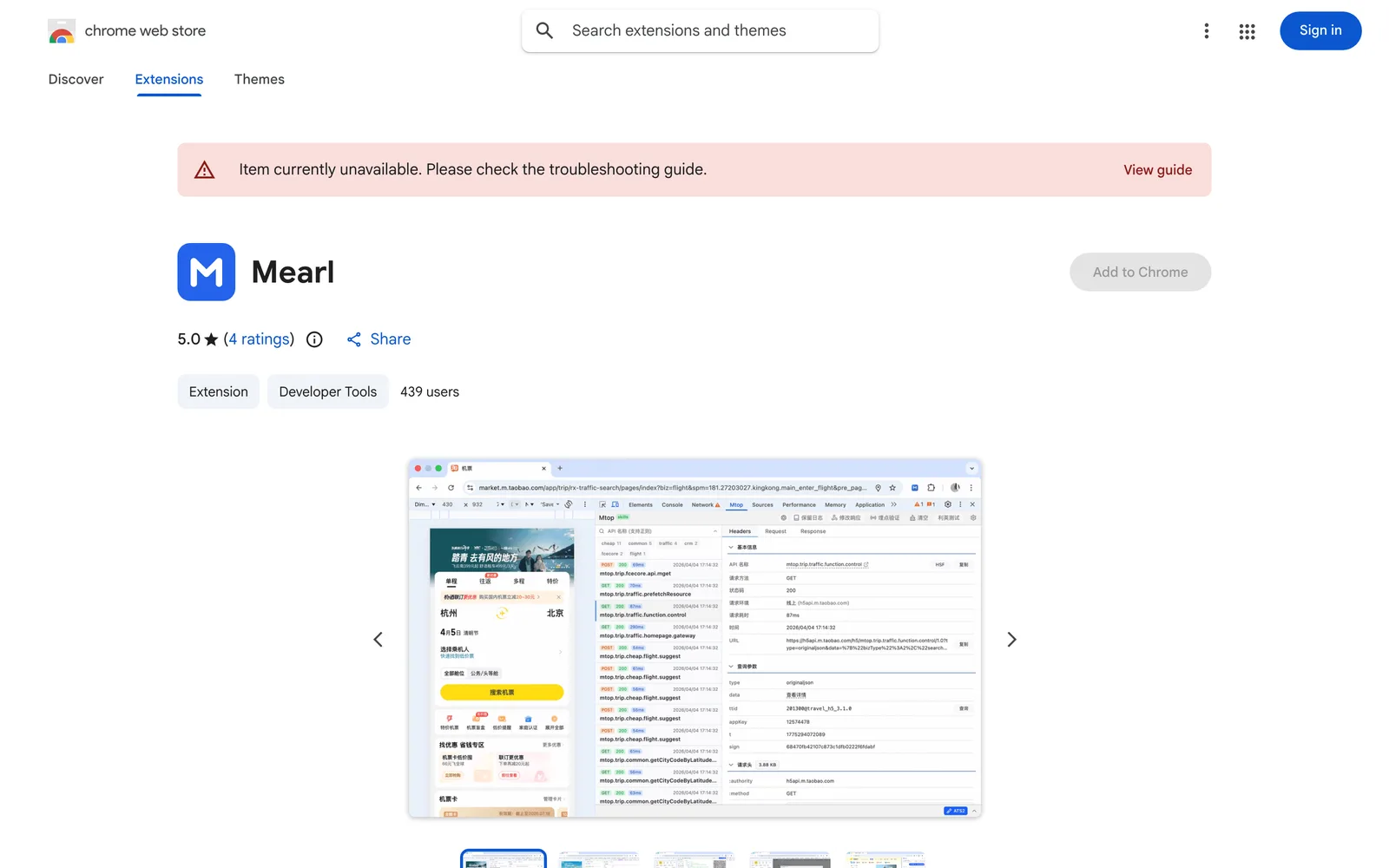
Mearl is a Chrome extension positioned as an Agent-driven browser toolkit, primarily serving website development and testing scenarios. It combines link parsing, structured data viewing, network request debugging, and automated verification into a single tool. **Links & Structured Data** Ready to use right after installation. It splits URLs into protocol, host, path, and query fields, allowing you to read decoded parameters, edit individual values, and copy the generated link. For JSON data, it offers formatting, nested expansion, field search, and content copying. You can also generate a QR code for links via the context menu, or recognize QR codes in webpage images. **Network & Page Debugging** Accessed through the developer tools panel. Inspect request headers, parameters, and response content, with support for filtering, searching, and preserving logs. Edit and resend requests to compare results, or use mock responses to test full payloads, individual fields, latency, or streaming behavior. Additionally, redirect or intercept requests, rewrite headers, view console logs, and inspect tracking events along with their associated page elements. **Mobile & Automated Verification** After configuring real-device capture, inspect mobile network traffic and simulate responses. Paired with companion browser-control tools, the AI assistant can read pages, fill forms, manage tabs, upload files, take screenshots, and then verify page changes. The companion tools also support mobile viewport and timezone simulation, action recording, and isolated browser environments. **Interface & Usage** Offers three entry points: toolbar popup (quick tools), developer-tools panel (debugging), and side panel (assistant chat). The interface supports English and Chinese (China), with dark mode and adjustable font sizes. Link, data, and QR tools work immediately upon installation; automation control requires companion tools; real-device capture needs extra configuration; response translation depends on the availability of the browser's built-in AI. The developer states that no user data is collected or used.
Key features
- URL Parsing & Editing: Split URLs into protocol, host, path, and query fields; read decoded parameters, edit values, and copy links.
- JSON Formatting & Search: Format JSON data, expand nested structures, search fields, and copy content.
- QR Code Generation & Recognition: Generate QR codes for links via the context menu, or recognize QR codes in webpage images.
- Request Inspection & Filtering: Inspect request headers, parameters, and responses, with support for filtering, searching, and preserving logs.
- Request Editing & Resending: Edit existing requests and resend them to compare different results.
- Mock Responses: Use simulated responses to test full payloads, individual fields, latency, or streaming behavior.
- Request Redirection & Interception: Redirect or block requests and rewrite headers.
- Console & Tracking Inspection: View console logs and inspect tracking events along with their associated page elements.
- Mobile Traffic Capture: After configuring real-device capture, inspect mobile network traffic and simulate responses.
- AI Automation Control: With companion tools, the AI assistant can read pages, fill forms, manage tabs, upload files, and take screenshots.
- Multi-Entry Interface: Offers three access points—toolbar popup, developer-tools panel, and side panel.
- Multilingual & Theming: Supports English and Chinese (China), with dark mode and adjustable font sizes.
Releases
Notify me Initial · Mearl
Q&A
- Which features are available immediately after installing Mearl?
- Link, structured data, and QR code tools are ready to use right after installing the extension. Automation control requires configuring companion tools, and real-device capture needs additional setup.
- Does Mearl collect user data?
- The developer states that Mearl does not collect or use user data, will not sell data to third parties, and will not use it for purposes unrelated to core functionality or for credit scoring.
- Which languages does Mearl support?
- The interface supports English and Chinese (China).
- How do I use the AI automation features?
- You need to configure the companion browser-control tools. Once set up, the AI assistant can read pages, fill forms, manage tabs, upload files, take screenshots, and verify page changes.
- What are the prerequisites for the response translation feature?
- Response translation depends on the availability of the browser's built-in AI.
Bookmark
This product has no owner yet
It was listed by the platform or its author left. If it is your work, prove your relationship to become the owner.
Claim this productThe product content on this page was translated by AI from the author's original.