
October 20, 2026

MixSongs
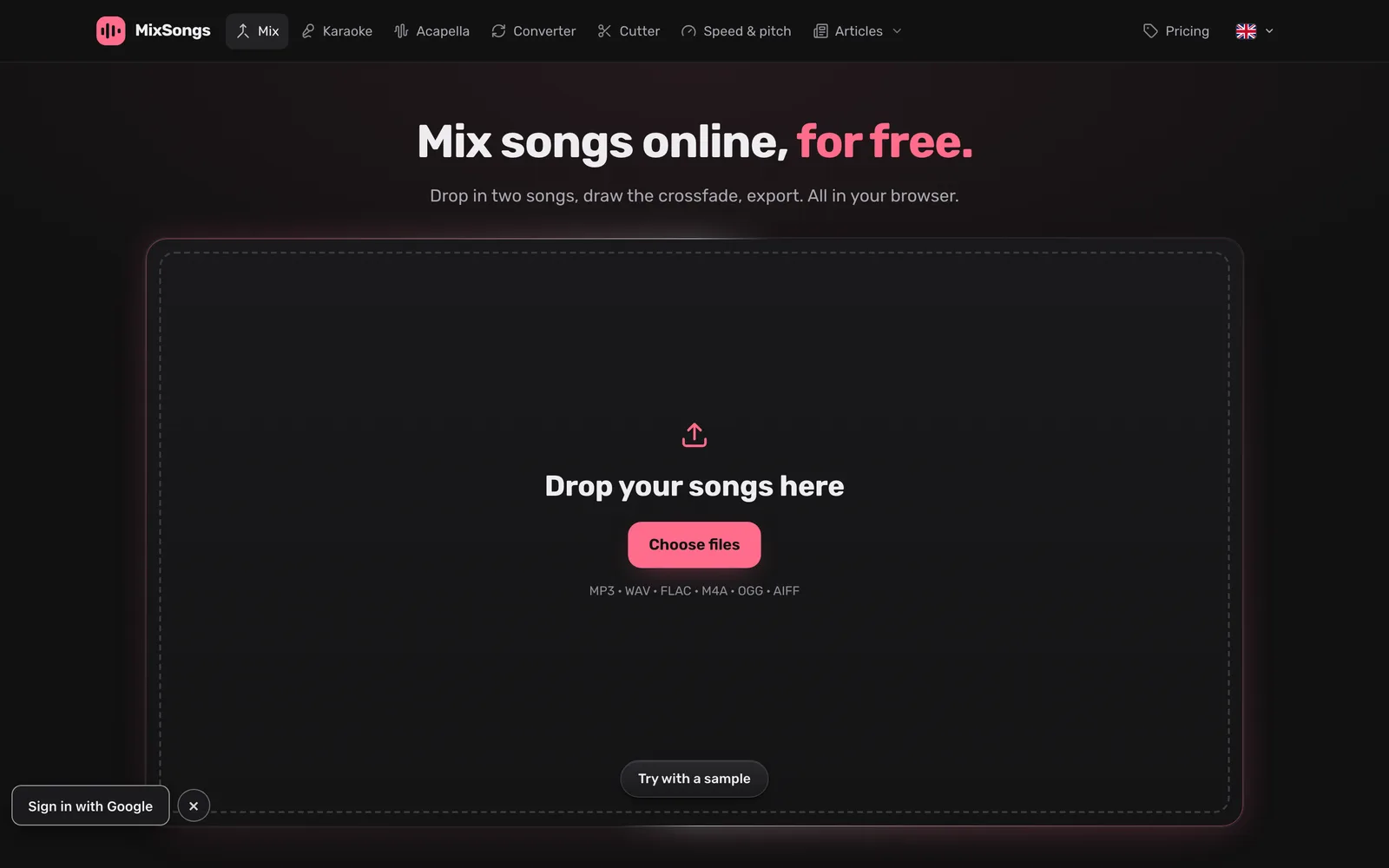
Mix, trim, change tempo and pitch for free in your browser, and use AI to split songs into 6 stems.
 1 / 2
1 / 2Product facts
- Type
- Web App / SaaS
- Category
- Creativity & Media › Audio and Music
- Pricing
- Freemium
- Launched
- Oct 20, 2026
- Listed
- Oct 20, 2026
- Website
- mixsongs.app
Overview
MixSongs is a browser-based online audio mixing and editing tool that works on Windows, macOS, Linux, and ChromeOS. It offers a multi-track timeline where you can crossfade, cut, trim, and move clips—rather than simply joining audio files end to end. **Core Capabilities** - **Multi-track Mixing**: Import MP3, WAV, FLAC, M4A, OGG, AIFF, and more. Customize crossfade curves with volume control points, with support for snap-to-beat/bar, looping, undo, and redo. - **AI Stem Separation**: Uses two AI models to split a song into 6 stems: vocals, drums, bass, guitar, piano, and instrumental. Each stem has independent volume and fader controls. - **Tempo & Pitch Adjustment**: Tempo and pitch adjust independently—tempo changes preserve key, pitch changes preserve duration—and both support curve automation over time. Shift up to 24 semitones; tempo range from 0.25× to 4×. - **Natural Vocal Pitch Shifting**: Preserves the singer's timbre (formants) when transposing isolated vocals, while accompaniment can be shifted separately. - **Privacy & Local Processing**: Powered by a 32-bit float engine, decoding, playback, and rendering all happen locally in your browser. No audio files are uploaded during mixing or exporting. Projects auto-save in the browser. **Export Options** Free exports support 128 or 192 kbps MP3. Paid plans unlock Pro exports, including up to 24-bit WAV and FLAC, 320 kbps MP3, and sample rates up to 96 kHz, with built-in clipping protection and dithering. **Who It's For** Ideal for anyone who needs to quickly mix songs, create DJ mashups, extract karaoke instrumentals, or edit audio in the browser—no plugins or software installation required.
Key features
- Multi-track Timeline Mixing: Arrange multiple songs on a timeline and customize crossfade curves with volume control points.
- AI 6-Stem Separation: Split any song into 6 independent tracks—vocals, drums, bass, guitar, piano, and instrumental.
- Cut & Trim: Use the scissors tool to split audio, drag edges to trim, or move clips to other tracks.
- Independent Tempo & Pitch: Tempo changes preserve key, pitch changes preserve duration, and both support curve automation over time.
- Natural Vocal Pitch Shifting: Preserves vocal formants and the singer's timbre when transposing, while accompaniment shifts separately.
- Local Lossless Processing: A 32-bit float engine runs in your browser—no audio files are uploaded when mixing or exporting.
- Multi-format Import: Supports MP3, WAV, FLAC, M4A/AAC, OGG/Opus, WebM audio, and AIFF.
- Pro Lossless Export: Paid plans unlock up to 24-bit WAV/FLAC, 320 kbps MP3, and 96 kHz sample rates.
- Reverb Removal: Remove reverb and echo from vocals, or keep any amount of reverb in real time.
- Format Conversion: Convert between formats like WAV, FLAC, and MP3.
Releases
Notify me Initial · MixSongs
Q&A
- Is MixSongs really free?AI-generated
- Mixing, editing, and crossfading are free—no account needed, no watermarks, and exports up to 192 kbps MP3. Lossless WAV/FLAC and 320 kbps MP3 exports require any $3 plan, which also includes 10 AI stem separations valid for 7 days.
- Are my songs uploaded to a server?AI-generated
- No uploads occur during mixing or exporting—decoding, playback, and rendering all happen in your browser. Audio is only uploaded when using AI stem separation, and separated tracks are automatically deleted from the server after 30 days.
- Which file formats are supported?AI-generated
- You can import MP3, WAV, FLAC, M4A/AAC, OGG/Opus, WebM audio, and AIFF. Free exports are 128 or 192 kbps MP3. Pro exports support 16-bit/24-bit/32-bit float WAV, 16-bit/24-bit FLAC, and 256 or 320 kbps MP3.
- How good is the AI stem separation?AI-generated
- It uses two AI models for vocals and instruments, separating every moment of the song 4 times and blending the results into 6 lossless 24-bit FLAC stems. Your first song is free to try.
- Will it run on my computer?AI-generated
- It runs in the latest versions of Chrome, Edge, Firefox, and Safari on Windows, macOS, Linux, and ChromeOS. A desktop or laptop is recommended for detailed editing.
- How much does AI stem separation cost?AI-generated
- The first song is free. After that, 10 separations cost $3 (valid for 7 days), or 20 per month for $6. Both include Pro export access.
- Can I mix songs I don't own?AI-generated
- You are responsible for ensuring you have the rights to the audio you use. Personal listening and public distribution are treated differently, so read their terms and copyright policy before sharing.
Bookmark
Alternatives

AirMusic
基于 AI 的网页端音乐生成工具,帮助创作者通过文本或歌词快速生成原创歌曲与音乐视频。
Released today4
Freemium

YinsoAI
A web-based AI music creation app that generates original songs from ideas or lyrics.
Released last week3
Freemium

AutoPiano自由钢琴3D版
免费的在线虚拟三角钢琴,通过浏览器即可使用键盘、鼠标或MIDI键盘演奏。
Released 3 weeks ago4
100% Free

Nafy AI
在线 AI 音乐生成器,通过文本描述或歌词快速生成免版税的音乐作品。
Released 3 weeks ago2
Freemium

Kleep
AI song generator that turns text, lyrics, or ideas into complete original songs with vocals.
Released 2 days ago3
Freemium

Free Online Harmonium
在浏览器中免费弹奏风琴,支持键盘快捷键、MIDI 输入与印度古典音乐练习工具。
Released 3 weeks ago2
100% Free

Clear
Real-time audio filter web app
Released 3 weeks ago2
Paid

海绵音乐
抖音旗下的免费 AI 音乐创作产品,输入一句话即可生成原创音乐或改编歌曲。
Released 3 weeks ago4
Free trial


The product content on this page was translated by AI from the author's original.