
September 26, 2026

Noise Cancelling App
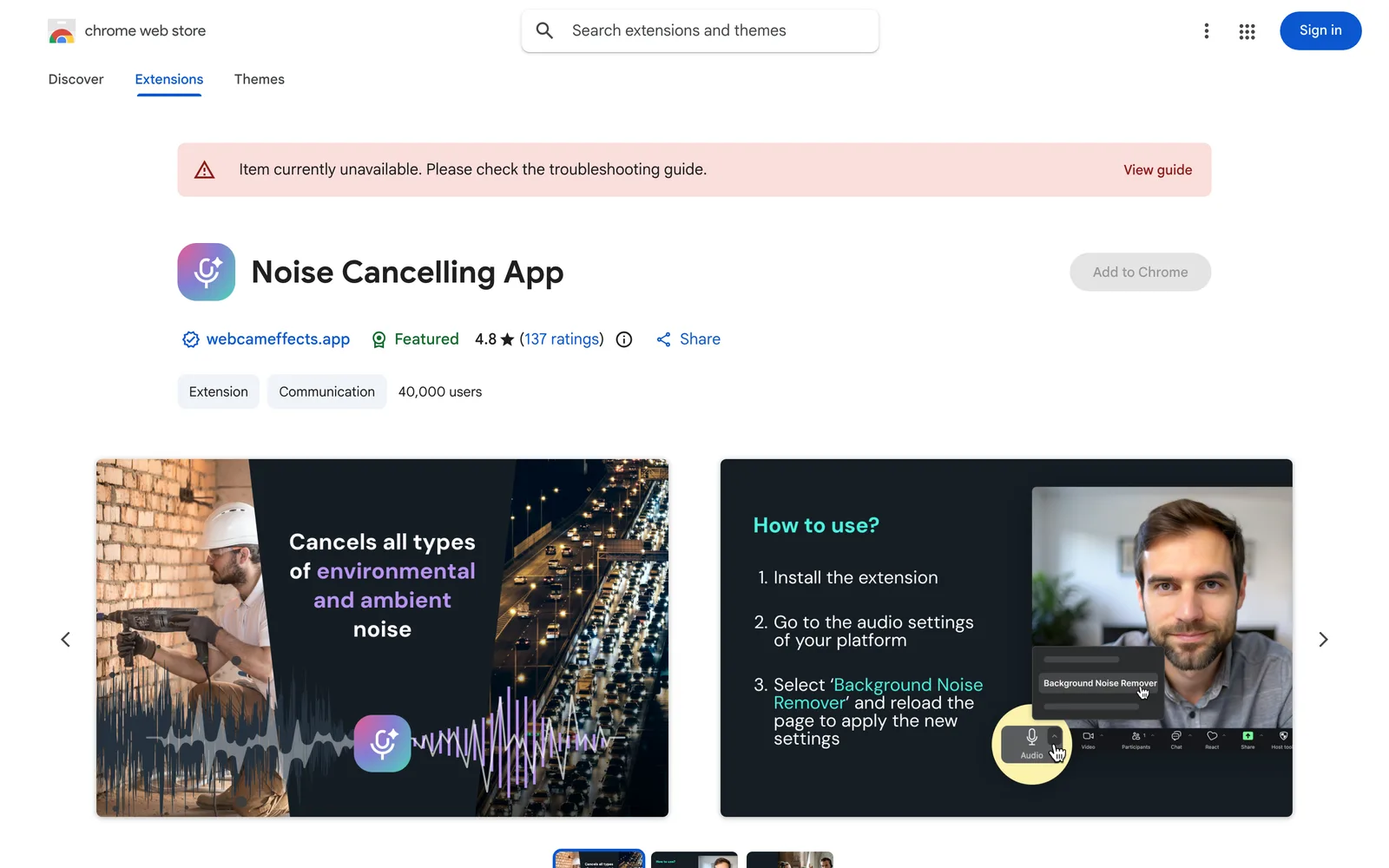
An AI-powered Chrome extension that removes microphone background noise in real time for calls, live streams, and recordings.
WebChrome
 1 / 5
1 / 5Product facts
- Type
- Extension & Plugin
- Category
- Creativity & Media › Audio and Music
- Pricing
- Free
- Platforms
- Web · Chrome
- Launched
- Sep 26, 2026
- Listed
- Sep 26, 2026
- Website
- chromewebstore.google.com
Overview
Noise Cancelling App is a Chrome browser extension developed by DAMIKO INC, powered by Effects SDK for AI noise cancellation. Its core function is to filter background noise from microphone input in real time during online meetings, live streams, or recordings—including dog barking, traffic noise, keyboard typing, and hardware hiss—keeping only the speaker's voice. The extension features a plug-and-play design. After installation, simply switch your microphone to "Background Noise Remover" in the audio settings of your target platform and refresh the page. No complex configuration is required. It works with all websites and apps that use a microphone, including Zoom, Google Meet, Discord, Twitch, and YouTube Live. If multiple microphones are connected, click the extension icon on the browser toolbar to manually select which microphone to process. It is ideal for remote workers who need fewer distractions in virtual meetings, content creators producing podcasts or live streams, and students and educators attending online classes. Regarding privacy, the developer states that the extension does not collect or use user data, sell it to third parties, or use it for purposes unrelated to its core functionality or credit assessment. The extension size is 10.87MiB, supports 55 languages, and the current version is 1.4.1. According to the Chrome Web Store listing, it is completely free and has around 40,000 users.
Key features
- Real-time AI noise cancellation: Uses AI technology from Effects SDK to eliminate background noise in audio and video calls in real time.
- Plug-and-play: Simply select Background Noise Remover in your platform's audio settings—no complex setup required.
- Multi-platform compatibility: Works with Zoom, Google Meet, Discord, Twitch, YouTube Live, and any website that uses a microphone.
- Microphone selection: Choose a specific microphone from multiple audio input devices for noise cancellation.
- Free to use: As an alternative to paid solutions, all noise cancellation features in this extension are completely free.
Releases
Notify me Initial · Noise Cancelling App
Q&A
- How do I install and use this extension?
- Click Add to Chrome to install the extension, launch your audio or video app, select the Background Noise Remover microphone in the app's audio settings, and refresh the page to apply noise cancellation.
- If I have multiple microphones, how do I choose which one to process?
- By default, the extension processes the system's default microphone. To select another one, click the puzzle icon in the top-right corner of the browser to open the extensions menu, choose Noise Cancelling App, and then select your target microphone.
- What types of noise can it remove?
- It can remove dog barking, traffic noise, keyboard typing, hardware hiss, as well as other voices, weather sounds, and mechanical noise.
- Does this extension cost anything?
- No. The description explicitly states that the extension is completely free.
- Does it collect my personal data?
- The developer states that the extension does not collect or use user data, sell it to third parties, or use it for purposes unrelated to its core functionality.
Bookmark
This product has no owner yet
It was listed by the platform or its author left. If it is your work, prove your relationship to become the owner.
Claim this productThe product content on this page was translated by AI from the author's original.