
October 10, 2026

PDF to Link
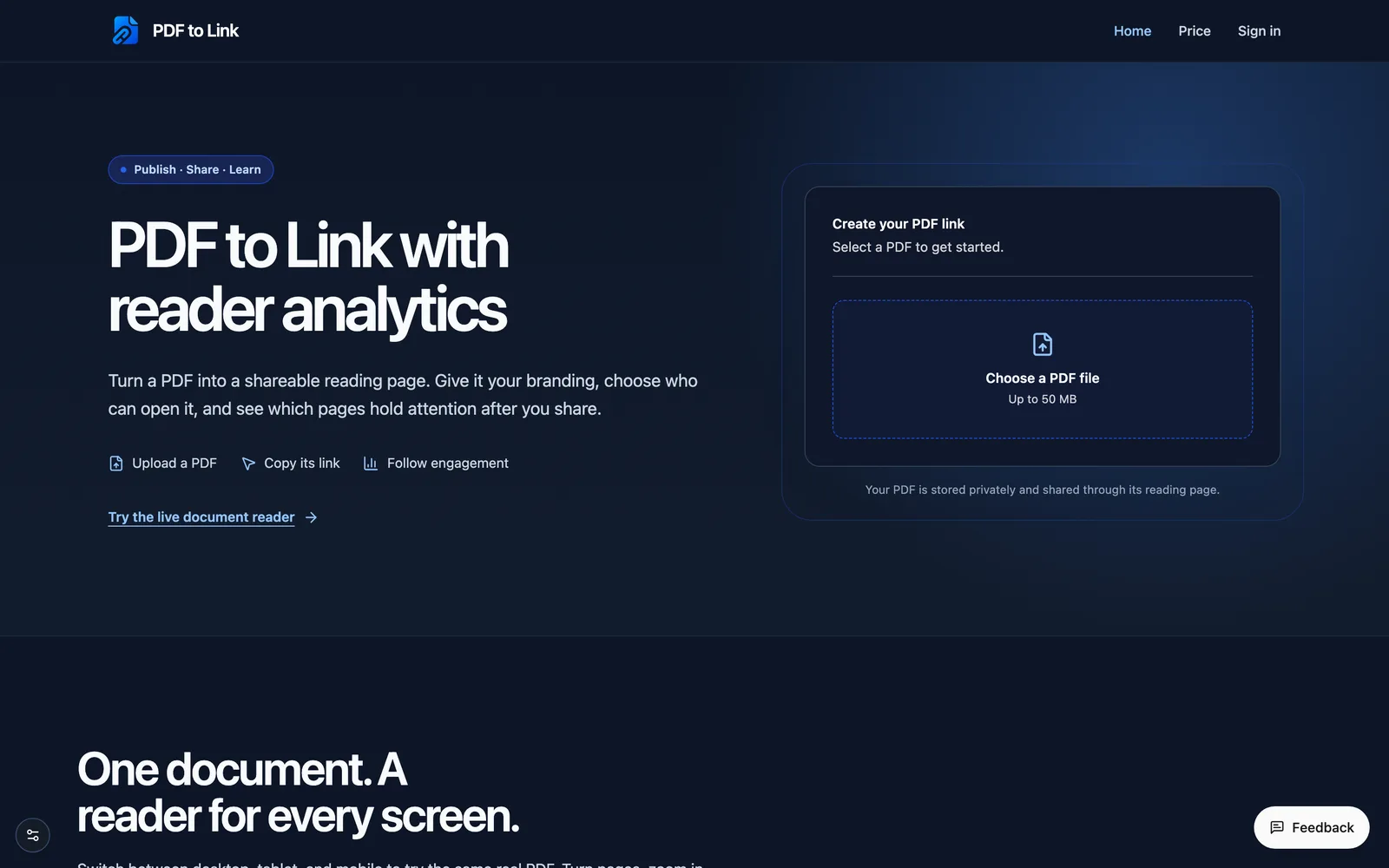
Upload a PDF as a shareable flipbook page and track reader behavior analytics.
 1 / 2
1 / 2Product facts
- Type
- Web App / SaaS
- Category
- Content & Writing › PDF and Document Processing
- Pricing
- Freemium
- Launched
- Oct 10, 2026
- Listed
- Oct 10, 2026
- Website
- pdf-to-link.com
Overview
PDF to Link is a web app that converts PDF files into online reading pages with a flip effect and provides reader behavior analytics. After uploading a PDF (up to 50 MB), the system generates a unique share link or QR code. The reading page adapts to desktop, tablet, and mobile devices, supporting page flipping, zooming, and more. The PDF itself is not converted into HTML; it is displayed through a web-based reader. **Key capabilities include:** - **Reading analytics**: Provides metrics such as view count, visitor count, average active time, and the percentage of readers who reach the last page. Supports viewing traffic trends over time, read-depth curves, page-by-page heatmaps, reader geographic distribution, and exit page statistics. - **Access control**: Set a password for published PDFs so readers must enter it before opening the document. - **Brand customization**: Upload a logo and favicon, choose a page background color, and set a destination URL for the logo. - **Interactive elements**: Add social media links and CTA (call-to-action) buttons to the reading page, with click counts tracked. - **Other options**: Supports page-flip sound effects and a single-page layout for mobile. **How it works:** 1. Select the PDF file you want to share. 2. Verify your email (if required) and complete the upload; the system automatically creates the reading page. 3. Copy the link or QR code to share it, and manage access permissions, branding, and analytics in the dashboard. This tool is ideal for individuals or teams who need to share a PDF as a standalone web page while understanding how readers interact with the document.
Key features
- PDF to reading page: Upload a PDF up to 50 MB and generate an online share link with a flip effect.
- Multi-device support: The reading page works on desktop, tablet, and mobile, with page flipping and zooming.
- Reading analytics: Track views, visitors, average active time, and the percentage reaching the last page.
- Page-by-page heatmap: View reader counts and total active time distribution by page range.
- Read-depth curve: Shows the percentage of reading sessions that reach different points in the PDF.
- Reader geography: Tracks the country of origin for each reading session.
- Exit page stats: Records the page where readers leave the document; undetectable exits are shown separately.
- Password protection: Set a password for published PDFs so readers must enter it to open them.
- Brand customization: Upload a logo and favicon, choose a page background, and set a logo link.
- Social links & CTAs: Add social media links and call-to-action buttons to the reading page.
- QR code sharing: Download a QR code for the reading page after publishing for offline sharing.
- Page-flip sound: Optionally enable a sound effect when turning pages.
Releases
Notify me Initial · PDF to Link
Q&A
- How do I turn a PDF into a link?AI-generated
- Select your PDF in the upload tool, verify your email if prompted, and upload it. Once published, copy the generated reading page link or download its QR code to share.
- Are a PDF link and a PDF URL the same thing?AI-generated
- Yes. The published link is a web URL where readers open your PDF. The PDF file itself is not converted into HTML.
- Can I protect a shared PDF?AI-generated
- Yes. After publishing, add a password in the document settings. Readers must enter the password to open the document.
- What data does the analytics dashboard measure?AI-generated
- Reports include the number of reading sessions, page reach, active time when the document is visible and focused, and recorded exit pages. Some exits cannot be detected, and those sessions are shown separately.
- Is there a file size limit for uploaded PDFs?AI-generated
- Yes, a single PDF file can be up to 50 MB.
Bookmark
This product has no owner yet
It was listed by the platform or its author left. If it is your work, prove your relationship to become the owner.
Claim this productAlternatives

凹凸工坊
Convert Word documents into realistic handwritten pages with one click, supporting multiple fonts and paper backgrounds.
Released 3 weeks ago4
100% Free

忙忙侠AI
提供免费的在线文档、图片、音频和视频格式转换及AI处理工具。
Released 3 weeks ago2
100% Free



The product content on this page was translated by AI from the author's original.