
September 26, 2026

Picture in Picture | PiP | Floating Player for Youtube
Pop out web videos into a floating window that stays on top. Works with YouTube, Netflix, and more.
macOSWindowsLinuxChromeClaude Code
 1 / 5
1 / 5Product facts
- Type
- Extension & Plugin
- Category
- Lifestyle & Entertainment › Entertainment
- Pricing
- Free
- Platforms
- macOS · Windows · Linux · Chrome · Claude Code
- Launched
- Sep 26, 2026
- Listed
- Sep 26, 2026
- Website
- chromewebstore.google.com
Overview
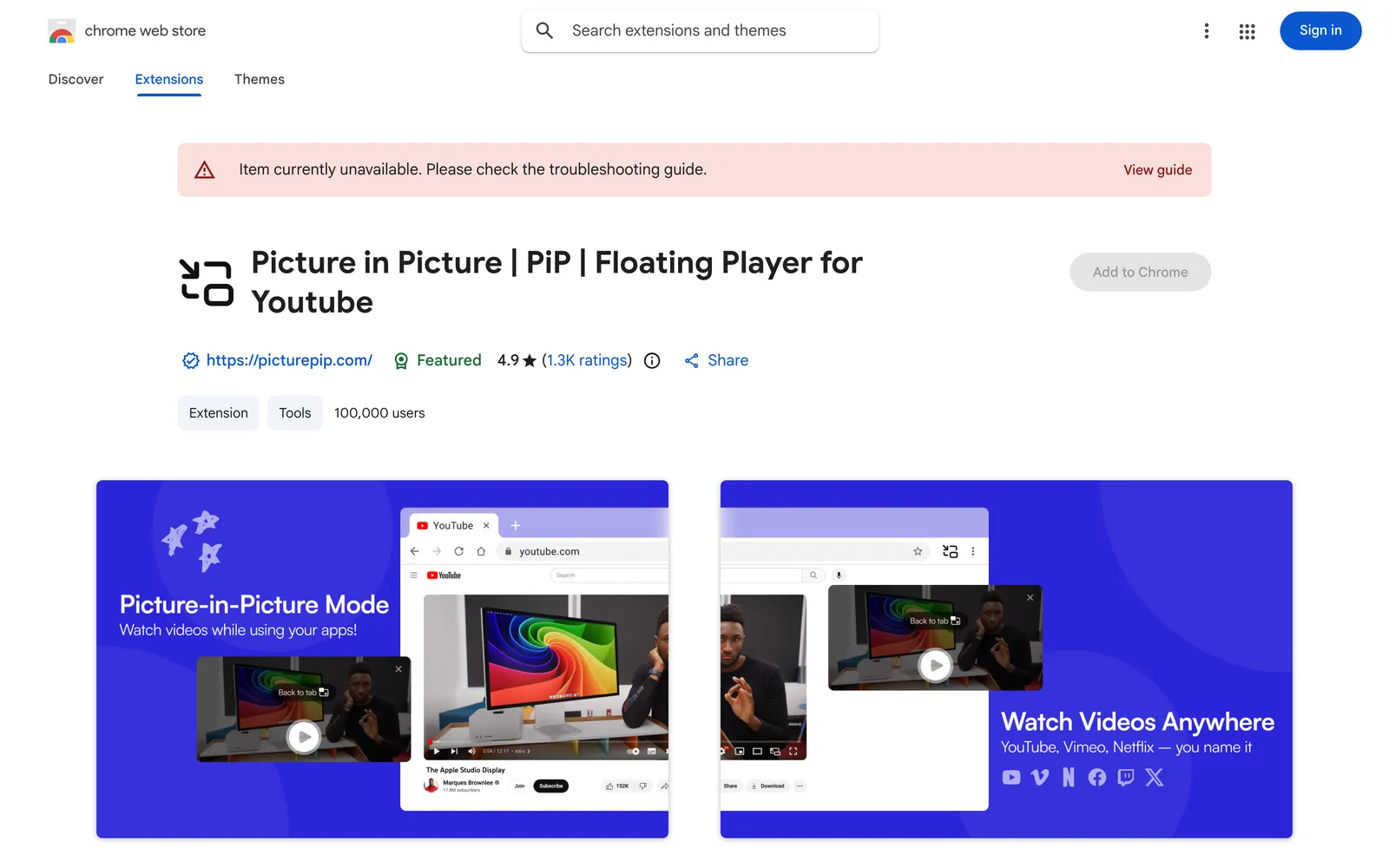
Picture in Picture | PiP | Floating Player for Youtube is a Chrome extension that pops web videos out into a floating Picture-in-Picture (PiP) window. The window always stays on top of other tabs and applications, so you can keep watching while browsing the web or working on other tasks. ## How It Works While a video is playing, click the extension icon in the Chrome toolbar to pop it out into a floating PiP window. You can freely drag the window around, resize it, and keep the video visible when switching tabs or using other apps. ## Key Features - **Works on all websites**: Supports any site using an HTML5 video player, including major streaming platforms like YouTube, Netflix, Disney+, and Prime Video. - **One-click activation**: Enable Picture-in-Picture mode instantly via the Chrome toolbar icon. - **Keyboard shortcuts**: Use Alt+P on Windows/Linux or ⌥+P on macOS for quick access. - **Freely adjustable**: Drag to reposition and pull the edges to resize the window. - **Persists across tabs**: The PiP window stays on top even after you switch tabs. ## Privacy & Data The developer states that this extension does not collect or use user data, does not sell data to third parties, and does not use it for purposes unrelated to core functionality or for credit scoring. ## Who It's For Users who want to keep watching videos while multitasking—such as following tutorials while working or binge-watching shows while browsing the web.
Key features
- Floating video window: Pop out videos into a floating window that always stays on top of other windows and tabs.
- Universal website support: Works on any site with an HTML5 video player.
- One-click activation: Click the extension icon in the Chrome toolbar to enable Picture-in-Picture mode.
- Freely adjust size and position: Drag to move the window and pull its edges to resize.
- Persists across tabs: The Picture-in-Picture window stays active and visible when you switch tabs.
- Keyboard shortcuts: Use Alt+P on Windows/Linux or ⌥+P on macOS for quick activation.
Releases
Notify me Initial · Picture in Picture | PiP | Floating Player for Youtube
Q&A
- Does this extension work with YouTube?
- Yes. Click the extension icon on any YouTube video to instantly open it in a floating Picture-in-Picture window.
- Does it support streaming platforms like Netflix?
- Yes. It works on Netflix, Disney+, Prime Video, and all major streaming platforms.
- How do I enable Picture-in-Picture mode?
- After installing the extension, go to any page with a video and click the PiP icon in the Chrome toolbar.
- Can I resize and reposition the floating window?
- Yes. Drag the window to move it, and pull its edges to resize.
- Will the floating window still show after I switch tabs?
- Yes. The Picture-in-Picture window always stays on top of all tabs and other applications.
Bookmark
This product has no owner yet
It was listed by the platform or its author left. If it is your work, prove your relationship to become the owner.
Claim this productAlternatives

The product content on this page was translated by AI from the author's original.