
October 18, 2026

PiriPiri AI
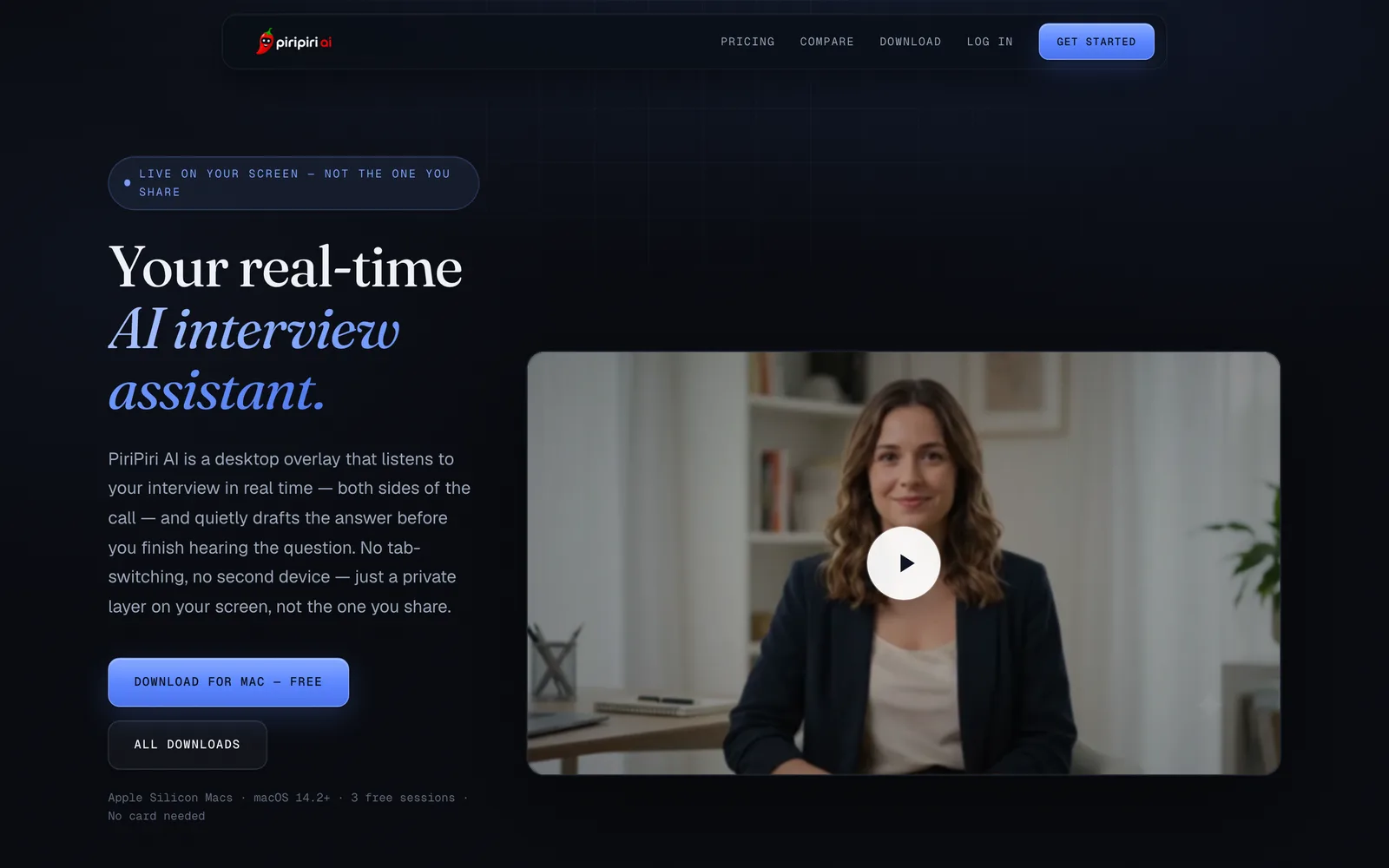
A desktop AI interview assistant that listens to both sides of the conversation in real time and stays hidden during screen sharing.
 1 / 6
1 / 6Product facts
- Type
- Web App / SaaS
- Category
- Business & Finance › HR and Recruiting
- Pricing
- Freemium
- Launched
- Oct 18, 2026
- Listed
- Oct 18, 2026
- Website
- piripiriai.com
Overview
PiriPiri AI is a desktop app for laptops that acts as a Real-Time Interview Copilot. It captures your local microphone and system audio to listen to both sides of the interview simultaneously, streaming suggested answers as text on screen before the interviewer even finishes asking. The tool runs as a borderless, always-on-top overlay—no tab switching or second device required. Its core goal is to give job seekers instant reference information during technical or behavioral interviews. **Key capabilities:** - **Two-way real-time listening**: Captures both your microphone and call system audio to generate context-aware answers. - **Hidden during screen sharing**: The overlay is excluded from OS-level screen capture, making it invisible during standard screen sharing in Zoom, Google Meet, Microsoft Teams, etc. - **Nothing for the other side to install**: No bot joins the call, and interviewers need no plugins. Everything runs locally on your computer. - **Multi-platform support**: Works with Zoom, Google Meet, Teams, Webex, and more. - **Keyboard shortcuts**: Shortcuts like `⌘⇧Space` and `⌘⇧↵` control the UI and trigger answers. **Who it's for:** Job candidates preparing for coding, system design, technical, behavioral, or case interviews. The official site advises testing your specific meeting setup before important calls and complying with local recording and eavesdropping laws. **System requirements:** - macOS 13 or later (Apple Silicon); the download page mentions macOS 14.2+. - Windows 10 or 11 (64-bit). - Microphone and screen recording permissions required.
Key features
- Two-way real-time listening: captures both your microphone and system audio to track the interview conversation live.
- Real-time answer generation: streams suggested answers onto the overlay before the interviewer finishes speaking.
- Hidden during screen sharing: the overlay is excluded from OS screen capture, staying invisible to others while you share your screen.
- No installation required for others: no bot joins the call, and interviewers need no plugins or apps.
- Multi-platform support: works with Zoom, Google Meet, Microsoft Teams, Webex, and more.
- Desktop overlay: runs as a borderless, always-on-top window—no tab switching or second device needed.
- Keyboard shortcuts: key combos let you control the interface and trigger AI answers.
- Conversation transcripts: audio is transcribed to power real-time answers, stored in your account until you delete it.
Releases
Notify me Initial · PiriPiri AI
Q&A
- Is PiriPiri AI visible when I share my screen?AI-generated
- The overlay is a borderless, always-on-top window excluded from OS-level screen capture. It won't appear during standard Zoom, Google Meet, or Teams screen sharing. Testing your specific meeting setup before important calls is recommended.
- Which meeting platforms does it support?AI-generated
- It supports Zoom, Google Meet, Microsoft Teams, Webex, and more. Since it works by capturing microphone and system audio, it functions with any meeting tool—even regular phone calls on screen.
- Does the interviewer need to install anything?AI-generated
- No. Everything runs locally on your computer. The interviewer sees a normal call—no plugins, bots, or extra participants join.
- How is it priced?AI-generated
- New accounts get 3 free sessions (10 minutes each) with no credit card required. After that, buy session packs (e.g., 2 for $5, 20 for $29) or subscribe monthly ($7/month for four 60-minute sessions). Each session is a fixed block of real-time transcription billed at launch; AI answers and notes cost nothing extra.
- What are the system requirements?AI-generated
- It supports macOS 13 or later (Apple Silicon) and Windows 10/11 (64-bit). Microphone and screen recording permissions are required to listen to both sides of the call.
- Are conversations recorded? Is this legal?AI-generated
- Audio is transcribed to provide real-time answers and stored in your account until you delete it. Recording and eavesdropping laws vary by jurisdiction, and many require all-party consent. You are responsible for complying with local laws.
Bookmark
This product has no owner yet
It was listed by the platform or its author left. If it is your work, prove your relationship to become the owner.
Claim this productAlternatives

Four-Leaf
面向求职者的 AI 助手,覆盖从职位搜索到签署 offer 的全流程。
Released 3 weeks ago0
Freemium

职得AI简历
面向求职者的AI简历生成工具,输入岗位名即可一键生成并优化简历。
Released 3 weeks ago0
Freemium

超级简历WonderCV
AI智能简历制作工具,支持一键生成、优化措辞与智能纠错,提供中英文模板免费下载。
Released 3 weeks ago1
Freemium



The product content on this page was translated by AI from the author's original.