
October 9, 2026
Pixsolo
An install-free, web-based app store screenshot design platform for iOS / Android developers
 1 / 6
1 / 6Product facts
- Type
- Web App / SaaS
- Category
- Design & UX › Mockups
- Pricing
- Freemium
- Launched
- Oct 9, 2026
- Listed
- Oct 9, 2026
- Website
- pixsolo.com
Overview
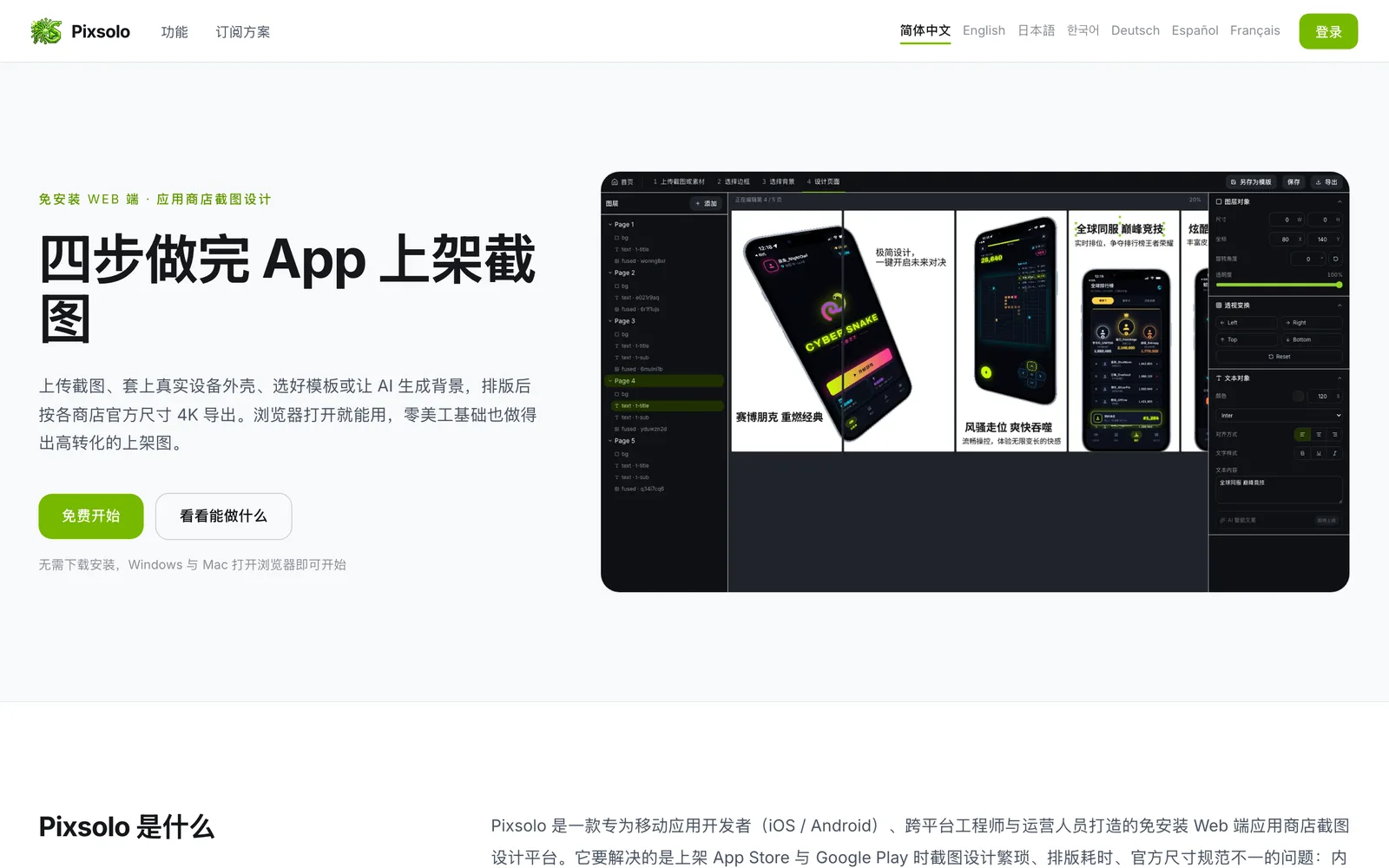
Pixsolo is a web-based app store screenshot design platform built for mobile app developers (iOS / Android), cross-platform engineers, and marketing teams. It solves the tedious screenshot design, time-consuming layout work, and inconsistent official size requirements when publishing to the App Store and Google Play. ### Core Tool: App Screenshot Suite The platform guides you through four steps—upload screenshots → choose a frame → choose a background → design the page—with real-time preview throughout. It includes 150+ realistic device frames covering mainstream Apple and Android models, including tablets and watches. Uploaded screenshots are automatically matched to the correct model by resolution, and you can also switch manually or upload custom frames. The template library offers layouts that comply with official store size specs, ready for further customization. For export, batch exporting across multiple languages and sizes is supported up to 4K ultra-HD, with fully customizable canvas and export dimensions. ### Additional Tool: AI Image Generation Pixsolo also features an AI image generation tool powered by models such as Nano Banana Pro, Nano Banana 2, and GPT-5.4 Image 2, supporting text-to-image and image-to-image. All generation parameters are fully adjustable, including model, aspect ratio, resolution, quality, background, image count, and multiple reference images. Conversational generation is supported, so results from the previous round can automatically serve as reference images for the next. This tool can be used to create product photos, e-commerce images, posters, and various visual assets. ### How to Use Pixsolo requires no download or installation. Built on a native web architecture, Windows and Mac users can simply open a browser to start designing, with projects saved in the cloud. The interface supports seven languages: Simplified Chinese, English, Japanese, Korean, German, Spanish, and French. Both tools share a single account.
Key features
- Install-Free Web App: No downloads needed. Just open a browser on Windows or Mac. Projects are saved in the cloud.
- Four-Step Workflow: Upload screenshots, pick a frame, choose a background, and design the page—all with real-time preview.
- 150+ Realistic Device Frames: Covers mainstream Apple and Android phones, tablets, and watches, with custom frame support.
- Auto Device Matching: Automatically matches uploaded screenshots to the right device frame by resolution, with manual override.
- Official Size Templates: Built-in layout templates compliant with App Store and Google Play size requirements.
- 4K Batch Export: Batch export in multiple languages and sizes up to 4K ultra-HD, with fully customizable dimensions.
- AI Image Generator: Powered by models like Nano Banana Pro and GPT-5.4 Image 2, supporting text-to-image and image-to-image.
- Full Parameter Control: Adjust model, aspect ratio, resolution, quality, background, image count, reference images, and more.
- Conversational Generation: Previous outputs can automatically serve as reference images for the next round.
- Multilingual Interface: Supports Simplified Chinese, English, Japanese, Korean, German, Spanish, and French.
- One Account for Both Tools: The App Screenshot Suite and AI Image Generator share the same account system.
Releases
Notify me Initial · Pixsolo
Q&A
- What does Pixsolo do?AI-generated
- Pixsolo is an install-free, web-based platform for designing app store screenshots for the App Store and Google Play. It also includes an AI image generation tool for creating product photos, e-commerce images, posters, and other visual assets.
- Do I need to download or install anything? Are there system requirements?AI-generated
- No. Pixsolo runs on a native web architecture with no installer. Windows and Mac users can simply open a browser to get started. Design projects are saved in the cloud, so you can pick up where you left off on any computer.
- Do I need to know Photoshop or Figma?AI-generated
- No. The guided four-step workflow with real-time preview lets anyone create professional screenshots without design skills. The platform handles frame alignment, rounded corners, and perspective, and templates are pre-sized to official store specs.
- Which device frames are supported?AI-generated
- It includes 150+ realistic device frames covering mainstream Apple and Android phones, plus tablets and watches. Screenshots are auto-matched to the right model by resolution, or you can switch manually or upload a custom frame.
- Can I upload the exported images directly to app stores?AI-generated
- Yes. Templates and export sizes strictly follow App Store and Google Play specs, delivering up to 4K ultra-HD WYSIWYG results, with batch export across multiple languages and sizes. Canvas and export dimensions are also fully customizable if a store has special requirements.
Bookmark
The product content on this page was translated by AI from the author's original.