
October 12, 2026

REA: Reverse Engineer Anything
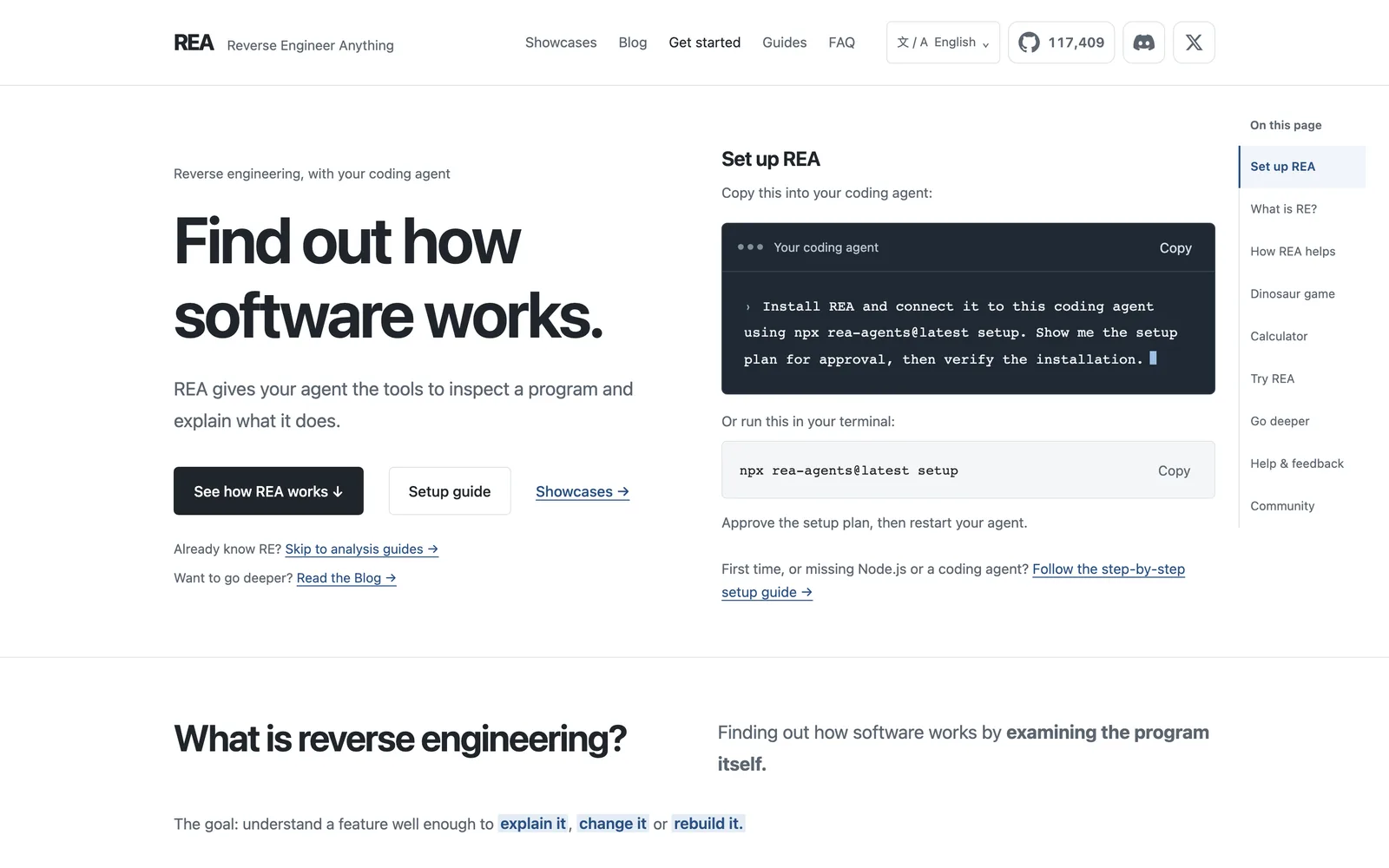
Use the MCP protocol to let AI agents reverse-engineer native binaries, JavaScript/Electron apps, and runtime behavior.
MITClaude Code
Product facts
- Type
- Desktop App
- Category
- Development & Engineering › Debugging and Reverse Engineering
- Pricing
- Open source
- Platforms
- Claude Code
- License
- MIT
- Launched
- Oct 12, 2026
- Listed
- Oct 12, 2026
- Website
- github.com
Overview
REA: Reverse Engineer Anything is an MCP (Model Context Protocol)-based reverse engineering toolkit that enables AI agents to directly analyze applications and native binaries. ### What It Is REA connects AI agents with a variety of reverse engineering tools, supporting inspection of native binaries, JavaScript and Electron apps, .NET assemblies, and websites. All analysis runs locally, and results include supporting evidence along with notes on their limitations. ### The Problem It Solves When developers spot an interesting feature in another app, they can use REA to have an agent investigate how it works without source code, surface the underlying evidence, and even build a similar implementation for their own project. ### Key Capabilities - **Agent Integration**: Configure via `npx rea-agents setup`. Supports agents such as Claude Code, Codex, Cursor, Gemini CLI, and Grok Build. - **Multi-Target Analysis**: - Native binaries: Returns pseudocode, assembly, strings, symbols, calls, and references. Requires Hopper, Ghidra, or IDA. - JavaScript/Electron: Static analysis extracts modules, imports, and Electron boundary info—no native analysis engine needed. - Go binaries: Built-in static checks extract compiler version, modules, and build settings. - WASM artifacts: Validates and decodes to WAT format; requires the caller to provide WABT 1.0.42. - Offline ELF layout: Analyzes segments, symbols, and relocations on Linux x64 using pwntools. - **CLI Support**: Beyond acting as an MCP server for agents, you can also run analyses directly from the terminal. ### Who It's For Ideal for developers and researchers doing reverse engineering, security research, CTF challenges, or exploring third-party app internals. Requires Node.js 22.x (>=22.19), 24.x (>=24.11) or 26+, plus npm.
Key features
- MCP Integration: Let AI agents invoke reverse engineering capabilities directly via Model Context Protocol.
- Native Binary Analysis: Works with Hopper, Ghidra, or IDA to return pseudocode, assembly, strings, symbols, and call graphs.
- JavaScript/Electron Analysis: Statically analyzes JS/Electron app directories or ASAR files to extract modules, imports, and boundary info.
- Go Binary Inspection: Built-in static checks extract compiler version, modules, and build settings from Go programs.
- WASM Artifact Analysis: Validates WASM and decodes it to WAT format. Requires the caller to provide WABT 1.0.42.
- ELF Layout Diagnostics: Analyzes segments, symbols, and relocations in ELF files on Linux x64 using pwntools.
- CLI Tool: Run analyses directly from the terminal and get results in JSON format.
- Multi-Agent Support: Compatible with Claude Code, Codex, Cursor, Gemini CLI, Grok Build, and more.
- Local Execution: All analysis runs locally with no cloud dependency.
- Evidence-Based Output: Results include underlying evidence and limitation notes for easy verification.
Releases
Notify me Initial · REA: Reverse Engineer Anything
Q&A
- How do I install and configure REA?AI-generated
- Make sure Node.js (22.x >=22.19, 24.x >=24.11, or 26+) and npm are installed, then run `npx rea-agents setup`. Select your agent, review and approve the changes—setup automatically adds the MCP server and workflow instructions—and finally restart your agent.
- Which AI agents does REA support?AI-generated
- According to the documentation, setup supports Claude Code, Codex, Cursor, Gemini CLI, Grok Build, and other agents.
- What extra tools are required to analyze native binaries?AI-generated
- Native binary analysis requires an existing installation of Hopper, Ghidra, or IDA. During setup, you can also opt to auto-install Hopper after approval.
- How do I analyze a JavaScript app directly from the terminal?AI-generated
- Run `npx -y rea-agents@latest analyze-javascript-application /absolute/path --json`, passing the path to an extracted JS/Electron app directory or ASAR file. Results are output in JSON format, including modules, imports, and more.
- How do I update REA?AI-generated
- For a globally installed CLI, run `rea update`; if using npx, run `npx rea-agents@latest setup` to refresh agent registration and skill configuration, then restart your agent.
- Does REA perform analysis in the cloud?AI-generated
- No. The documentation explicitly states that analysis runs locally.
Bookmark
This product has no owner yet
It was listed by the platform or its author left. If it is your work, prove your relationship to become the owner.
Claim this productThe product content on this page was translated by AI from the author's original.