
November 20, 2026
RockDesk 磐石远控
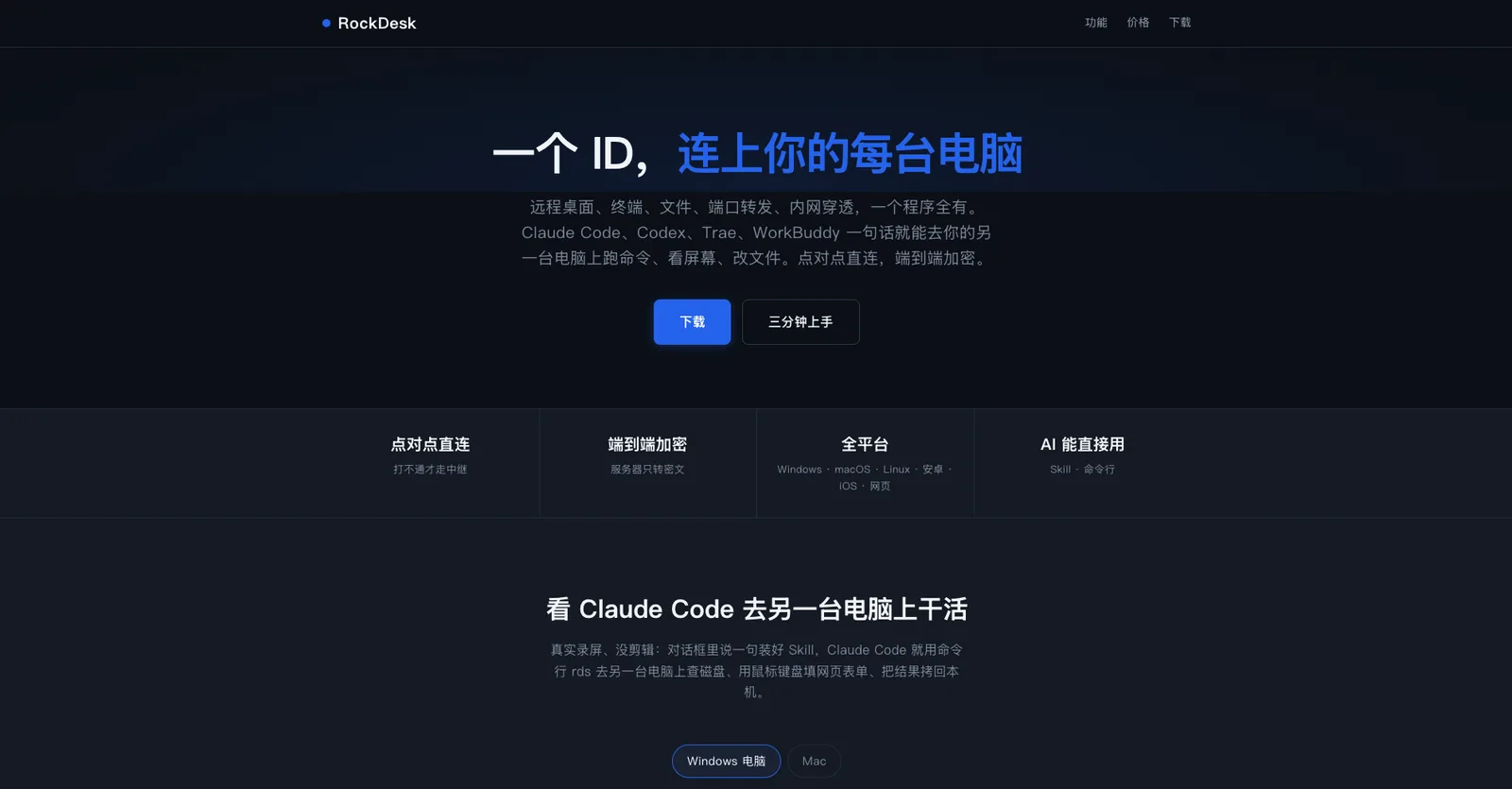
Connect to every computer with a single ID. An all-in-one tool integrating remote desktop, terminal, file transfer, port forwarding, and NAT traversal.
WebmacOSWindowsLinuxiOSAndroid
 1 / 2
Product facts
- Type
- Desktop App
- Category
- Security & Privacy › Network and VPN
- Pricing
- Paid
- Platforms
- Web · macOS · Windows · Linux · iOS · Android
- Launched
- Nov 20, 2026
- Listed
- Nov 20, 2026
- Website
- rockdesk.cn
Overview
RockDesk 磐石远控 is a cross-platform remote control tool that combines remote desktop, terminal, file transfer, directory mounting, port forwarding, and NAT traversal into a single application. Users can connect to different devices using just one device ID.
Key Capabilities
- Remote Desktop: Uses AV1 encoding between computers and H.264 in other cases, with hardware encoding support to reduce latency. Clipboard text and images sync bidirectionally. On mobile, two-finger tap simulates a right-click, and the phone's keyboard can be used for typing.
- Terminal & Files: Provides an SSH-like terminal where sessions persist after disconnection and resume upon reconnection. File copying and directory syncing support resumable transfers. Remote directories can be mounted as local folders, with cross-mounting supported among Windows, macOS, and Linux.
- Port Forwarding & NAT Traversal: Maps remotely accessible services such as databases and web pages to local ports, or enables NAT traversal to directly reach the peer's LAN.
- AI Integration: Using the CLI tool
rdsand Skills (Markdown files), AI tools like Claude Code, Codex, Trae, and WorkBuddy can execute commands, take screenshots, control the mouse and keyboard, copy files, or enable port forwarding directly on the remote computer. - Hardware & Interface Forwarding: Supports serial port forwarding (e.g.,
/dev/ttyUSB) for remote firmware flashing or hardware debugging; on Linux, USB forwarding via USB/IP is supported.
Security & Connection Mechanism
Each device holds its own certificate, and connections use QUIC + TLS 1.3 end-to-end encryption. The server only handles matchmaking and ciphertext relay. Access permissions are determined by the controlled device, supporting key pairs, temporary passwords, or manual approval. The network strategy prioritizes direct connections: LAN traffic stays on the LAN, and if hole punching fails, relay nodes in China or the US are used.
Supported Platforms
Windows, macOS, Linux, Android, iOS, iPadOS, ESP32 (LCEDA Shizhanpai S3), Web version, plus CLI & Agents.
Who It's For
Users who need to manage multiple devices remotely, develop and debug, or sync files across machines, as well as developers who want AI coding assistants to operate remote devices directly.
Key features
- Remote Desktop: Supports AV1 and H.264 encoding with hardware acceleration, bidirectional clipboard sync, and mobile gesture controls.
- Remote Terminal: SSH-like terminal with persistent sessions on disconnect, supporting headless shell and script execution.
- File Transfer & Directory Mounting: Resumable transfers; mount remote directories as local drives with cross-platform support.
- Port Forwarding: Map remote LAN services like databases and Web apps to local ports.
- NAT Traversal: Join the controlled device's LAN to directly access all devices on its network.
- AI Tool Integration: Let AI tools like Claude Code control remote devices directly via Skills and the rds CLI.
- End-to-End Encryption: Built on QUIC + TLS 1.3 with per-device certificates; the server only relays ciphertext.
- Direct-First & Global Relays: Prioritizes P2P hole punching; automatically falls back to the nearest relay node if it fails.
- Serial Port Forwarding: Map remote serial devices locally for firmware flashing or hardware debugging.
- USB Forwarding: Connect remote USB devices locally via USB/IP (Linux only).
- Multi-Platform Support: Covers Windows, macOS, Linux, Android, iOS, Web, and ESP32.
Releases
Notify me Initial · RockDesk 磐石远控
Q&A
- Which operating systems and devices does RockDesk support?AI-generated
- It supports Windows, macOS, Linux, Android, iOS (iPhone and iPad), the Web version, as well as ESP32 (LCEDA Shizhanpai S3) and CLI & Agents.
- How is connection security ensured?AI-generated
- Each device has its own certificate, and connections use QUIC + TLS 1.3 end-to-end encryption. The server only handles matchmaking and ciphertext relay. The controlled device decides who can connect and which features are available, supporting key pairs, temporary passwords, or on-the-spot approval clicks.
- How do AI tools use RockDesk?AI-generated
- After providing RockDesk's Skill (a Markdown file) to AI tools like Claude Code, Codex, Cursor, Trae, or WorkBuddy, the AI can use the `rds` CLI to run commands, take screenshots, control the mouse and keyboard, copy files, or enable port forwarding on the remote computer.
- How are network connections handled?AI-generated
- It first attempts hole punching for a direct connection; devices on the same LAN communicate over the LAN. If direct connection fails, traffic routes through relay nodes located in both China and the US, with the system selecting the closer node based on the locations of both ends.
- What video encoding does the remote desktop use?AI-generated
- AV1 encoding is used between computers, while H.264 is used in other scenarios. Hardware encoding is enabled when available to reduce latency.
- What should I do if Windows shows a 'protected your PC' warning during installation?AI-generated
- Since the Windows installer isn't code-signed yet, you may see a 'Windows protected your PC' prompt. Click 'More info' and then select 'Run anyway' to proceed.
Bookmark
This product has no owner yet
It was listed by the platform or its author left. If it is your work, prove your relationship to become the owner.
Claim this productAlternatives

The product content on this page was translated by AI from the author's original.