
October 13, 2026

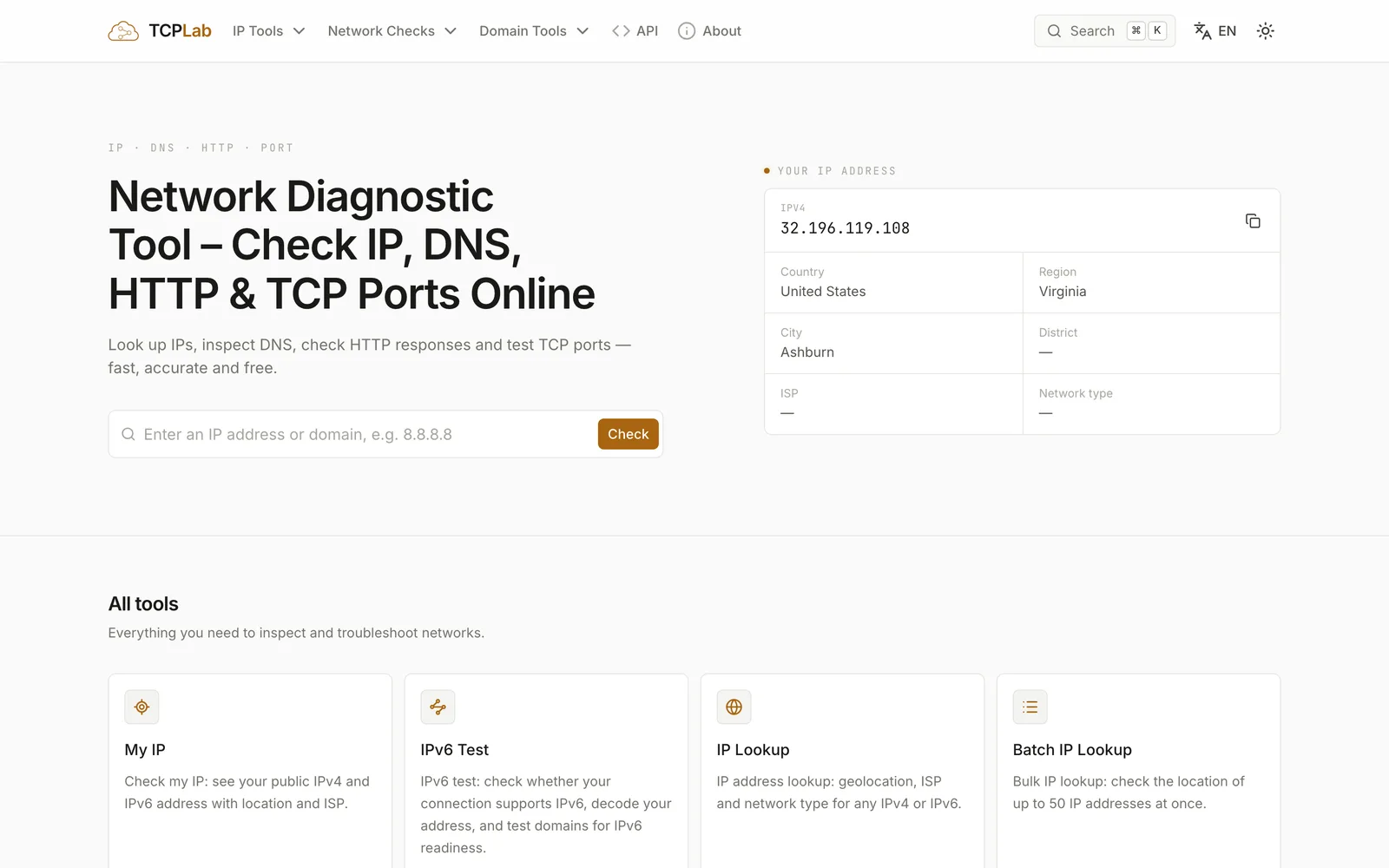
A free in-browser network diagnostic tool for checking IP, DNS, HTTP responses, and TCP ports.
Product facts
- Type
- Web App / SaaS
- Category
- Security & Privacy › Network and VPN
- Pricing
- Free
- Launched
- Oct 13, 2026
- Listed
- Oct 13, 2026
- Website
- tcp.lc
Overview
TCPLab is a web-based network diagnostic toolkit for developers and operators, offering common checks such as IP, DNS, HTTP, and TCP ports. All tests are initiated from real servers rather than running solely in the browser, giving you an external view of network conditions. ## Key Capabilities - **IP Tools**: View your current public IPv4/IPv6 address along with geolocation and ISP details; query single or batch (up to 50) IPs; compare mainland China and global egress IPs. - **DNS Lookup**: Query A, AAAA, CNAME, MX, TXT, and NS records, choosing public resolvers like Cloudflare, Google, or AliDNS to compare results. - **HTTP Check**: Send GET requests and return status codes, response headers, and redirect targets—fetching only headers without loading the full page. - **TCP Port Check**: Perform real handshake tests on specified ports of any host or IP, reporting open, closed, or no response status. - **GFW Check**: Probe targets simultaneously from mainland China and overseas nodes, comparing reachability to determine if a site is blocked by the firewall. Supports domain, IP, and IP+port modes. - **Other Tools**: Includes Domain Health Check (comprehensive WHOIS, DNS, email security, HTTPS/TLS inspection with scoring), SSL certificate check, and WHOIS lookup. ## Use Cases When a website fails to load, use HTTP Check to compare server-side and local responses. To verify whether a proxy or VPN is working, check your egress IP. If you suspect a port is blocked, use Port Check to distinguish between a service not listening and firewall packet drops. To confirm whether a site is accessible in mainland China, use the GFW Check tool. No registration or installation is required—use it directly in your browser. Queries are never stored.
Key features
- My IP: View the public IPv4 and IPv6 addresses of your current connection, along with geolocation and ISP details.
- IPv6 Test: Detect whether your current connection supports IPv6, decode IPv6 addresses, and test a domain's IPv6 readiness.
- IP Lookup: Query the geolocation, ISP, and network type of any IPv4 or IPv6 address.
- Batch IP Lookup: Query geolocation information for up to 50 IP addresses at once.
- China & Global IP Check: Compare the egress IPs used in mainland China versus the rest of the world.
- DNS Lookup: Query A, AAAA, CNAME, MX, TXT, and NS records for a domain, supporting multiple public resolvers.
- HTTP Check: Send GET requests to inspect HTTP status codes, response headers, and redirect targets.
- Port Check: Test whether TCP ports on any host or IP are open by performing a real handshake.
- GFW Check: Probe targets simultaneously from mainland China and overseas nodes to determine if a site is blocked by the firewall.
- Domain Health Check: Comprehensively inspect a domain's WHOIS, DNS, email security, and HTTPS/TLS, providing scores and recommendations.
- SSL Check: Inspect SSL certificate expiration, issuer, SANs, TLS version, and HTTP/2 support.
- WHOIS Lookup: Query a domain's registrar, registration and expiration dates, name servers, and DNSSEC information.
Releases
Notify me Initial · TCPLab
Q&A
- What is a network diagnostic tool?AI-generated
- It is a set of online tools that answer common questions about network connectivity, such as your public IP, domain resolution results, server reachability, and open ports. TCPLab runs checks from real servers with no software installation required.
- How do I check my public IP address?AI-generated
- Open the My IP tool. It reads the address your browser uses to connect and displays your public IPv4 and IPv6 (if available) along with location and ISP details. No data is stored.
- What's the difference between DNS lookup and nslookup?AI-generated
- Both query the same types of records. nslookup is a command-line client built into the operating system, while TCPLab's DNS lookup is a browser-based version that lets you choose record types and public resolvers (such as Cloudflare or Google) and shows TTL and response times.
- Why does a port show as closed or no response?AI-generated
- Closed means the host actively refused the connection (RST) and no service is listening. No response means no reply was received before timeout, which could indicate firewall filtering or that the host is offline. Remote probing sometimes cannot distinguish between these two cases.
- How can I tell if a website is down or just unavailable to me?AI-generated
- Use TCPLab's server to check HTTP status and response headers. If the server responds normally but your local request fails, the issue is local (DNS, network, or regional restrictions). If the server also fails, the website itself may be down.
- How do I check if a website is blocked in China?AI-generated
- Use the GFW Check tool, which probes the target simultaneously from mainland China and overseas nodes. If it's unreachable from China but reachable overseas, it's likely blocked.
- Does TCPLab log my queries?AI-generated
- No. Queries run against TCPLab's own offline databases, and query content is never stored.
Bookmark
This product has no owner yet
It was listed by the platform or its author left. If it is your work, prove your relationship to become the owner.
Claim this productAlternatives



The product content on this page was translated by AI from the author's original.