
October 10, 2026
A free online text toolkit offering 20+ utilities including case conversion, HTML to Markdown, Base64, JSON formatting, and more.
Product facts
- Type
- Web App / SaaS
- Category
- Content & Writing › Writing Assistant
- Pricing
- Free
- Launched
- Oct 10, 2026
- Listed
- Oct 10, 2026
- Website
- txtdock.com
Overview
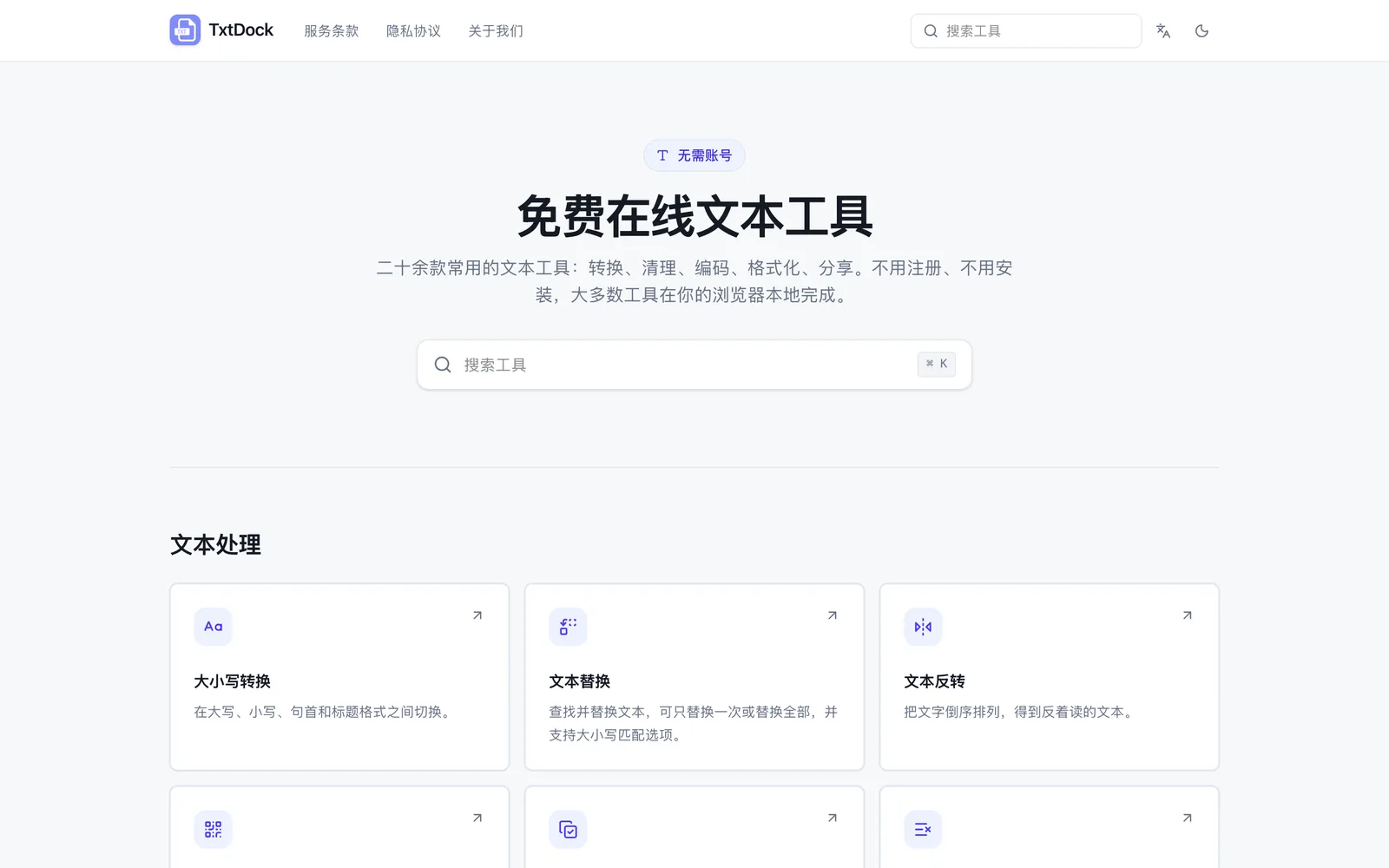
TxtDock is a web-based collection of online text tools featuring over twenty utilities for everyday text processing, development assistance, and content sharing. No account registration or software installation is required—just open the page and start using them. ### Key Capabilities TxtDock's tools are grouped into three categories: - **Text Processing**: Includes case conversion, find & replace, text reversal, duplicate line removal, blank line cleanup, character counting, URL extraction, random password generator, Pangu spacing (automatically inserts spaces between CJK characters and Latin letters/numbers), and converting text or links into QR codes. - **Development Assistance**: Includes a Token counter (estimates AI tokens), HTML to Markdown, Markdown formatting optimization, Docker Run to Compose, Base64 encoding/decoding, JSON formatting, URL encoding/decoding, MD5 hash generator, and an error log analyzer that uses AI to analyze logs and suggest fixes. - **Content Sharing**: Includes text cards that format text into shareable images, and a tool that converts Markdown into styled rich text for pasting into WeChat Official Account articles. ### Privacy & How It Works Most tools process data locally in your browser, so your text is never sent to a server. For tools marked with AI, please refer to the instructions on their respective pages. To keep your browser running smoothly, some tools may have input limits. ### Who It's For Ideal for developers, content creators, and anyone who needs quick text formatting, data cleanup, or encoding/decoding. The interface supports English and Simplified Chinese, handles Chinese, English, Emoji, and other Unicode text, and works on both desktop and mobile browsers.
Key features
- Case Conversion: Switch between uppercase, lowercase, sentence case, and title case.
- Find & Replace: Find and replace text with options for single or all replacements and case matching.
- Text Reversal: Reverse the order of characters in your text.
- Text to QR Code: Convert text or links into QR codes.
- Remove Duplicate Lines: Delete duplicate lines to keep your text lists clean.
- Remove Blank Lines: Delete empty lines and lines containing only spaces or tabs.
- Character Count: Count characters, words, lines, and common character types.
- HTML to Markdown: Convert HTML into clean, readable Markdown while automatically stripping out obvious page noise.
- JSON Formatting: Format and organize JSON for better readability.
- Base64 Encoding/Decoding: Encode text to Base64 or decode Base64 back to text.
- Docker Run to Compose: Convert Docker Run commands into an editable compose.yaml file.
- Token Counter: Estimate how many AI tokens a piece of text roughly equals.
Releases
Notify me Initial · TxtDock
Q&A
- What is TxtDock?AI-generated
- TxtDock offers a set of simple online tools for everyday text processing, development assistance, and content sharing. Just open a tool, enter your content, and you're ready to go—no account required.
- Are TxtDock's tools free?AI-generated
- Yes, they are completely free. No subscription or account registration is needed. Some tools may have reasonable input limits to ensure smooth performance in your browser.
- Is my text uploaded to a server?AI-generated
- Most TxtDock tools process content directly in your browser, so your text is never sent to a server. Please check the notes on each tool's page for specific details.
- Does TxtDock support Chinese and English?AI-generated
- Yes. TxtDock provides both English and Simplified Chinese interfaces, and many tools can handle Chinese, English, Emoji, and other Unicode text.
- Can I use TxtDock on my phone?AI-generated
- Yes. TxtDock works in modern desktop and mobile browsers, with layouts optimized for both large screens and touch devices.
Bookmark
This product has no owner yet
It was listed by the platform or its author left. If it is your work, prove your relationship to become the owner.
Claim this productAlternatives

公文宝
基于大语言模型的AI公文写作工具,帮助生成工作总结、汇报材料等100+类公文。
Released 3 weeks ago0
Freemium

爱改写
为写作者提供AIGC文本检测、智能改写与纠错,帮助降低AI误判率并保留原意。
Released 3 weeks ago0
Freemium

蛙蛙写作
The Meituan Novel submission platform, offering web novel contracting and AI-powered writing assistance tools.
Released 3 weeks ago0
Freemium

快写兔AI写作
An AI writing assistant focused on long-form content, helping users generate reports, proposals, speeches, and patent drafts with one click.
Released 3 weeks ago0
Freemium

文智doc
AI 生成 Word 文档的网页工具,输入一句话即可在线生成、编辑并导出正式文档。
Released 3 weeks ago1
Paid

光速写作
An AI-powered writing tool for students and professionals, supporting full-text generation, rewriting, continuation, and more.
Released 3 weeks ago2
Freemium

笔灵AI写作
An AI writing tool for students, professionals, and novelists, offering article generation, rewriting, plagiarism reduction, and PPT creation.
Released 3 weeks ago0
Paid
The product content on this page was translated by AI from the author's original.