
November 2, 2026

VibeKnow
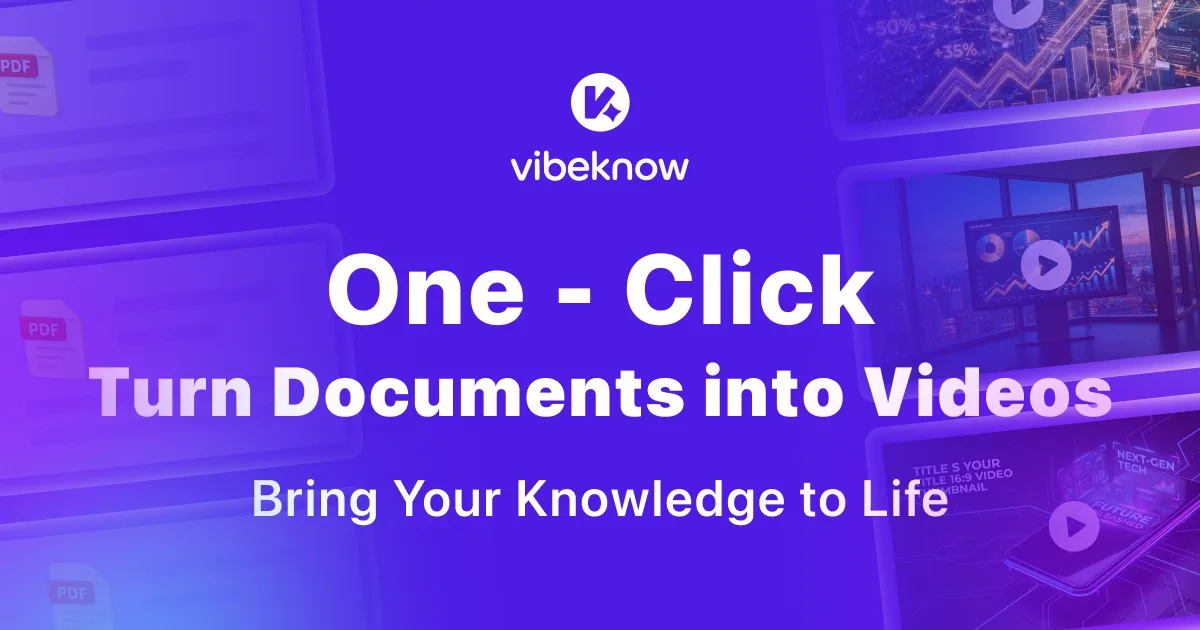
Automatically turn documents, PDFs, PPTs, and URLs into explainer videos with voiceovers and visuals.
 1 / 2
Product facts
- Type
- Web App / SaaS
- Category
- Creativity & Media › Video Generation
- Pricing
- Freemium
- Launched
- Nov 2, 2026
- Listed
- Nov 2, 2026
- Website
- vibeknow.ai
Overview
VibeKnow is an AI-powered explainer video platform for creators, educators, marketers, and teams. The core idea: you provide existing text content (documents, web links, or presentations), and the platform automatically handles scripting, voiceover selection, visual design, music, and editing.
Inputs & Outputs Supported input formats include PDF, DOC, PPT, TXT, Markdown, Notion pages, blog URLs, and more. The system parses the content structure, extracts key information, and turns it into a video script. Generated videos support both vertical (9:16) and horizontal aspect ratios, can be exported to YouTube Shorts, Reels, TikTok, and other platforms with one click, and automatically generate subtitles matching each platform's native style.
Key Capabilities
- Automated Production: Handles the entire workflow from script to final cut; generating a 3–5 minute video takes just a few minutes.
- Content-Aware Design: Matches visuals to content type—data becomes charts, workflows become animations, comparisons become split screens.
- Voiceover & Voice Cloning: Offers 40+ AI voices with free voice cloning, adjusting tone and pacing to match your writing style.
- Template Library: Includes 100+ studio-designed templates.
- Updates & Version Control: When source content changes, videos re-render in about 90 seconds; team plans support version management with audit trails.
Use Cases
- Creators quickly convert long-form articles (e.g., Substack posts) into short videos.
- Educators turn PDF course materials into chapter-based videos with quizzes and timestamps, embeddable on Teachable, Thinkific, Kajabi, and more.
- Enterprise teams convert SOPs, onboarding docs, or compliance materials into training videos, with automatic brand kit application, SSO, SCIM, and SOC 2 support.
VibeKnow isn't a general-purpose video editor—it's an "AI producer" focused on knowledge content. Sign up to get 400 credits for a free trial, no credit card required. Paid plans come in Free, Plus, Pro, and Max tiers, differing in custom avatar count, concurrent videos, generation speed, and watermark removal.
Key features
- Multi-format Input Support: Upload PDF, DOC, PPT, TXT, or Markdown files, or paste a URL as your video source material.
- Fully Automated Video Production: Automatically handles scripting, voiceover, visual design, music, and editing—no manual editing software needed.
- Content-Aware Visual Design: Automatically matches visuals to content structure—data becomes charts, workflows become animations, comparisons become split screens.
- One-Click Multi-Platform Export: Generate vertical and horizontal videos and export them to YouTube Shorts, Reels, TikTok, and more with one click.
- Automatic Subtitle Generation: Auto-generates subtitles styled to match the native look of your target publishing platform.
- AI Voiceover & Voice Cloning: Choose from 40+ AI voices with voice cloning support, adjusting tone and pauses based on your text.
- Fast Re-rendering: When source content is updated, a new video version renders in about 90 seconds.
- Education & Course Integration: Generate chapter-based videos with quizzes and timestamps, embeddable on teaching platforms like Teachable.
- Enterprise Security & Management: Team plans support SSO, SCIM, SOC 2, and version control with audit trails.
- Automatic Brand Kit Application: Automatically applies your company's brand colors, logo, and designated voice to generated videos.
- Studio-Quality Template Library: Access 100+ professionally designed video templates.
Releases
Notify me Initial · VibeKnow
Q&A
- What is VibeKnow?AI-generated
- VibeKnow is an AI-powered explainer video creation platform. Provide text, links, PDFs, or PPT files, and the AI automatically handles storyboarding, visual design, narration, and background music to produce a complete explainer video.
- Which input formats are supported?AI-generated
- Supports plain text, web links, PDF documents, PPT presentations, DOC, TXT, Markdown, Notion pages, and more. The AI automatically parses the content and extracts key information to create a video script.
- How long does it take to generate a video?AI-generated
- A 3–5 minute explainer video typically takes just a few minutes from input to final output.
- How is VibeKnow different from other AI video tools?AI-generated
- VibeKnow focuses on knowledge-based videos rather than being a general-purpose editor. Its AI understands content structure—for example, turning data into charts and workflows into animations—positioning itself as an "AI producer" rather than just an editing assistant.
- What use cases is it best for?AI-generated
- Ideal for knowledge explainers, book companion videos for publishers, educational courses, social media shorts, corporate training, and product demos.
- How is it priced? Is there a free trial?AI-generated
- Sign up to receive 400 credits for free video creation—no credit card required. After that, choose from the Free, Plus, Pro, or Max paid plans.
- What if my document content gets updated?AI-generated
- Simply update the relevant paragraphs in the source content, and the system will re-render a new video version in about 90 seconds.
- How good is the video voiceover quality?AI-generated
- The platform offers 40+ AI voices with voice cloning support. Independent reviews note that the narration sounds natural, with appropriate emphasis and pauses rather than robotic text-to-speech reading.
Bookmark
This product has no owner yet
It was listed by the platform or its author left. If it is your work, prove your relationship to become the owner.
Claim this productAlternatives

DesignUGC
Create realistic AI UGC video ads using AI avatars, product images, and text prompts.
Released yesterday6
Freemium

Demosmith
An AI demo agent that automatically turns a product URL into demo videos, interactive demos, and documentation.
Released last week20
Free trial

tiny desk AI
Upload photos to swap yourself and friends into the Outstanding desk concert meme video.
Released 2 weeks ago28
Paid

Deepnia
AI-powered platform to create, publish, and analyze multimedia content for social media.
Released yesterday3
Paid

ReelMuse
A browser-based AI video generation tool that accepts text, image, and video inputs, letting you call multiple models to generate and download videos.
Released 2 weeks ago14
Freemium

Reference to Video
Turn a reference video and your photos into a new clip
Released 2 weeks ago15
Freemium

VoooAI
A multi-model creation platform that generates AI short dramas, comics, and videos from a single prompt.
Released yesterday3
Freemium
RapVid
Turn one photo into a lip-synced rap video
Released yesterday2
Paid

TrendSwap
A template-based AI Meme video generator. Upload a photo to replace characters in trending memes.
Released last week10
Freemium
Cinely: AI Film & Movie Maker
Turn story ideas into AI short films, with a platform for creators to share and monetize their content.
Released 2 weeks ago14
Freemium
The product content on this page was translated by AI from the author's original.