
November 16, 2026

Video Transcriber
Free online transcription tool that converts video and audio files into searchable text
Product facts
- Type
- Web App / SaaS
- Category
- Content & Writing › Transcription and Subtitles
- Pricing
- Freemium
- Launched
- Nov 16, 2026
- Listed
- Nov 16, 2026
- Website
- videotranscriber.pro
Overview
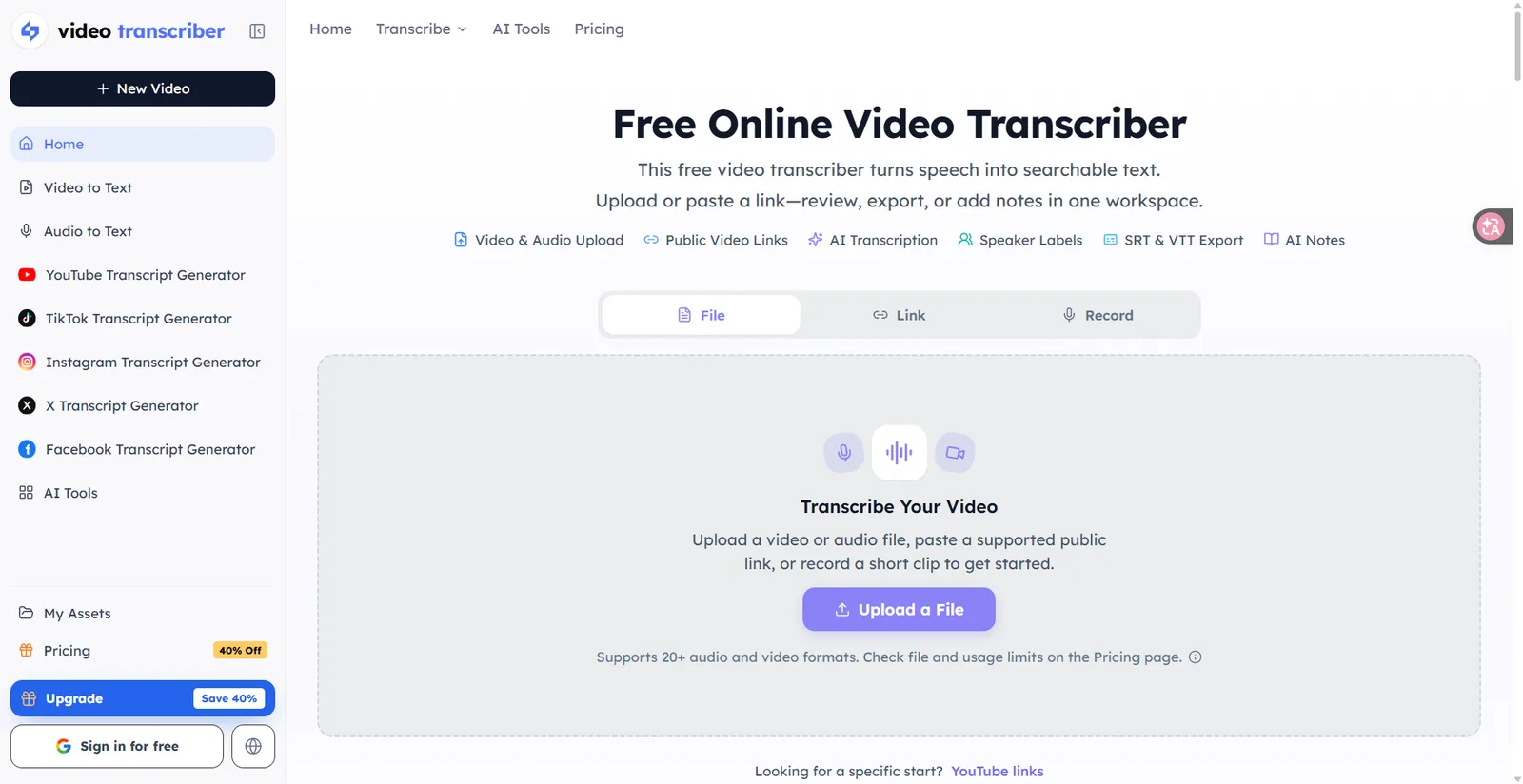
Video Transcriber is a web-based audio and video transcription tool that helps users convert spoken content into searchable, editable text. It supports uploading local files or pasting public links, performs transcription using AI, and offers multiple export formats.
Key Capabilities
- Multi-source input: Supports uploading video files such as MP4, MOV, WebM, and MKV, as well as audio files like MP3, WAV, and M4A (over 20 formats in total). You can also paste public video links from platforms like YouTube or record short audio clips directly in your browser.
- AI transcription and speaker labels: Uses AI to convert speech to text, with the option to select the source language or enable automatic language detection. For conversations and interviews, you can turn on speaker labels to distinguish different speakers.
- Workspace processing: Once transcription is complete, you can search keywords, edit text, generate summaries, extract key points, create study notes or mind maps, and explore the content via the Ask AI feature—all within the same workspace.
- Multi-format export: Export transcripts as TXT, DOCX, SRT, VTT, or CSV, ideal for note-taking, research citations, or video subtitle creation.
Use Cases
This tool suits a variety of everyday tasks, including organizing meeting recordings, extracting insights from interviews and research materials, creating podcast notes, converting voice memos, supporting online course learning, and turning public videos from platforms like YouTube into text. Whether you're a product manager, journalist, student, or content creator, you can use it to transform audio information into easily searchable and reusable text assets.
Key features
- Multi-format upload: Supports over 20 audio and video formats including MP4, MOV, WebM, MP3, and WAV.
- Public link transcription: Paste a public video link from platforms like YouTube to transcribe without downloading the file.
- In-browser recording: Record short audio clips directly on the web page and convert them to text.
- AI speech-to-text: Uses AI to convert spoken content into searchable text.
- Speaker labels: Automatically adds speaker labels in supported conversation scenarios to distinguish speakers.
- Multilingual support: Manually select the source language or use automatic language detection.
- Multi-format export: Export transcripts as TXT, DOCX, SRT, VTT, or CSV.
- Text search and editing: Search for specific words, jump to timestamps, and edit transcripts within the workspace.
- AI notes and summaries: Generate summaries, key points, study notes, and chapter divisions from transcripts.
- Ask AI Q&A: Ask questions and explore transcript content using the Ask AI feature.
- Mind map generation: Visualize transcripts as mind maps where supported.
Releases
Notify me Initial · Video Transcriber
Q&A
- What is Video Transcriber?AI-generated
- Video Transcriber is a free online tool that converts speech in video and audio into searchable text. Users can upload files, paste public links, or record audio, then transcribe, edit, and export everything within the workspace.
- How do I get started?AI-generated
- It takes three steps: first, upload an audio or video file or paste a supported public link; next, let AI convert the speech to text, choosing the language and enabling speaker labels if needed; finally, review, edit, and export the result as TXT, DOCX, SRT, VTT, or CSV in the workspace.
- Which file formats are supported?AI-generated
- Over 20 audio and video formats are supported, including video formats like MP4, MOV, WebM, and MKV, as well as audio formats like MP3, WAV, and M4A. For specific file size limits and usage restrictions, please refer to the pricing page.
- Can I transcribe YouTube videos directly?AI-generated
- Yes. Paste a supported public YouTube link to create a transcript. However, private, restricted, or inaccessible videos may not be processed.
- What formats can I export transcripts to?AI-generated
- You can export to TXT, DOCX, SRT, VTT, or CSV, suitable for note-taking, research, or video subtitle workflows.
- Does it support distinguishing different speakers?AI-generated
- Yes. In conversations and interviews, you can enable speaker labels to distinguish different speakers, making dialogues easier to read.
- What else can I do with transcripts besides plain text?AI-generated
- Within the workspace, you can generate summaries, key takeaways, study notes, and chapters, use Ask AI to explore the content, or create mind maps where supported.
Bookmark
Alternatives

TranscribeBee
Pay-as-you-go AI audio and video transcription tool supporting 90+ languages at $2 per hour, with no subscription required.
Released 4 weeks ago12
Paid

网易见外
An AI-powered speech transcription and translation platform integrating video listening & translation, audio transcription, document translation, and more.
Released last month7
Freemium

The product content on this page was translated by AI from the author's original.