
October 18, 2026

Mermaid Live Editor
A free, browser-based Mermaid diagram editor with live preview, templates, export, and link sharing.
Product facts
- Type
- Web App / SaaS
- Category
- Content & Writing › Document Collaboration
- Pricing
- Free
- Launched
- Oct 18, 2026
- Listed
- Oct 18, 2026
- Website
- mermaid-live-editor.com
Overview
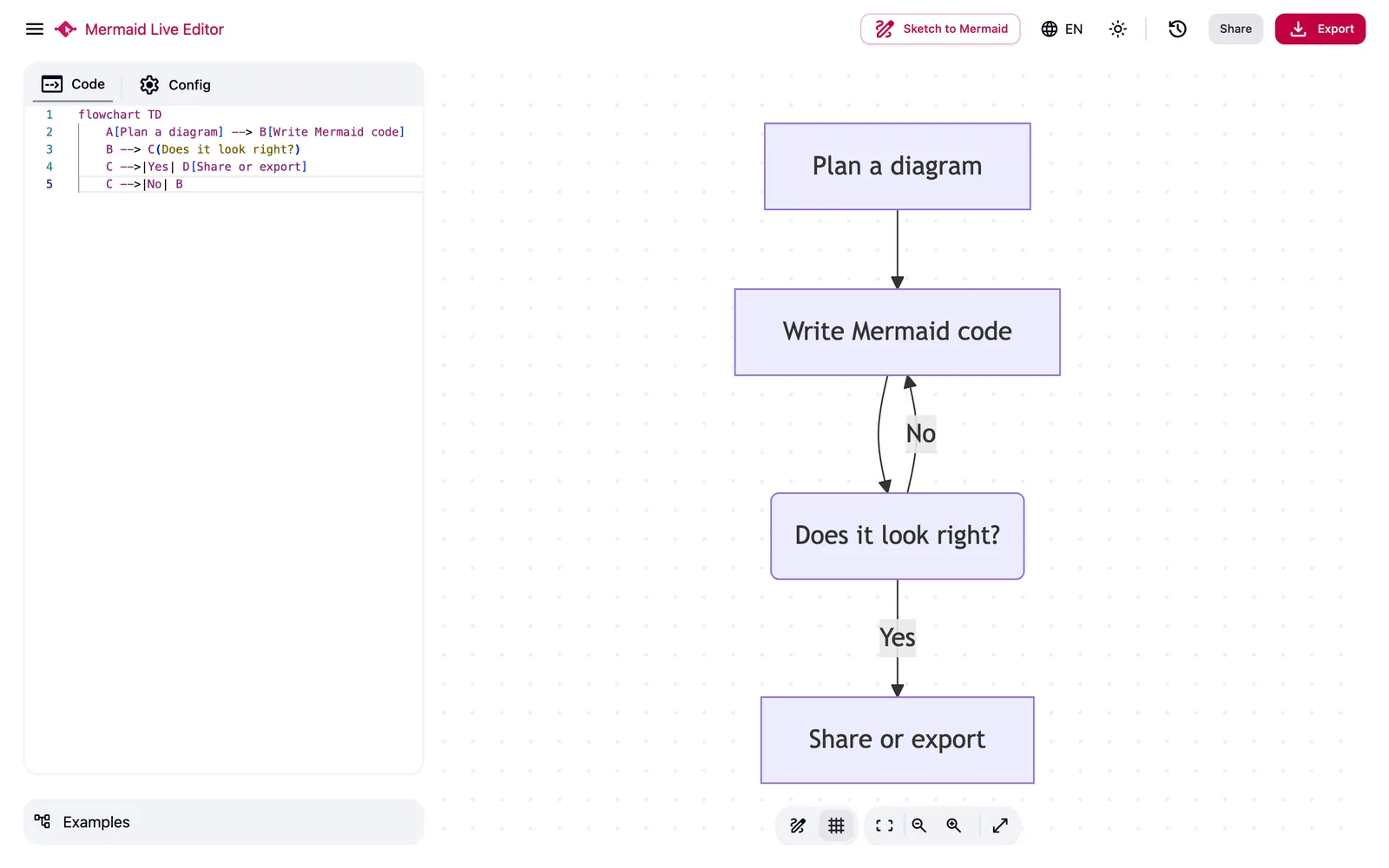
Mermaid Live Editor is a free, browser-based online diagramming tool that converts Mermaid code into visual diagrams. It serves software developers, product and project teams, technical writers, students, and educators who need to describe, quickly generate, maintain, and share diagrams using text. ## Key Capabilities - **Live Preview**: Diagrams render instantly as you type or paste Mermaid code, making it easy to spot syntax and layout issues. - **33 Diagram Types**: Supports flowcharts, class diagrams, sequence diagrams, ER diagrams, state diagrams, mind maps, architecture diagrams, C4, Gantt charts, Git graphs, Kanban boards, Sankey diagrams, timelines, user journeys, Venn diagrams, Wardley Maps, XY charts, ZenUML, and more. - **Templates & Examples**: Ready-made templates and examples so you don't have to start from a blank editor. - **Multi-format Export**: Export to PNG (bitmap), SVG (vector), PDF (for printing or reports), and MMD (raw Mermaid source file). - **Shareable Links**: Generate a link so others can open the same diagram directly in their browser. - **Browser-based Processing**: Editing, rendering, and data processing all happen on the client side—nothing is uploaded to remote servers. - **11 Interface Languages**: English, Simplified Chinese, Vietnamese, Russian, Brazilian Portuguese, Spanish, French, Japanese, Korean, German, and Arabic. ## How It Works 1. Write or paste Mermaid code, pick a template or example, or paste code from sources like GitHub, ChatGPT, or Claude. 2. Preview in real time as you type, adjusting labels, relationships, direction, styling, and layout. 3. Export to your preferred format or generate a shareable link. ## Use Cases - **Software Developers**: Document APIs, services, data models, state transitions, Git workflows, network packets, and system architecture. - **Product & Project Teams**: Map out user journeys, workflows, roadmaps, Kanban boards, timelines, requirements, and project plans. - **Technical Writers**: Create maintainable diagrams for READMEs, knowledge bases, specs, tutorials, and internal docs. - **Students & Educators**: Explain complex systems, compare concepts, and build mind maps. The tool follows the "diagram as code" philosophy, keeping diagrams editable, reviewable, and version-control friendly while avoiding lock-in to proprietary drawing files.
Key features
- Live Preview: Diagrams render instantly as you type Mermaid code, making it easy to spot syntax and layout issues.
- 33 Diagram Types: Supports flowcharts, sequence diagrams, ER diagrams, Gantt charts, mind maps, C4, Sankey, and many more.
- Templates & Examples: Ready-made templates and examples help you get started quickly with common diagram types.
- Four Export Formats: Export to PNG, SVG, PDF, and MMD (raw Mermaid source file).
- Shareable Links: Generate a link so teammates or others can open the same diagram directly in their browser.
- Browser-based Processing: Editing, rendering, and data processing all happen locally in your browser—nothing is uploaded to a server.
- 11 Interface Languages: UI available in English, Simplified Chinese, Japanese, Korean, French, German, and more.
- Diagram as Code: Maintain diagrams as code for easy copying, editing, and Git version control.
Releases
Notify me Initial · Mermaid Live Editor
Q&A
- Is Mermaid Live Editor free?AI-generated
- Yes. The editor, templates, examples, live preview, link sharing, and exports to PNG, SVG, PDF, and MMD are all completely free.
- What is Mermaid?AI-generated
- Mermaid is a text-based diagram syntax. You describe nodes, relationships, events, or timelines in code, and the renderer converts that text into a visual diagram.
- Which diagram types are supported?AI-generated
- It supports 33 types, including flowcharts, class diagrams, sequence diagrams, ER diagrams, state diagrams, mind maps, architecture diagrams, C4, Gantt charts, Git graphs, Kanban boards, Sankey diagrams, timelines, user journeys, Venn diagrams, Wardley Maps, XY charts, ZenUML, and more.
- Is my Mermaid code uploaded to a server?AI-generated
- The site processes diagram data entirely in your browser. During normal editing and exporting, your work stays on the client side.
- Do I need to install Mermaid or any other software?AI-generated
- No local installation required. Just open the site in a modern browser and start editing.
- Can I paste Mermaid code generated by ChatGPT or Claude?AI-generated
- Yes. Paste the code into the editor, check the live preview, fix any syntax issues, then export or share the final diagram.
- Why use Mermaid instead of drag-and-drop drawing tools?AI-generated
- Text-based diagrams are faster to create, easy to copy, friendly to Git and code reviews, and less likely to drift out of sync with the documentation they explain.
- How do shareable links work?AI-generated
- Generate a link in the editor and send it to others—they can open the shared diagram directly in their browser.
Bookmark
This product has no owner yet
It was listed by the platform or its author left. If it is your work, prove your relationship to become the owner.
Claim this productAlternatives




The product content on this page was translated by AI from the author's original.