
September 26, 2026

A Chrome SEO toolbar extension that helps SEO professionals view authority metrics, audit page elements, and analyze SERPs in real time while browsing.
Chrome
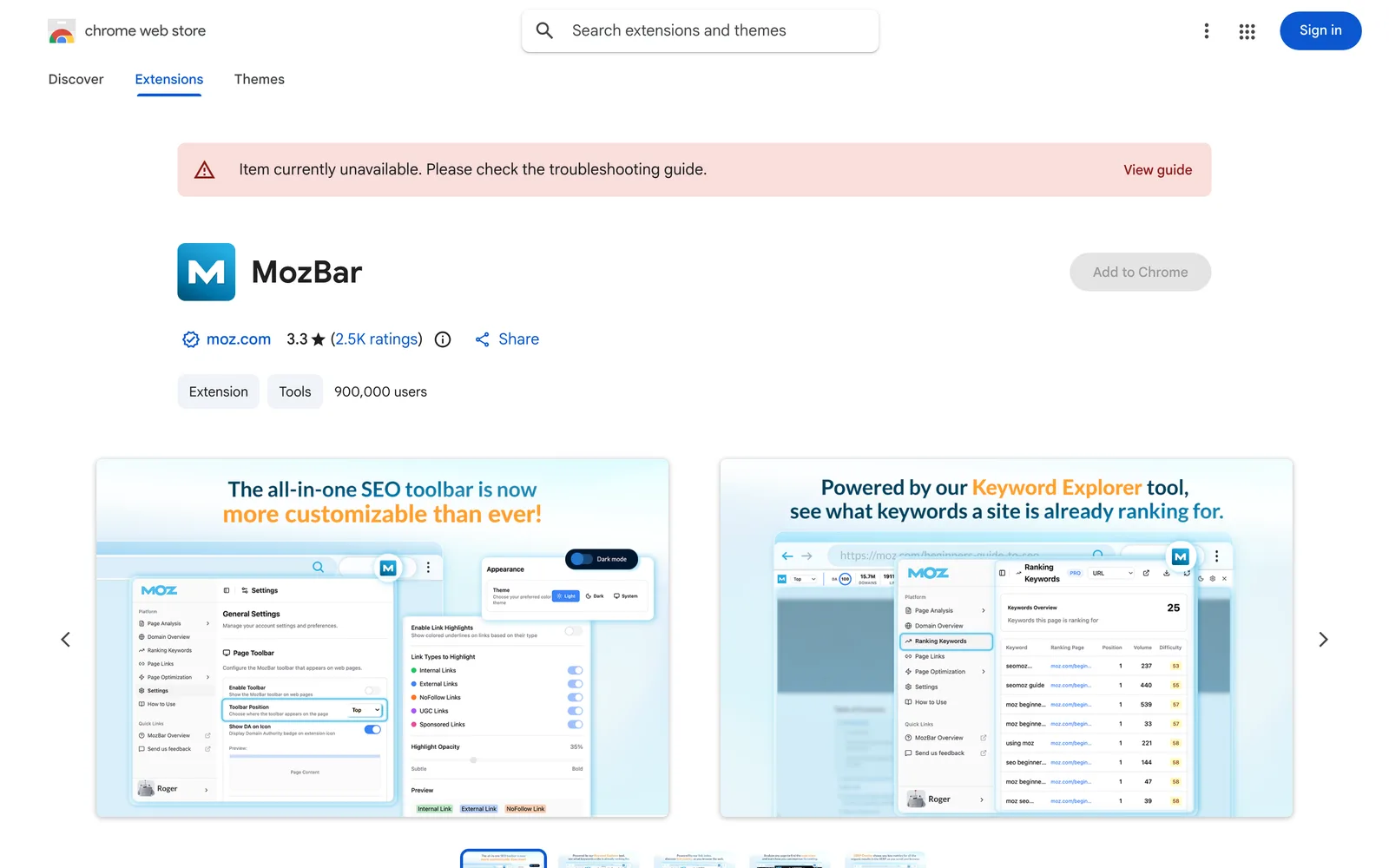 1 / 5
1 / 5Product facts
- Type
- Extension & Plugin
- Category
- Marketing & Growth › SEO and AI Search Optimization
- Pricing
- Free
- Platforms
- Chrome
- Launched
- Sep 26, 2026
- Listed
- Sep 26, 2026
- Website
- chromewebstore.google.com
Overview
MozBar is a Chrome browser extension developed by Moz, positioned as an all-in-one SEO toolbar. The current version is V5 (5.0.17), rebuilt from the ground up for SEO professionals, marketers, and developers to instantly access SEO data while browsing. ### Key Capabilities - **Authority Metrics**: View Domain Authority (DA), Page Authority (PA), and Brand Authority scores as soon as you open a page. - **On-Page SEO Highlights**: Use color overlays to distinguish Followed, No-Follow, External, and Internal links, plus internal link counts and alt-text audits. - **Technical SEO Audits**: Check Schema markup, hreflang tags, robots.txt, and Sitemaps with one click—no need to manually inspect source code. - **SERP Analysis & Export**: Compare link metrics on any Google Search Result Page (SERP) and export results to CSV. - **Keyword & Content Insights**: With Moz Pro data connected, view a site's ranking keywords and real-time Page Optimization scores. ### V5 Updates V5 uses a new framework to improve performance and reduce latency while browsing. A new 48-hour smart data caching mechanism cuts redundant API calls, helping conserve your Moz Pro query quota. The toolbar UI supports custom docking positions (top, bottom, left, or right). ### Access Tiers MozBar offers three usage tiers: - **Guest**: Free access to On-Page Elements, General Attributes, and Internal Link information. - **Community (free registration)**: Adds DA and PA metrics on top of Guest features. - **Moz Pro Subscribers**: Unlocks Spam Score, Page Optimization, Domain Analysis, and Keyword Ranking queries. The extension is 446KiB in size and supports English only. The developer states it does not collect or use user data, nor sell data to third parties.
Key features
- Authority Metrics: Instantly view Domain Authority, Page Authority, and Brand Authority when opening a page.
- On-Page SEO Highlights: Use color overlays to distinguish Followed, No-Follow, External, and Internal links.
- Technical SEO Audits: Check Schema markup, hreflang tags, robots.txt, and Sitemaps with one click.
- SERP Analysis & Export: Compare link metrics on Google search results pages and export them to CSV.
- Keyword & Content Insights: Connect Moz Pro data to view a site's ranking keywords and Page Optimization scores.
- Smart Data Caching: A 48-hour cache reduces redundant API calls and helps manage your query quota.
- Custom UI Docking: Dock the toolbar at the top, bottom, left, or right of your browser.
Releases
Notify me Initial · MozBar
Q&A
- Is MozBar free?
- MozBar offers a free tier. Guest mode lets you view page elements and internal link info for free; registering a free Community account adds DA and PA metrics. Advanced features like Spam Score and Page Optimization require a Moz Pro subscription.
- What's new in MozBar V5 compared to previous versions?
- V5 was rebuilt from scratch with a new framework for better performance. It adds 48-hour smart data caching to reduce API calls, supports custom toolbar docking positions, and enhances internal link reporting.
- Does MozBar collect my data?
- The developer states that MozBar does not collect or use user data, does not sell data to third parties, and does not use data for purposes unrelated to core functionality or for credit scoring.
- Which browsers does MozBar support?
- Based on the provided information, MozBar is a Chrome extension installed via the Chrome Web Store.
Bookmark
This product has no owner yet
It was listed by the platform or its author left. If it is your work, prove your relationship to become the owner.
Claim this productAlternatives

The product content on this page was translated by AI from the author's original.