
November 11, 2026

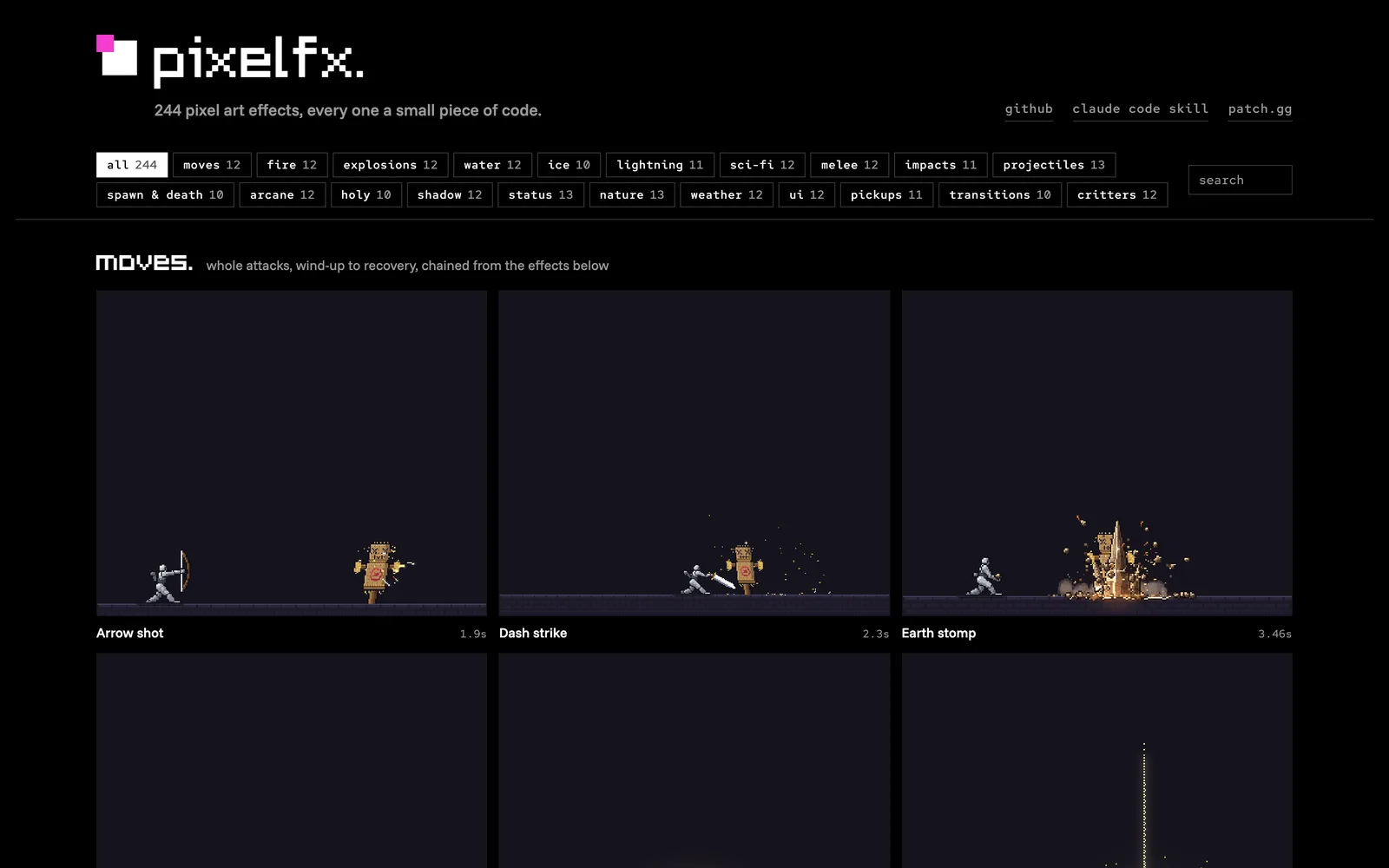
244 pixel-art effect snippets that run directly in browser games or export as sprite sheets.
MIT
 1 / 3
Product facts
- Type
- Web App / SaaS
- Category
- Development & Engineering › Game Development
- Pricing
- Open source
- License
- MIT
- Launched
- Nov 11, 2026
- Listed
- Nov 11, 2026
- Website
- github.com
Overview
pixelfx is an open-source library of 244 pixel-art effects and animations, each implemented as a small JavaScript snippet. Categories include fire, explosions, magic, weather, UI, pickups, creatures, and more, plus a Claude Code skill for generating new effects.
Key Capabilities
- Code-level integration: Zero external dependencies. Use
createFxorcreateActto play effects directly in canvas, Phaser, PixiJS, Kaplay, or three.js browser games. - Sprite sheet export: A CLI tool renders effects into transparent PNG grids and Aseprite-style JSON files (including frame rects, duration, fps, loop, pivot, etc.), compatible with engines like Godot, Unity, GameMaker, Defold, LÖVE, and Bevy.
- Palette swapping: Each effect accepts a
paletteparameter—an array of hex colors from dark to light—so you can recolor effects without touching the code. - Acting: 61 character-related effects and 12 combos include built-in action timing data defining phases such as wind-up, hitstop, screen shake, knockback, and recovery. Use
createActto play out full character-to-target interactions.
Who It's For
Developers who need to quickly add pixel-art VFX to game projects, and anyone who wants to craft their own pixel effects using an AI-assisted workflow (draft, render, look, refine). The project is open-sourced under the MIT license.
Key features
- 244 pixel effects across 21 categories including fire, explosions, water, ice, lightning, sci-fi, melee, and magic.
- Zero-dependency browser integration: pure JavaScript, runs directly in canvas, Phaser, PixiJS, three.js, and more.
- Sprite sheet export: CLI tool renders effects to transparent PNGs and Aseprite-style JSON for major game engines.
- Custom palettes: pass a hex color array to recolor any effect without modifying the underlying code.
- Action timing: built-in wind-up, hitstop, screen shake, knockback, and recovery data for synced character and effect playback.
- Claude Code Skill: an AI skill that generates new pixel effects through a draft, render, look, refine workflow.
Releases
Notify me Initial · pixelfx
Q&A
- How do I use pixelfx in a browser game?AI-generated
- Install via `npm i github:patch-gg/pixelfx`, or copy `src/core` along with the effect files you need. Use APIs like `createFrame`, `createFx`, and `composite` to update and draw effects onto a canvas inside your game loop.
- Which non-web game engines are supported?AI-generated
- Godot, Unity, GameMaker, Defold, LÖVE, Bevy, and more. Run `node tools/render.mjs <effect-name> --sheet` to export sprite sheets (PNG and JSON), which work with Phaser's atlas loader as well as the Aseprite importers in Godot and Unity.
- How do I change an effect's colors?AI-generated
- Each effect takes a `palette` parameter—an array of hex colors ordered from dark to light. Pass it when creating the effect, or supply a JSON palette via `--opts` when rendering with the CLI.
- What is the Acting feature?AI-generated
- Acting provides action timing data (wind-up, hitstop, knockback, etc.) for character-related effects. Using `createAct` instead of `createFx` plays the full attack sequence with both the character and target, automatically handling hitstop and screen shake on impact.
Bookmark
This product has no owner yet
It was listed by the platform or its author left. If it is your work, prove your relationship to become the owner.
Claim this productAlternatives



The product content on this page was translated by AI from the author's original.