
September 26, 2026

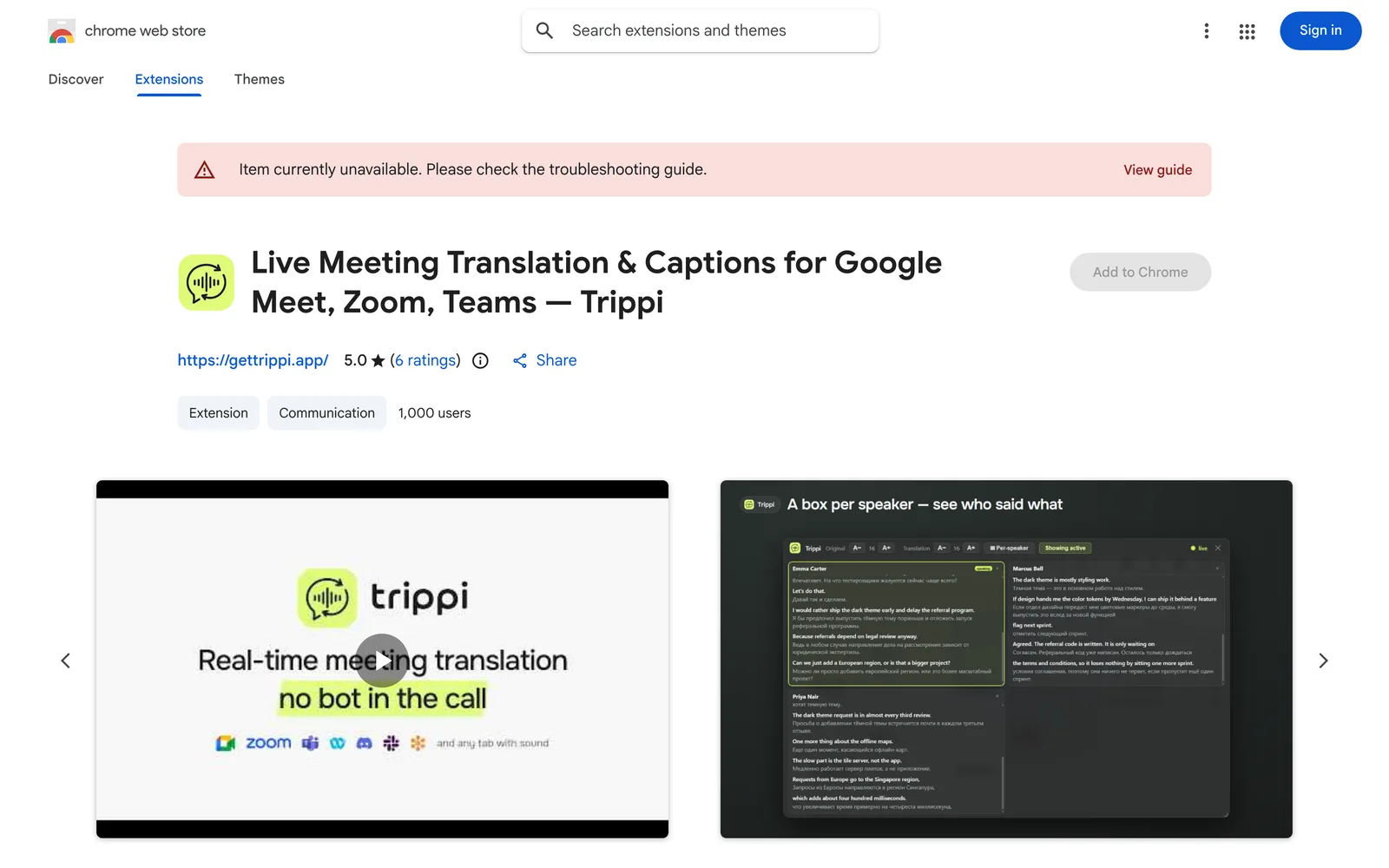
A Chrome extension that provides real-time translated captions for web-based meetings on Google Meet, Zoom, Teams, and more.
WebChrome
 1 / 6
1 / 6Product facts
- Type
- Extension & Plugin
- Category
- Content & Writing › Translation and Localization
- Pricing
- Free
- Platforms
- Web · Chrome
- Launched
- Sep 26, 2026
- Listed
- Sep 26, 2026
- Website
- chromewebstore.google.com
Overview
Trippi is an in-browser extension for real-time translation during online meetings, converting speech in video calls into translated captions. It works with Google Meet, Zoom (web), Microsoft Teams (web), and any call that plays audio in a browser tab, including Webex, Discord, Slack huddle, WhatsApp Web, and more. ### How it works Trippi captures meeting audio directly and runs its own speech recognition instead of re-translating the platform's built-in captions. Simply select the language you hear and the language you want to read, and translated captions appear during the call. On Google Meet, Zoom, and Teams, captions include speaker names; on other platforms, speakers are identified by number. ### Key capabilities - **Real-time bilingual captions**: Display both the original text and the translation, or only the translation. - **Translation across 68 languages**: Covers English, Chinese, Japanese, Spanish, French, and more, optimized per language pair. - **Post-meeting records**: Full bilingual transcripts of your last 50 meetings are stored locally in your browser, including speaker info. - **Meeting summaries**: Generate on-demand summaries in your target language, covering decisions, action items, and open issues. - **Export**: Export transcripts or meeting notes as .txt or Markdown. ### Privacy by design Audio is never recorded or sold, and transcripts stay in your own browser. Data leaves your device only when you click Summarize or enable post-meeting emails. No meeting content is stored on servers. No bots join your meetings, and other participants receive no notifications. ### Use cases Ideal for cross-border team meetings, webinars, online classes, interviews, sales calls, and any scenario requiring cross-language understanding. Start for free—no credit card or account required.
Key features
- Real-time translated captions: Captures meeting audio and runs speech recognition to translate call content into target-language captions instantly.
- Multi-platform support: Works with Google Meet, Zoom web, Teams web, and any browser tab playing audio.
- Translation across 68 languages: Supports translation in any direction among 68 languages, optimized individually for each language pair.
- Dual caption mode: Choose to display both the original text and translation, or only the translated captions.
- Private captions: Captions are visible only to you. No bots join the meeting, and no notifications are sent to other participants.
- Local meeting records: Bilingual transcripts of your last 50 meetings are stored locally in your browser, including speaker info.
- On-demand meeting summaries: Click Summarize to generate a summary in your target language, including decisions, action items, and open issues.
- Export: Export transcripts or meeting notes as .txt or Markdown, or copy them directly.
- Independent speech recognition: Processes audio directly instead of re-translating platform captions, so it works even when the platform offers no translation.
Releases
Notify me Initial · Trippi
Q&A
- How do I translate a Google Meet call?
- Open the call page, click Trippi, select the source and target languages, then click Start captions. Translated captions will appear over the meeting window.
- Do I need a paid Google Workspace plan?
- No. Google Meet only offers caption translation on paid Workspace tiers, but Trippi works on free and personal accounts.
- Can I translate Zoom meetings?
- Yes, but you must join the Zoom meeting through your browser. The Zoom desktop client is not supported yet; a companion app is planned.
- Is Microsoft Teams supported?
- Yes, the web version of Teams is supported, including teams.microsoft.com, teams.live.com, and teams.cloud.microsoft.
- Does it work with WhatsApp or Messenger calls?
- Yes, as long as the call runs in a browser tab (e.g., web.whatsapp.com or messenger.com). Trippi generates captions by capturing the tab's audio.
- Will other participants know I'm using translation?
- No. No bots join the meeting, no notifications are sent to other participants, and the captions are visible only to you.
Bookmark
This product has no owner yet
It was listed by the platform or its author left. If it is your work, prove your relationship to become the owner.
Claim this productAlternatives

The product content on this page was translated by AI from the author's original.