
October 16, 2026

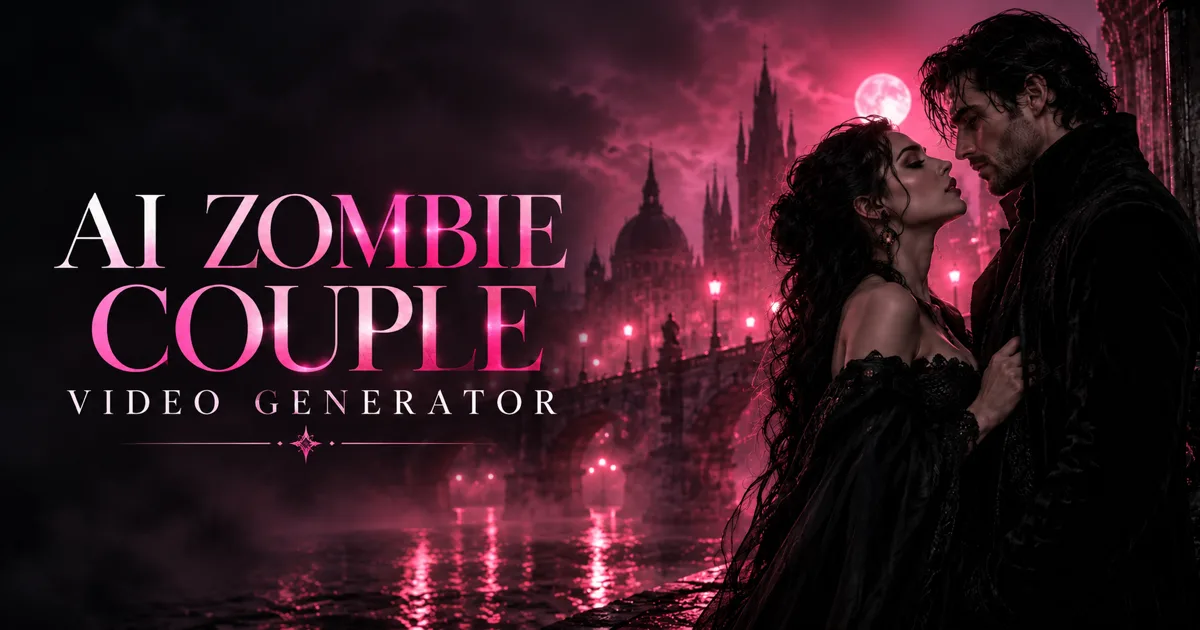
AI Zombie Couple Video Generator
Turn two portrait photos into a 15-second zombie apocalypse-themed romance short video.
 1 / 2
1 / 2Product facts
- Type
- Web App / SaaS
- Category
- Creativity & Media › Video Generation
- Pricing
- Paid
- Launched
- Oct 16, 2026
- Listed
- Oct 16, 2026
- Website
- zombie-couple-video.art
Overview
AI Zombie Couple Video Generator is a web app that turns two portrait photos into a 15-second fictional zombie apocalypse love story video. Inspired by the viral "zombie love story" or "zombie hug" trend, it depicts a human survivor reuniting with their zombified partner in an abandoned city—recognizing each other and sharing an embrace. ## Workflow Users complete just three steps: 1. **Upload photos**: Upload one photo into each of the two labeled slots (JPG, PNG, or WebP; max 10 MB per image; at least 300 × 300 px). Use the swap button to change who plays the survivor and who plays the zombie. 2. **Choose aspect ratio**: Pick between 9:16 (vertical, for TikTok, Reels, Shorts) and 16:9 (horizontal). 3. **Generate and download**: Sign in with a Google account, select a paid plan, and start generating. Keep the page open during processing, then preview and download the MP4 file when done. ## Technical details & limitations - This tool doesn't apply a zombie filter to an existing video. It uses two photos as character references so AI can generate entirely new footage. - Each generated video is 2K resolution, exactly 15 seconds long, and costs 40 credits. - The storyline is preset (a tender reunion in an abandoned city), so no prompt writing is required. - Results are randomized: faces, movements, and framing vary each time. Outputs won't match the demo video exactly, nor perfectly replicate the people in your photos. - Photos stay in your browser for up to 24 hours. They're securely uploaded to the server only when generation starts, and expire from storage after 7 days. ## Who it's for Ideal for users who want to quickly create zombie-couple short videos and join social media trends. Compared to general-purpose AI video tools that require prompts from scratch, it offers a fixed narrative template and a simplified workflow.
Key features
- Dual-photo casting: Upload two portraits and assign them as the survivor and the zombie, with one-click swapping.
- 15-second video generation: Produces a fixed 15-second, 2K-resolution clip every time.
- Multiple aspect ratios: Choose 9:16 vertical or 16:9 horizontal to suit different social platforms.
- Preset story template: Built-in reunion-and-embrace plot in an abandoned city—no manual prompting needed.
- MP4 download: Preview and download the MP4 file directly on the page once generation is complete.
- Credit-based pricing: Each video costs 40 credits, available via monthly plans or one-time packs.
Releases
Notify me Initial · AI Zombie Couple Video Generator
Q&A
- How does this tool work?AI-generated
- It uses two portrait photos as character references and relies on AI to generate brand-new footage based on a preset survivor-meets-zombie storyline, rather than applying a filter to an existing video.
- What are the photo upload requirements?AI-generated
- JPG, PNG, or WebP formats are supported, up to 10 MB each, with a minimum resolution of 300 × 300 px. For best results, use one clear, front-facing face per photo and avoid sunglasses, heavy filters, or blurry images.
- Can I choose who becomes the zombie?AI-generated
- Yes. Place the corresponding person's photo in the "Zombie partner photo" slot. Roles are assigned by slot position, regardless of gender. You can also click the swap button to switch roles before generating.
- Does it cost money?AI-generated
- Yes. You must sign in with a Google account and choose a paid plan. Each 15-second 2K video costs 40 credits. Signing up doesn't include free credits—you'll need to buy a monthly plan or a one-time credit pack.
- Will my video look like the demo?AI-generated
- No. The demo only shows the overall vibe. Faces, movements, and framing vary with each generation, so identical shots, music, or flashback transitions aren't guaranteed.
- What happens to my uploaded photos?AI-generated
- Photos remain in your browser for up to 24 hours. They're securely uploaded and sent to the video provider only when you click generate, and they expire from storage after 7 days.
- How do I download the generated video?AI-generated
- Keep the page open while it generates. Once finished, the result replaces the demo video—click Download MP4 to save it. We recommend downloading before the link expires.
Bookmark
This product has no owner yet
It was listed by the platform or its author left. If it is your work, prove your relationship to become the owner.
Claim this productAlternatives

pdoomvideo
Enter a single sentence and automatically generate an original music video, directed and illustrated by AI.
Released 2 days ago4
Freemium

AI Zombie Video Generator
Upload two photos to generate a 15-second AI zombie trend video. One-time payment, no subscription required.
Released 4 days ago5
Paid

Raindance AI Video Generator
Upload two photos to create a Raindance trend video featuring scenes of waiting on a pier, singing, and a beach sunset.
Released last week3
Paid

HappyHorse AI Video Generator
在线 AI 视频生成工具,支持文本、图片和视频到视频的转换工作流。
Released 3 weeks ago3
Freemium

MakeAIVideo
通过提示词、脚本或图片生成 AI 视频,并自动发布到多个社交平台。
Released 3 days ago6
Free trial

Hotel Lobby AI Video Generator
Upload two photos to generate an 8-second vertical AI video, placing people or pets into an orange recording studio scene.
Released last week2
Paid

ZSky AI
A free AI image and video generation platform for creators, supporting text-to-image, text-to-video, and image-to-video.
Released 3 weeks ago1
Freemium

Burning Bridges AI Video Generator
Upload a photo to place yourself, friends, pets, or characters into a Burning Bridges party scene video.
Released 4 days ago4
Paid

AI Studios
面向内容创作者和企业的 AI 数字人视频生成平台,支持将文本脚本转化为带数字人的视频。
Released 3 weeks ago4
Freemium

MovieFlow
A web app that generates complete AI movies in minutes from prompts or scripts.
Released 3 weeks ago1
Freemium
The product content on this page was translated by AI from the author's original.