
October 8, 2026

GIF Downloader
Download videos and GIFs from social platforms online, or convert MP4 to GIF in your browser.
 1 / 3
1 / 3Product facts
- Type
- Web App / SaaS
- Category
- Creativity & Media › Video Editing
- Pricing
- Free
- Launched
- Oct 8, 2026
- Listed
- Oct 8, 2026
- Website
- gif-downloader.app
Overview
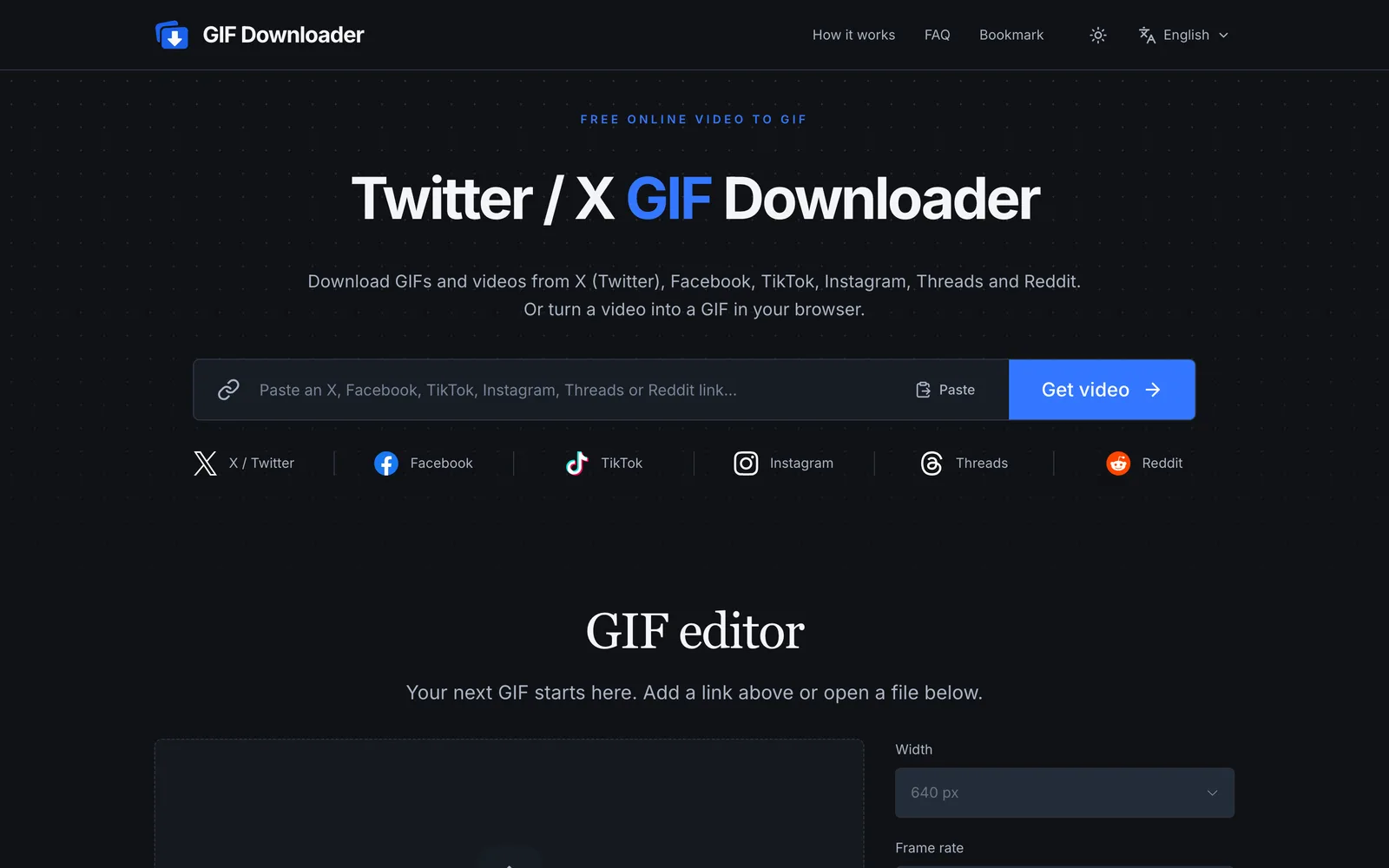
GIF Downloader is a browser-based web app for downloading public videos and GIFs from platforms like X (Twitter), Facebook, TikTok, Instagram, Threads, and Reddit. It also converts local video files into GIFs. ### Key Features - **Multi-platform link parsing**: Paste a public post link to retrieve the video or GIF file. GIF posts on X are usually served as MP4, which you can save directly or export as .gif using the tool. - **Local file processing**: Upload MP4, WebM, MOV, or GIF files up to 1 GB. Local file conversion happens entirely in the browser—nothing is uploaded to a server. - **GIF editor**: Trim clips (up to 30 seconds, max 360 frames) and adjust width (240 px to 960 px), frame rate (8 fps to 24 fps), playback speed (0.5× to 2×), and aspect ratio (original, 1:1, 9:16, 16:9). You can also set a maximum file size limit. - **Bookmarklet shortcut**: Desktop users can drag the button to their bookmarks bar, then click it on supported platforms to jump straight to the tool and download. ### How to Use 1. Paste a post link or open a local video/GIF file. 2. Select a clip and adjust the settings. 3. Download the original video or the generated GIF. ### Notes Only public posts are supported; private, deleted, age-restricted, or region-locked content cannot be retrieved. Download links are temporary. The GIF format does not support audio—download the video if you need sound. Online videos are limited to 50 MB. No account or software installation required; completely free to use.
Key features
- Multi-platform video downloads: Download public videos and GIFs from X, Facebook, TikTok, Instagram, Threads, and Reddit.
- MP4 to GIF: Convert local or online videos to GIF files right in your browser.
- Local file processing: Upload MP4, WebM, MOV, or GIF files up to 1 GB, with conversion done locally.
- Clip trimming: Select a video segment up to 30 seconds or 360 frames.
- Parameter adjustment: Tweak output width, frame rate, playback speed, and aspect ratio.
- File size limit: Set a maximum file size, and the tool automatically adjusts width and frame rate to meet it.
- Bookmarklet quick download: On desktop browsers, send the current post to the tool with one click via the bookmarks bar.
- Auto-download: When enabled, the GIF starts downloading as soon as it's generated.
Releases
Notify me Initial · GIF Downloader
Q&A
- Which platform links are supported?AI-generated
- Public video post links from X / Twitter, Facebook, TikTok, Instagram, Threads, and Reddit are supported. Private, deleted, age-restricted, or region-locked posts may not be accessible.
- Are my files uploaded to a server?AI-generated
- Local videos and GIFs are processed only in your browser and never uploaded. Social post links are sent to the server and download service to locate the video; after that, the video loads onto your device and GIF conversion happens locally.
- Can I just download the video without making a GIF?AI-generated
- Yes. Once the video is found, select Download video to save the original. The GIF editor is optional.
- What are the file size and format limits?AI-generated
- Local files up to 1 GB; online videos up to 50 MB. Exported GIFs are limited to 30 seconds and 360 frames. GIFs loaded for editing follow the same limits and must fit within your browser's decoding memory.
- Why did my link expire?AI-generated
- Download links are temporary. Re-fetch the post to generate a new link. If the platform or its download service is unavailable, try again later or use a local video you already have.
- How do I download a GIF from Twitter / X?AI-generated
- Paste a public X post link and click Get video. X usually serves GIF posts as MP4, which you can save directly. To export a .gif, select a time range, adjust the settings, and click Create GIF.
- Is GIF Downloader paid? Do I need to sign up?AI-generated
- GIF Downloader is free. No account or software installation is needed—just open the website in your browser.
- Why doesn't my GIF have sound?AI-generated
- The GIF format doesn't support audio. To keep the sound, use Download video instead of exporting a GIF.
- How can I reduce the GIF file size?AI-generated
- Use a shorter clip, lower the width or frame rate, or set Max file size to let the tool adjust automatically. If it still exceeds the limit, shorten the clip further or relax the size constraint.
- Can I use it on mobile?AI-generated
- Yes. Open the page in your mobile browser and paste a public post link. On mobile you'll need to copy and paste the link manually—the bookmarklet shortcut only works on desktop browsers with a bookmarks bar.
Bookmark
This product has no owner yet
It was listed by the platform or its author left. If it is your work, prove your relationship to become the owner.
Claim this productAlternatives

Video To Frames
Extract frames from videos in your browser with multiple export modes—no file uploads required.
Released 4 days ago4
100% Free

短影AI
以人工智能驱动的本地离线工具,帮内容创作者将长视频一键剪辑成多个短视频。
Released 3 weeks ago4
Paid

Submagic
AI 驱动的短视频编辑平台,帮助创作者和团队快速生成带字幕的短视频并发布到多个渠道。
Released 3 weeks ago4
Free trial

Online Video Editor
Edit local videos for free in your browser—no login, no file uploads.
Released 4 days ago5
100% Free

录咖AI
在线AI音视频处理平台,提供语音转文字、字幕生成、视频翻译等功能
Released 3 weeks ago1
Freemium

说得相机
为口播视频创作者提供的免费拍摄工具,支持AI提词、AR助播与虚拟背景等功能。
Released 3 weeks ago2
100% Free

鬼手剪辑
一站式视频译制工作台,帮创作者和企业将短剧、广告等内容批量翻译配音为多语言成片。
Released 3 weeks ago3
Freemium



The product content on this page was translated by AI from the author's original.