
October 13, 2026

Live Photo Converter
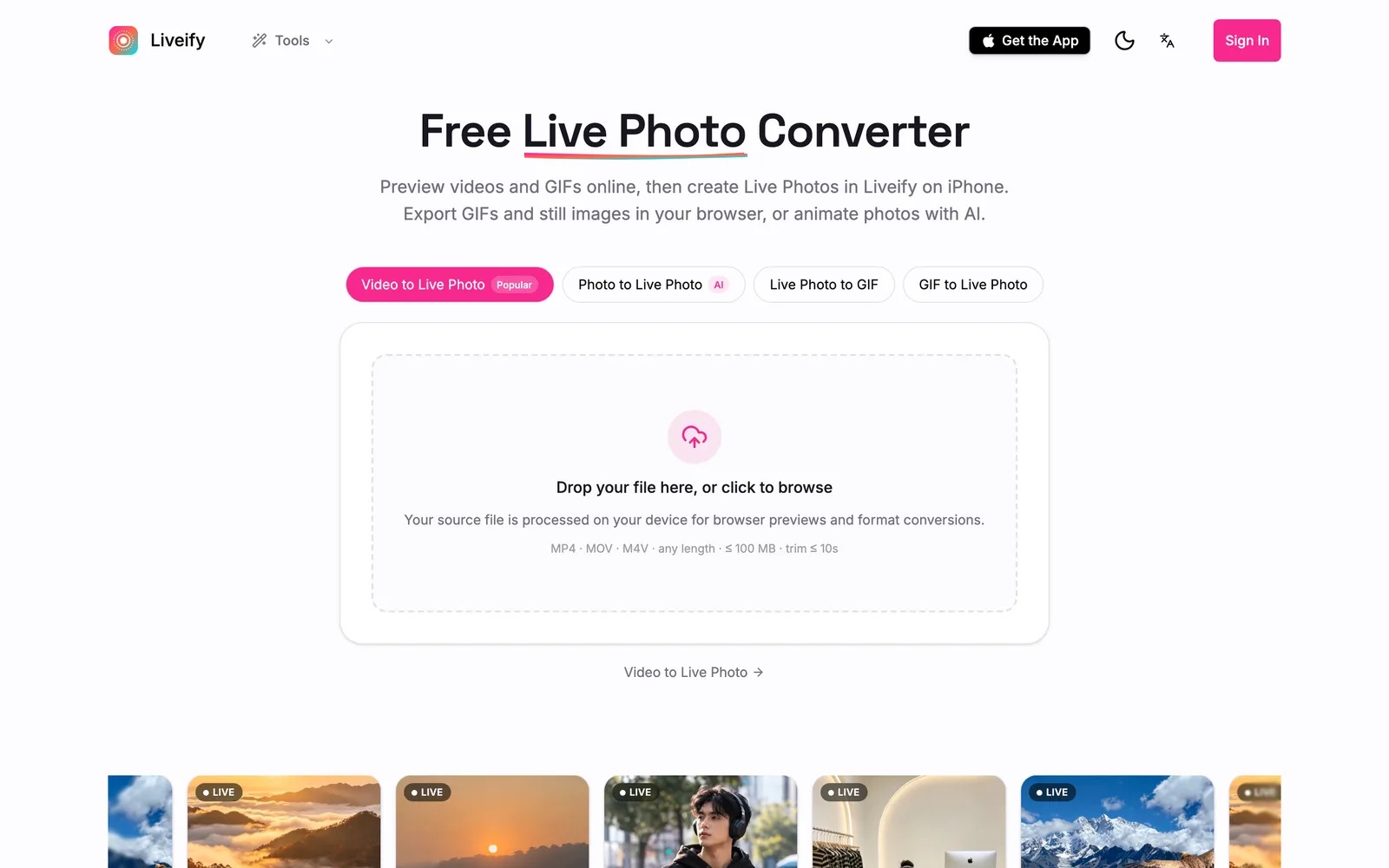
Preview videos and GIFs in your browser, then create Live Photos with the Liveify app on iPhone.
 1 / 6
1 / 6Product facts
- Type
- Web App / SaaS
- Category
- Creativity & Media › Video Editing
- Pricing
- Freemium
- Launched
- Oct 13, 2026
- Listed
- Oct 13, 2026
- Website
- videolivephoto.com
Overview
Live Photo Converter is a web tool by Liveify for converting between videos, GIFs, and still images in your browser, working alongside the Liveify iPhone app to generate iOS Live Photos. ## Key Capabilities This web app supports conversions across multiple media formats: - **Video to Live Photo**: Select a video in your browser (MP4, MOV, M4V up to 100 MB), preview it, trim a clip of up to 10 seconds, and set a cover image. To actually generate and save the Live Photo, you must open the Liveify app on your iPhone and reselect the original file. - **Photo to Live Photo (AI)**: Upload a still image in JPG, PNG, or WebP format, and cloud AI adds motion effects, outputting a downloadable .livp file. This feature requires login and credits. - **Live Photo to GIF / Video / Photo**: Export the motion portion of a Live Photo as a looping GIF or video, or extract the best moment and save it as a still JPG. - **GIF to Live Photo**: Preview a GIF in your browser, then complete the Live Photo creation in the iPhone app. - **Video to GIF / Photo**: Convert short videos into watermark-free GIFs directly in your browser, or extract still frames from a video (exportable as JPG, PNG, or WebP). - **Live Wallpaper Maker / Image to Live Wallpaper**: Create live wallpapers from videos, GIFs, or still photos. ## Processing Method Source file previews and format conversions in the browser are processed locally on your device—no uploads required. After logging in, supported conversion results can be uploaded to your cloud library. The AI generation feature sends selected images to cloud services for processing. ## Who It's For Ideal for users who need to convert between media formats or want to create Live Photos and live wallpapers for iPhone. Note that the final step of generating a Live Photo relies on the Liveify iPhone app; the web version only provides previews and partial export features.
Key features
- Video to Live Photo: Preview and trim video clips in your browser, then generate the Live Photo in the Liveify app on iPhone.
- AI Photo to Live Photo: Upload a still image and let cloud AI add motion effects to generate a .livp file. Requires login and credits.
- Live Photo to GIF: Convert a few seconds of motion from a Live Photo into a looping GIF.
- GIF to Live Photo: Preview a GIF in your browser, then create and save the Live Photo in the iPhone app.
- Live Photo to Photo: Pick a frame from a Live Photo's motion sequence and save it as a still JPG image.
- Video to GIF: Convert short videos into watermark-free GIFs directly in your browser. Supports MP4, MOV, and WebM.
- Video to Photo: Extract still frames from videos in your browser, exportable as JPG, PNG, or WebP.
- Live Photo to Video: Save a Live Photo as a video file, compatible with iPhone or Mac.
- Live Wallpaper Maker: Create Live Photo wallpapers from videos, GIFs, or still photos.
- Local Processing: Source files are previewed and converted locally on your device—no server uploads required.
- Cloud Storage: After logging in, supported conversion results can be uploaded and saved to your cloud library.
Releases
Notify me Initial · Live Photo Converter
Q&A
- Can I download generated Live Photos directly from the web app?AI-generated
- No. Previewing videos and GIFs on the web does not produce a downloadable Live Photo. Creating and saving a Live Photo requires the Liveify app on iPhone, and the original file must remain on that device.
- Are my files uploaded to a server?AI-generated
- Source files are processed locally on your device for browser previews and format conversions. After logging in, supported conversion results are uploaded to your cloud library. The AI generation feature sends selected images to cloud services for processing.
- What formats and size limits are supported for Video to Live Photo?AI-generated
- MP4, MOV, and M4V formats are supported, with file sizes up to 100 MB. There is no limit on total video length, but previewed and trimmed clips can be at most 10 seconds long.
- Is the AI Photo to Live Photo feature free?AI-generated
- No. Using the AI generation feature requires logging in and spending credits. The browser packages the result into a downloadable .livp file.
- Which image formats can I export from videos?AI-generated
- You can export selected video frames as JPG or PNG, or as WebP if your browser supports it.
- Does the Video to GIF feature add watermarks?AI-generated
- No. Converting short videos to GIFs in your browser is free, requires no uploads, and produces watermark-free results.
Bookmark
This product has no owner yet
It was listed by the platform or its author left. If it is your work, prove your relationship to become the owner.
Claim this productAlternatives

Video To Frames
Extract frames from videos in your browser with multiple export modes—no file uploads required.
Released 4 days ago4
100% Free

短影AI
以人工智能驱动的本地离线工具,帮内容创作者将长视频一键剪辑成多个短视频。
Released 3 weeks ago4
Paid

Submagic
AI 驱动的短视频编辑平台,帮助创作者和团队快速生成带字幕的短视频并发布到多个渠道。
Released 3 weeks ago4
Free trial

Online Video Editor
Edit local videos for free in your browser—no login, no file uploads.
Released 4 days ago5
100% Free

录咖AI
在线AI音视频处理平台,提供语音转文字、字幕生成、视频翻译等功能
Released 3 weeks ago1
Freemium

AIHuboGo
在线AI工具平台,提供视频与图像换脸功能,适用于短视频制作、图像编辑等场景。
Released 3 weeks ago3
Paid

OpusClip
AI 视频剪辑工具,将长视频一键转为短视频并发布到各社交平台。
Released 3 weeks ago2
Freemium



The product content on this page was translated by AI from the author's original.