
October 16, 2026

Video To Frames
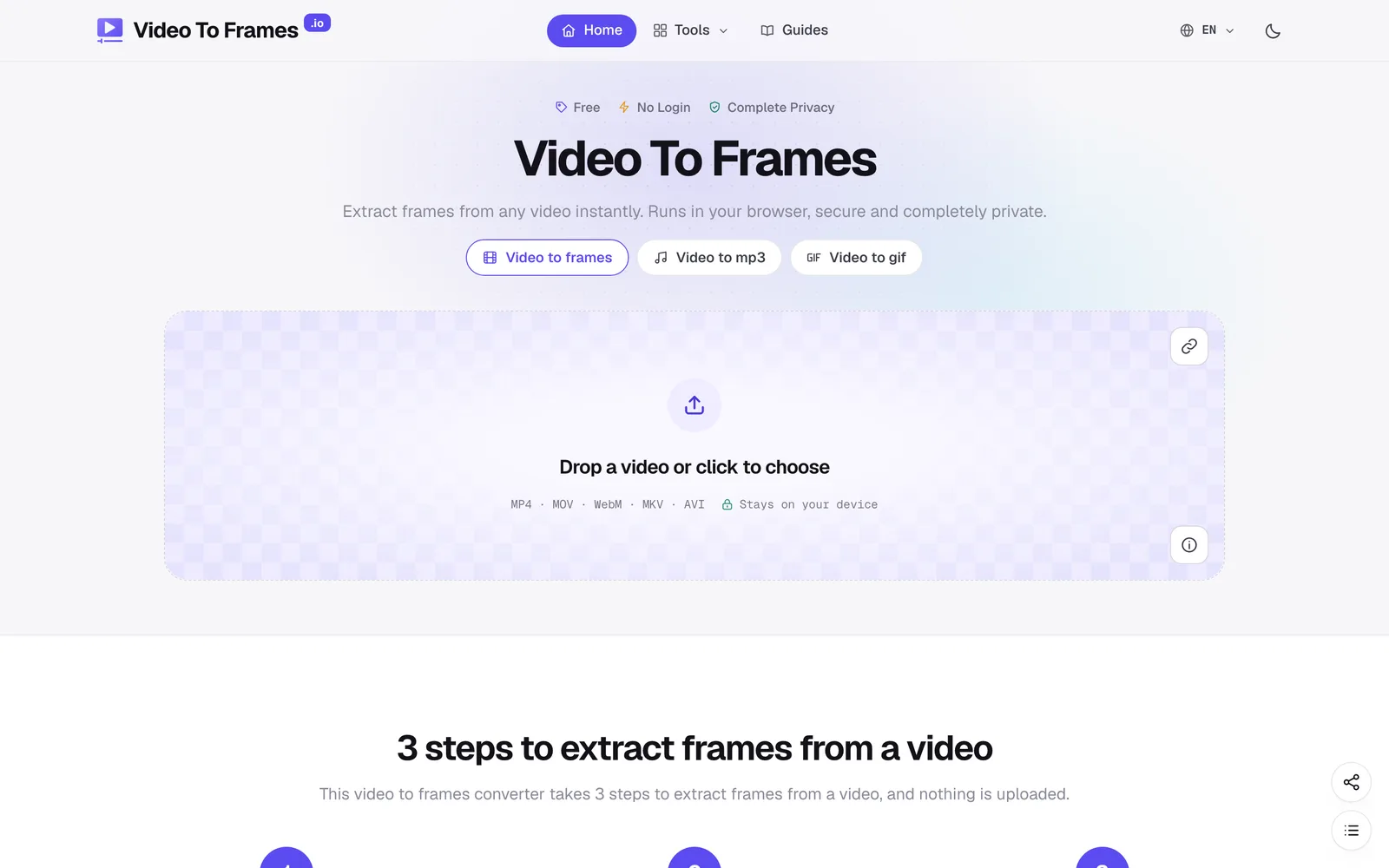
Extract frames from videos in your browser with multiple export modes—no file uploads required.
Product facts
- Type
- Web App / SaaS
- Category
- Creativity & Media › Video Editing
- Pricing
- Free
- Launched
- Oct 16, 2026
- Listed
- Oct 16, 2026
- Website
- videotoframes.io
Overview
Video To Frames is a web-based video frame extraction tool that converts videos into still images. All decoding happens locally in your browser, so video files are never uploaded to a server and no account registration is required. The tool supports MP4, MOV, WebM, MKV, and AVI formats, and can save extracted frames as PNG, JPG, or WebP. After importing a video, you can select the segment to process by dragging the timeline handles or entering an exact time, and preview the estimated number of frames before extracting. **Extraction Modes** Video To Frames offers 7 extraction modes: - **Keyframes only**: Reads only I-frames from the file index without full decoding, making it fast for long videos. - **Scene changes**: Detects cuts and saves one frame per shot, with adjustable sensitivity. - **Every N seconds**: Extracts one frame at set intervals (e.g., 0.5, 1, 2, or 10 seconds). - **Every frame**: Exports the full image sequence frame by frame, with filenames containing exact frame numbers. - **A fixed number**: Evenly extracts a specified number of frames within the selected range. - **Frames per second**: Samples at a specific frame rate, ideal for 3D scanning, photogrammetry, or preparing training data. - **Single frame**: Steps through frames to capture a specific moment; combined with Snap to sharpest, it selects the clearest nearby frame. **Output & Sharing** Once extraction is complete, images appear in a grid. You can download all frames as a ZIP file, save them directly to a folder, copy individual frames, or generate a contact sheet (sprite sheet). One-click sharing to other apps is also supported. **Use Cases** This tool is great for creating thumbnails and covers, extracting slides from lectures or webinars, generating animation sprite sheets, preparing datasets for 3D scanning and machine learning, analyzing video evidence, and capturing memes.
Key features
- Runs locally in the browser: Videos are decoded on your device, never uploaded to a server, and no account is required.
- Multi-format support: Handles MP4, MOV, WebM, MKV, and AVI, depending on your browser's ability to decode H.264, HEVC, VP9, and AV1.
- Multiple image formats: Save extracted frames as lossless PNG, smaller JPG, or WebP.
- Keyframe extraction: Reads only I-frames, skipping full decoding to process long videos in seconds.
- Scene change detection: Automatically identifies cuts and saves one frame per shot, with adjustable sensitivity.
- Interval extraction: Extract one frame every 0.5, 1, 2, or 10 seconds.
- Frame-by-frame export: Export the full image sequence with exact frame numbers in the filenames.
- Fixed count extraction: Evenly extract a specified number of frames within the selected range.
- Frame rate sampling: Sample at 1, 5, 24, or any frame rate—ideal for photogrammetry or training data.
- Single frame capture: Step through frames to pick a specific moment; Snap to sharpest locates the clearest frame.
- Batch download & sharing: Download all frames as a ZIP, save to a folder, copy single frames, or generate a contact sheet.
- Timeline selection: Drag the timeline handles or enter an exact time to specify the video segment to process.
Releases
Notify me Initial · Video To Frames
Q&A
- Is Video To Frames free?AI-generated
- Yes. The tool is completely free, with no watermarks, no registration required, and no limit on the number of frames you can extract.
- Is my video data safe?AI-generated
- Your video never leaves your device. The tool reads and decodes the file in your browser and writes the frames back to your device. The developers do not store, transmit, or access your videos or file information.
- Which video formats are supported?AI-generated
- MP4, MOV, WebM, and MKV are directly supported. Whether they can be decoded depends on your browser's support for the H.264, HEVC, VP9, and AV1 codecs. If a codec isn't supported, the tool will notify you.
- What's the difference between PNG, JPG, and WebP?AI-generated
- PNG is lossless and produces the largest files; JPG files are smaller, with slight quality loss at the default quality setting of 92; WebP is usually smaller than JPG at similar quality, but some older apps may not open it.
- What is Keyframes mode?AI-generated
- Keyframes are complete images stored periodically by the video codec, while intermediate frames store only the differences. Exporting only keyframes is fast because nothing else needs to be decoded, but the spacing between keyframes depends on how the video was encoded.
- Can I convert a lecture video into slide images?AI-generated
- Yes. Select Interval mode (1- or 2-second intervals) and enable Skip duplicates to turn a screen recording into one image per slide.
- Can I extract frames from a YouTube link?AI-generated
- No. Because the server must support CORS, YouTube and similar platforms won't work. Use a direct file link instead.
- How do I calculate the number of frames in a video?AI-generated
- The formula is: frames = duration (seconds) × frame rate (fps). For example, a 60-second, 30 fps video has 1,800 frames. Phone videos often use variable frame rates, so the actual count may differ slightly; the tool displays the exact number it decodes.
Bookmark
This product has no owner yet
It was listed by the platform or its author left. If it is your work, prove your relationship to become the owner.
Claim this productAlternatives

Online Video Editor
Edit local videos for free in your browser—no login, no file uploads.
Released 4 days ago5
100% Free

短影AI
以人工智能驱动的本地离线工具,帮内容创作者将长视频一键剪辑成多个短视频。
Released 3 weeks ago4
Paid

Submagic
AI 驱动的短视频编辑平台,帮助创作者和团队快速生成带字幕的短视频并发布到多个渠道。
Released 3 weeks ago4
Free trial

Live Photo Converter
Preview videos and GIFs in your browser, then create Live Photos with the Liveify app on iPhone.
Released last week11
Freemium

AIHuboGo
在线AI工具平台,提供视频与图像换脸功能,适用于短视频制作、图像编辑等场景。
Released 3 weeks ago3
Paid

OpusClip
AI 视频剪辑工具,将长视频一键转为短视频并发布到各社交平台。
Released 3 weeks ago2
Freemium

GIF Downloader
Download videos and GIFs from social platforms online, or convert MP4 to GIF in your browser.
Released last week4
100% Free

录咖AI
在线AI音视频处理平台,提供语音转文字、字幕生成、视频翻译等功能
Released 3 weeks ago1
Freemium

说得相机
为口播视频创作者提供的免费拍摄工具,支持AI提词、AR助播与虚拟背景等功能。
Released 3 weeks ago2
100% Free

鬼手剪辑
一站式视频译制工作台,帮创作者和企业将短剧、广告等内容批量翻译配音为多语言成片。
Released 3 weeks ago3
Freemium
The product content on this page was translated by AI from the author's original.