
October 16, 2026

Online Video Editor
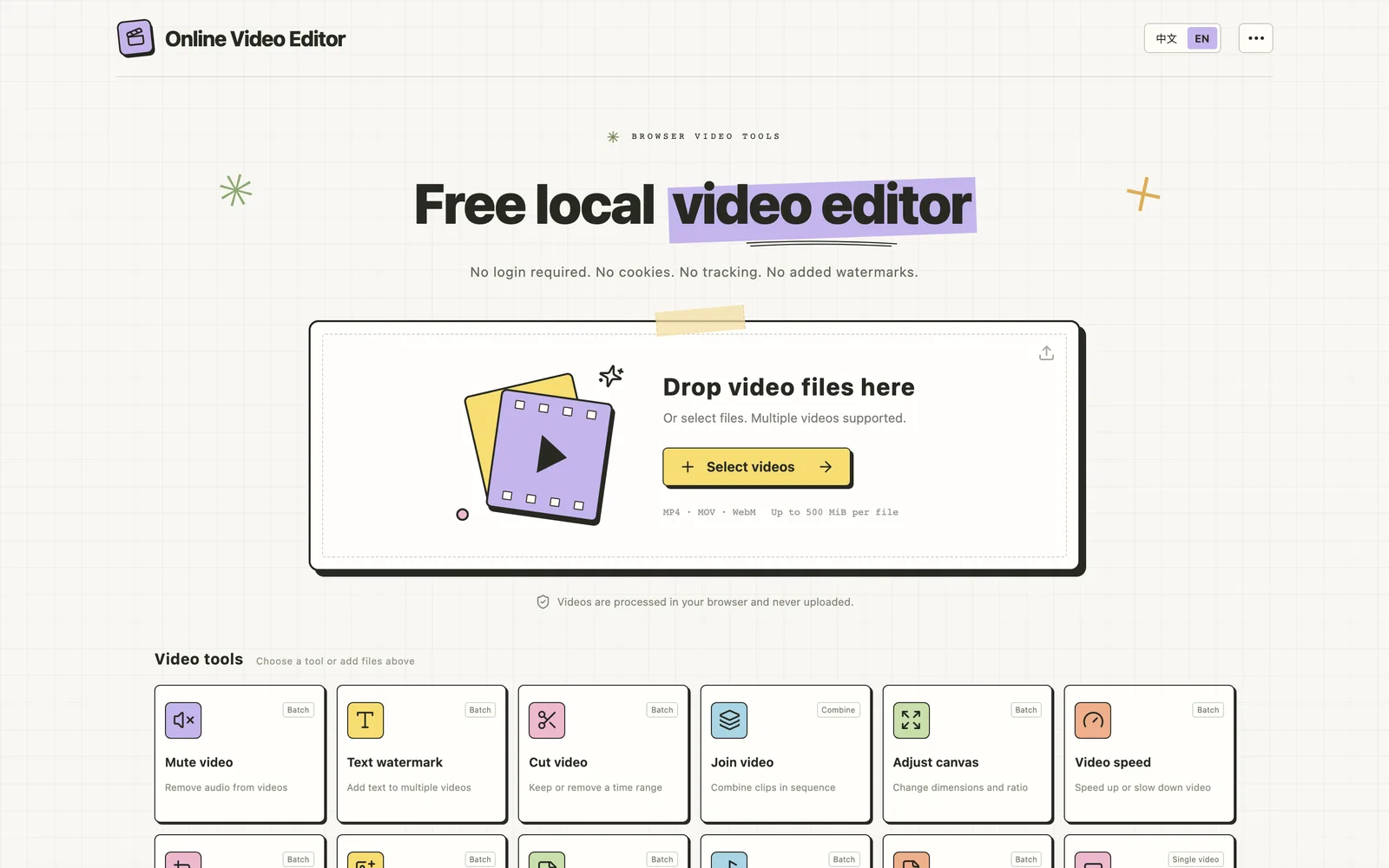
Edit local videos for free in your browser—no login, no file uploads.
Product facts
- Type
- Web App / SaaS
- Category
- Creativity & Media › Video Editing
- Pricing
- Free
- Launched
- Oct 16, 2026
- Listed
- Oct 16, 2026
- Website
- freeonlinevideoeditor.app
Overview
Online Video Editor is a browser-based tool for editing local videos. All processing happens inside your browser: files are never uploaded to any server, and the app requires no registration or login, uses no cookies, and performs no tracking. It supports MP4, MOV, and WebM formats, with a 500 MiB limit per file and a 1 GiB limit for batch processing. It offers a wide range of video editing capabilities: - **Basic Editing**: Cut, crop, join, adjust canvas size and aspect ratio, and change playback speed (audio pitch changes accordingly). - **Audio Processing**: Mute (remove audio) or add background music (with volume control, mixing with the original audio, and looping). - **Overlays**: Add text watermarks, image logo watermarks, and timed stickers. Watermarks cover the entire video by default; drag the timeline endpoints to adjust their duration. Stickers have independent time-range settings. - **Compression & Subtitles**: When compressing, you can adjust quality, resolution, and output format. The subtitle tool lets you import an SRT, VTT, or ASS file, preview it, adjust its style and position, and shift its timing. On export, subtitles are burned into the video while the original audio is preserved. Once cached during your first online visit, the app works offline—the homepage and all tools run without an internet connection, though the online music library still requires one. The cache stores only app assets, not your videos, music, or exported files; closing or refreshing the page clears the current files and results. You can also install it as a PWA via your browser's "Install app" or "Add to Home Screen" option. Ideal for users who need to quickly process videos locally without uploading footage to the cloud. The same developer also offers ClipFlow, an app for iPhone and iPad.
Key features
- In-Browser Processing: Videos are processed locally in your browser and never uploaded to any server.
- No Login Required: No account registration, no cookies, and no tracking.
- Offline Use: After the initial cache on first visit, open and use all tools without an internet connection.
- Video Compression: Reduce file size by adjusting quality, resolution, and output format.
- Cut & Crop: Keep or remove segments by time range, or crop the video frame.
- Video Joining: Merge multiple clips sequentially into a single file.
- Canvas & Speed: Adjust canvas size and aspect ratio, or speed up/slow down the video.
- Audio Processing: Remove audio, or add background music with volume control, mixing, and looping.
- Watermarks & Stickers: Add text watermarks, image logo watermarks, and stickers with independent time ranges.
- Subtitle Burn-In: Import SRT, VTT, or ASS subtitles, adjust styling, and burn them into the video.
- Batch Processing: Most tools support batch operations, up to 1 GiB per batch.
- PWA Installation: Install the app or add it to your home screen via the browser menu.
Releases
Notify me Initial · Online Video Editor
Q&A
- Are my videos uploaded to a server?AI-generated
- No. All videos are processed locally in your browser and are never uploaded.
- Which video formats and file sizes are supported?AI-generated
- MP4, MOV, and WebM are supported. The maximum size is 500 MiB per file and 1 GiB per batch.
- Can I use it offline?AI-generated
- Yes. After caching on your first online visit, all tools and local editing features work offline, though the online music library still requires an internet connection.
- Does the offline cache include my video files?AI-generated
- No. The cache stores only app assets—not videos, music, logo images, or exported files. Closing or refreshing the page clears the current files and results.
- How do I install this app on my device?AI-generated
- Use "Install app" or "Add to Home Screen" in your browser menu. iPhone/iPad users can select "Add to Home Screen" from Safari's share menu. Even if installation isn't available, you can use it directly in the browser.
- Which subtitle formats are supported?AI-generated
- You can import SRT, VTT, or ASS files. Text, timing, and line breaks are read, but original styles or effects are not preserved. Subtitles are burned into the video on export.
- How do I download the results after processing?AI-generated
- Download results individually or as a ZIP archive. Changing settings requires reprocessing.
Bookmark
This product has no owner yet
It was listed by the platform or its author left. If it is your work, prove your relationship to become the owner.
Claim this productAlternatives

Video To Frames
Extract frames from videos in your browser with multiple export modes—no file uploads required.
Released 4 days ago4
100% Free

短影AI
以人工智能驱动的本地离线工具,帮内容创作者将长视频一键剪辑成多个短视频。
Released 3 weeks ago4
Paid

Submagic
AI 驱动的短视频编辑平台,帮助创作者和团队快速生成带字幕的短视频并发布到多个渠道。
Released 3 weeks ago4
Free trial

Live Photo Converter
Preview videos and GIFs in your browser, then create Live Photos with the Liveify app on iPhone.
Released last week11
Freemium

AIHuboGo
在线AI工具平台,提供视频与图像换脸功能,适用于短视频制作、图像编辑等场景。
Released 3 weeks ago3
Paid

OpusClip
AI 视频剪辑工具,将长视频一键转为短视频并发布到各社交平台。
Released 3 weeks ago2
Freemium

GIF Downloader
Download videos and GIFs from social platforms online, or convert MP4 to GIF in your browser.
Released last week4
100% Free

录咖AI
在线AI音视频处理平台,提供语音转文字、字幕生成、视频翻译等功能
Released 3 weeks ago1
Freemium

说得相机
为口播视频创作者提供的免费拍摄工具,支持AI提词、AR助播与虚拟背景等功能。
Released 3 weeks ago2
100% Free

鬼手剪辑
一站式视频译制工作台,帮创作者和企业将短剧、广告等内容批量翻译配音为多语言成片。
Released 3 weeks ago3
Freemium
The product content on this page was translated by AI from the author's original.