
November 18, 2026
AI Photo Editor
An AI-powered online image editing and generation tool that creates, modifies, and restyles images using text prompts.
 1 / 8
Product facts
- Type
- Web App / SaaS
- Category
- Creativity & Media › Image Editing
- Pricing
- Freemium
- Launched
- Nov 18, 2026
- Listed
- Nov 18, 2026
- Website
- aiphotoeditor.ai
Overview
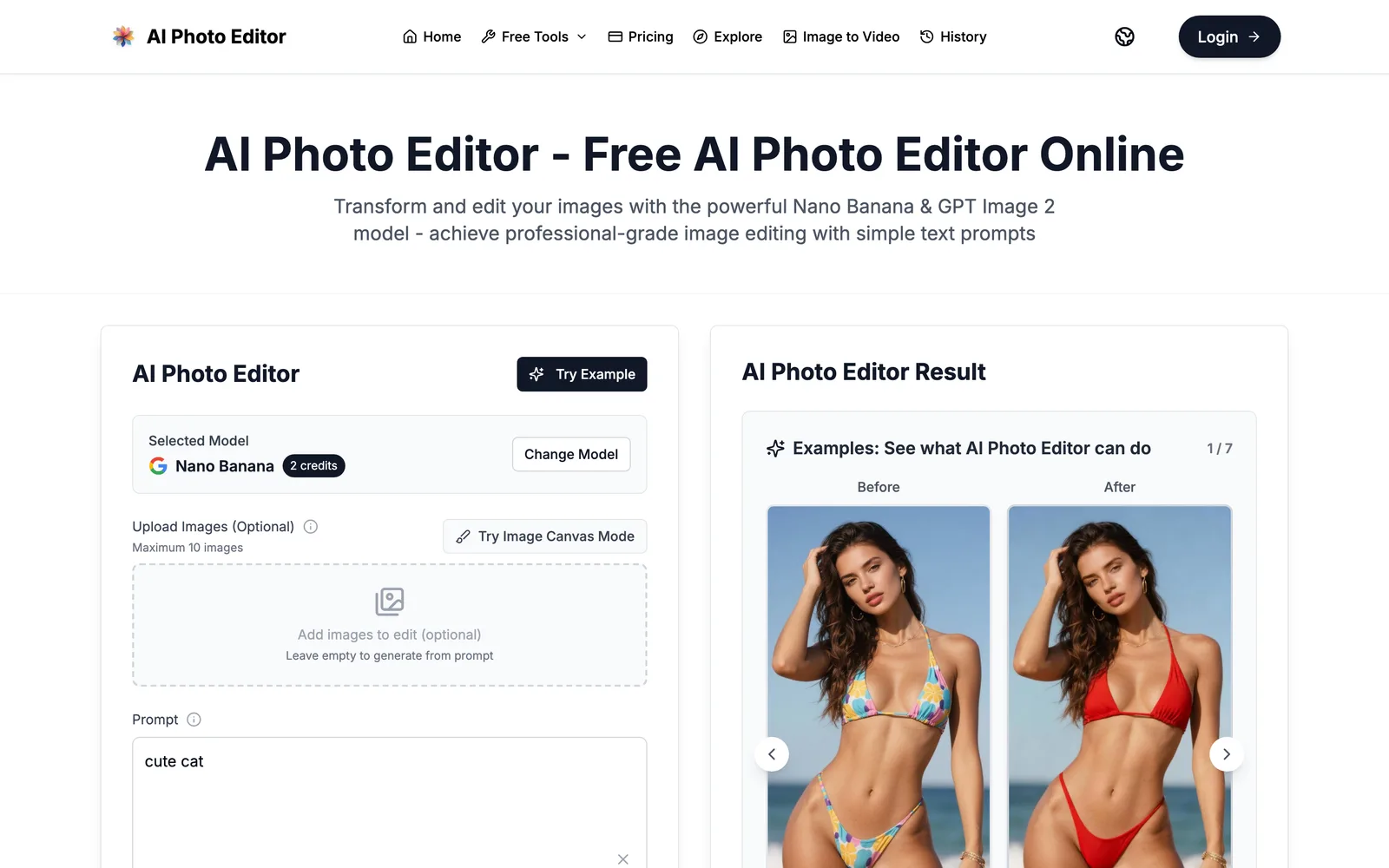
AI Photo Editor is a web-based multimedia app that uses models like Nano Banana and GPT Image 2 to let users generate and edit images through natural language prompts.
Core Capabilities
- Text-driven image editing: Upload up to 10 images (optional) and enter a text prompt to modify them—for example, changing clothing colors, repairing scratches on old photos and colorizing them, or transforming people into specific art styles or figurine forms.
- Image generation: Generate images from scratch using prompts alone, with no uploads required. Choose output resolution (Default, 1K, 2K, 4K; higher resolutions require Pro/2/GPT models) and various aspect ratios (1:1, 16:9, 9:16, etc.), generating 1 to 4 images per request.
- Free tools: Includes Image to Prompt (converts an image into a reusable prompt) and Remove Background (removes the image background).
- Image Canvas Mode: Add images for editing in canvas mode.
Technical Highlights
The site mentions Face Completion Technology (preserves facial identity features), Consistent Character Editing (maintains character consistency across multiple generations), and claims fast processing speeds. The platform states it is SOC 2, GDPR, and ISO 27001 certified.
Target Audience
Designed for creators ranging from hobbyists to professional teams, suitable for product photography, stylized portraits, old photo restoration, and more. Users can start using basic features without signing up or adding a credit card; generation and editing consume credits.
Key features
- Edit images with text prompts: Upload images and enter natural language prompts to change outfits, colors, styles, and more.
- AI image generation: Create images from scratch using text prompts—no uploads required.
- Multiple resolutions & aspect ratios: Supports Default to 4K resolution and aspect ratios such as 1:1 and 16:9.
- Batch generation: Generate 1 to 4 images in a single operation.
- Remove Background: A free tool that clears image backgrounds in seconds.
- Image to Prompt: Convert existing images into reusable text prompts.
- Image Canvas Mode: Add images for editing in canvas mode.
- Face completion technology: Preserves facial identity features during editing.
- Consistent character editing: Maintains the same character's appearance across multiple generations.
- No sign-up required: Start using it without creating an account or adding a credit card.
Releases
Notify me Initial · AI Photo Editor
Q&A
- Do I need to sign up or add a credit card to use AI Photo Editor?AI-generated
- According to the source, you can start using it immediately—no sign-up or credit card required.
- How many images can I upload at once?AI-generated
- You can upload up to 10 images for editing. If you don't upload any, you can still generate images directly from prompts.
- What output resolutions are supported?AI-generated
- Default resolution is supported. 1K, 2K, and 4K resolutions are only available when using Pro/2/GPT models.
- What are credits and how do I get them?AI-generated
- Credits are consumed when generating or editing images. Get them monthly or annually via Standard, Basic, or Pro plans, or buy one-time add-on packs (e.g., $50 for 800 credits, $100 for 1600 credits).
- Can generated images be used commercially?AI-generated
- Standard, Basic, and Pro subscription plans all include commercial usage rights (Commercial license).
- What payment methods are supported?AI-generated
- The source indicates support for Stripe and cryptocurrency payments (cryptocurrency is limited to one-time payments).
Bookmark
This product has no owner yet
It was listed by the platform or its author left. If it is your work, prove your relationship to become the owner.
Claim this productAlternatives
Picslimly Image Tools
A free, browser-based image toolkit for compressing, converting, cropping, and more—no file uploads required.
Released yesterday3
100% Free

GifSmaller
Compress GIFs to any size in your browser—free, no sign-up, and files never leave your device.
Released 3 days ago15
100% Free

AnyImg
A prompt-based AI image editor that edits, retouches, and generates images through natural language descriptions.
Released last week12
Freemium

Edit Image Text
Edit text in images online with AI—replace content while matching the original style.
Released 3 weeks ago4
Freemium
MergePNG
Merge PNGs and images privately in your browser
Released yesterday3
100% Free
Cleanup.pictures
An AI-powered web photo editing tool that helps users remove unwanted objects, people, text, and blemishes from photos.
Released last week21
Freemium

ImagEditorAI
An online AI image editor powered by natural language prompts. Remove objects, replace backgrounds, or restore old photos—no sign-up required.
Released 3 days ago7
Freemium

photoeditor.ai
A browser-based AI image editing and generation platform offering 30+ specialized tools, free to use with no sign-up required.
Released last week18
Freemium
PixRemove
Remove image backgrounds and unwanted objects with AI. Free to use, no sign-up required, no watermarks.
Released 3 weeks ago18
Freemium

pngdeer
Open-source PNG compression tool that runs locally in the browser, finding the smallest palette that preserves visual quality.
Released 3 weeks ago9
Open Source
The product content on this page was translated by AI from the author's original.