
November 8, 2026
Cleanup.pictures
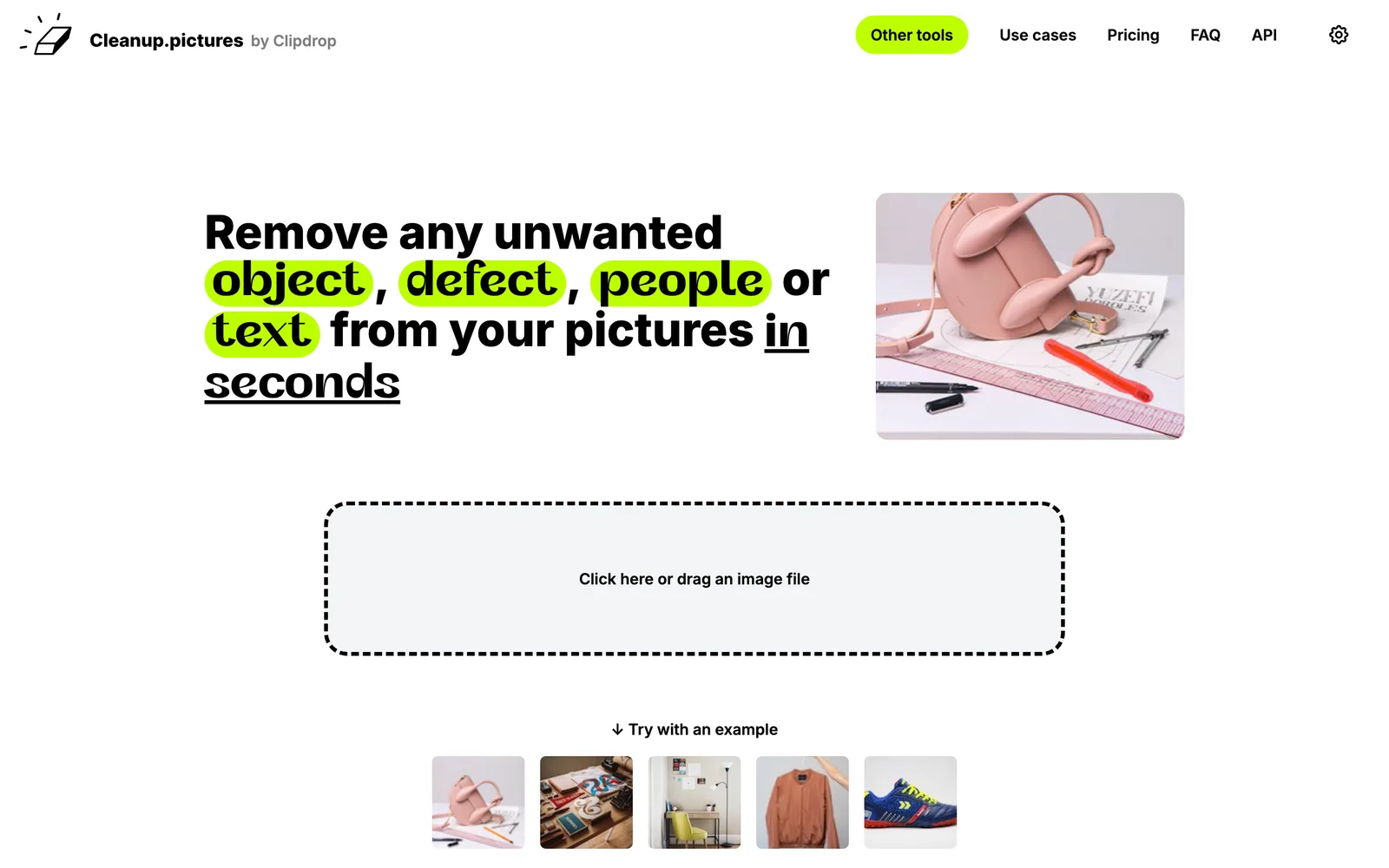
An AI-powered web photo editing tool that helps users remove unwanted objects, people, text, and blemishes from photos.
 1 / 7
Product facts
- Type
- Web App / SaaS
- Category
- Creativity & Media › Image Editing
- Pricing
- Freemium
- Launched
- Nov 8, 2026
- Listed
- Nov 8, 2026
- Website
- cleanup.pictures
Overview
Cleanup.pictures is an AI-powered web image editing app developed by Init ML. It uses inpainting technology to let users remove unwanted elements from photos with a simple brush stroke.
Core Capabilities
- Remove Objects & People: Upload a photo, paint over the area to remove, and the AI algorithm automatically reconstructs the hidden background.
- Remove Text & Watermarks: Erase date stamps, logos, watermarks, or unwanted text from images. The official site notes that removing watermarks requires explicit authorization for the image.
- Fix Blemishes: Repair defects such as cracks in photos or spots and wrinkles on portraits.
Use Cases & Audience
- Photographers: Remove bystanders from travel shots, erase timestamps, or fix cracks in old photos.
- Creative Agencies: Quickly modify existing assets and replace parts of an image to create new visuals.
- Real Estate Professionals: Depersonalize room and apartment photos by removing clutter.
- E-commerce Sellers: Create clean product backgrounds for social media.
- Developers: Offers an Inpainting API to integrate high-quality image restoration into Node.js, SwiftUI, Kotlin, and more.
How to Use
No complex software installation required—just drag and drop an image onto the website and paint over the target area to edit. For better AI reconstruction, it's recommended to paint slightly beyond the target area (including shadows). Paid subscriptions work on both mobile and desktop browsers.
Key features
- AI Object Removal: Paint over the target area and the AI automatically reconstructs the hidden background.
- People Removal: Remove unwanted people from photos without complex desktop software.
- Text & Watermark Erasure: Remove date stamps, logos, watermarks, or extra text from images.
- Blemish Repair: Fix image defects like photo cracks, portrait spots, or wrinkles.
- Drag-and-Drop Interface: Drag and drop images directly on the web and edit by painting over them.
- Inpainting API: Provides an API for integration in Node.js, SwiftUI, Kotlin, and more.
- Multi-Device Support: Paid subscriptions work on both mobile and desktop browsers.
Releases
Notify me Initial · Cleanup.pictures
Q&A
- What is inpainting?AI-generated
- Inpainting is an image restoration technique used to remove unwanted objects from photos. Compared to traditional clone stamp tools, AI delivers much better results.
- How is Cleanup.pictures different from other photo editing tools?AI-generated
- Traditional clone stamp tools (like Adobe Photoshop Fix) require a reference background, while Cleanup.pictures uses AI to infer and reconstruct what lies behind removed objects, text, or people.
- What image resolutions are supported?AI-generated
- You can import and edit images of any size. Free exports are limited to 720p resolution, while the Pro plan has no size limits.
- How much does Cleanup.pictures cost?AI-generated
- Basic features are free. For high-resolution processing, Pro costs $5/month or $36/year ($3/month). There's also a usage-based API plan and ClipDrop Pro, which includes more tools (starting at $11).
- What is the refund policy?AI-generated
- After purchasing Pro, refunds are only available in rare cases such as technical issues or platform incompatibility. Subscriptions under 14 days qualify for a full refund; beyond 14 days, a partial refund is issued based on unused days.
- How many people can use one subscription?AI-generated
- Each Cleanup subscription is limited to one user.
- How do I cancel or manage my subscription?AI-generated
- Visit the "manage subscription" page on the website to edit, pause, or cancel your subscription.
- How do I use the Inpainting API?AI-generated
- The API works in environments like Node.js, SwiftUI, and Kotlin. Official documentation, live demos, and code samples are provided for quick integration.
- How can I get better removal results?AI-generated
- Use a larger brush and paint slightly beyond the area you want to remove (especially covering shadows) to help the algorithm generate better results.
- Can I remove image backgrounds?AI-generated
- Cleanup.pictures is designed to remove specific objects from images. To remove an entire background, the official recommendation is its sister product, ClipDrop.
Bookmark
This product has no owner yet
It was listed by the platform or its author left. If it is your work, prove your relationship to become the owner.
Claim this productAlternatives
Picslimly Image Tools
A free, browser-based image toolkit for compressing, converting, cropping, and more—no file uploads required.
Released yesterday1
100% Free

ImagEditorAI
An online AI image editor powered by natural language prompts. Remove objects, replace backgrounds, or restore old photos—no sign-up required.
Released 3 days ago7
Freemium

AnyImg
A prompt-based AI image editor that edits, retouches, and generates images through natural language descriptions.
Released last week12
Freemium

pngdeer
Open-source PNG compression tool that runs locally in the browser, finding the smallest palette that preserves visual quality.
Released 3 weeks ago7
Open Source
MergePNG
Merge PNGs and images privately in your browser
Released yesterday2
100% Free

GifSmaller
Compress GIFs to any size in your browser—free, no sign-up, and files never leave your device.
Released 3 days ago12
100% Free

PixRemove
Remove image backgrounds and unwanted objects with AI. Free to use, no sign-up required, no watermarks.
Released 3 weeks ago16
Freemium

AI Photo Editor
An AI-powered online image editing and generation tool that creates, modifies, and restyles images using text prompts.
Released 3 days ago4
Freemium

photoeditor.ai
A browser-based AI image editing and generation platform offering 30+ specialized tools, free to use with no sign-up required.
Released last week18
Freemium

Edit Image Text
Edit text in images online with AI—replace content while matching the original style.
Released 3 weeks ago4
Freemium
The product content on this page was translated by AI from the author's original.