
November 11, 2026

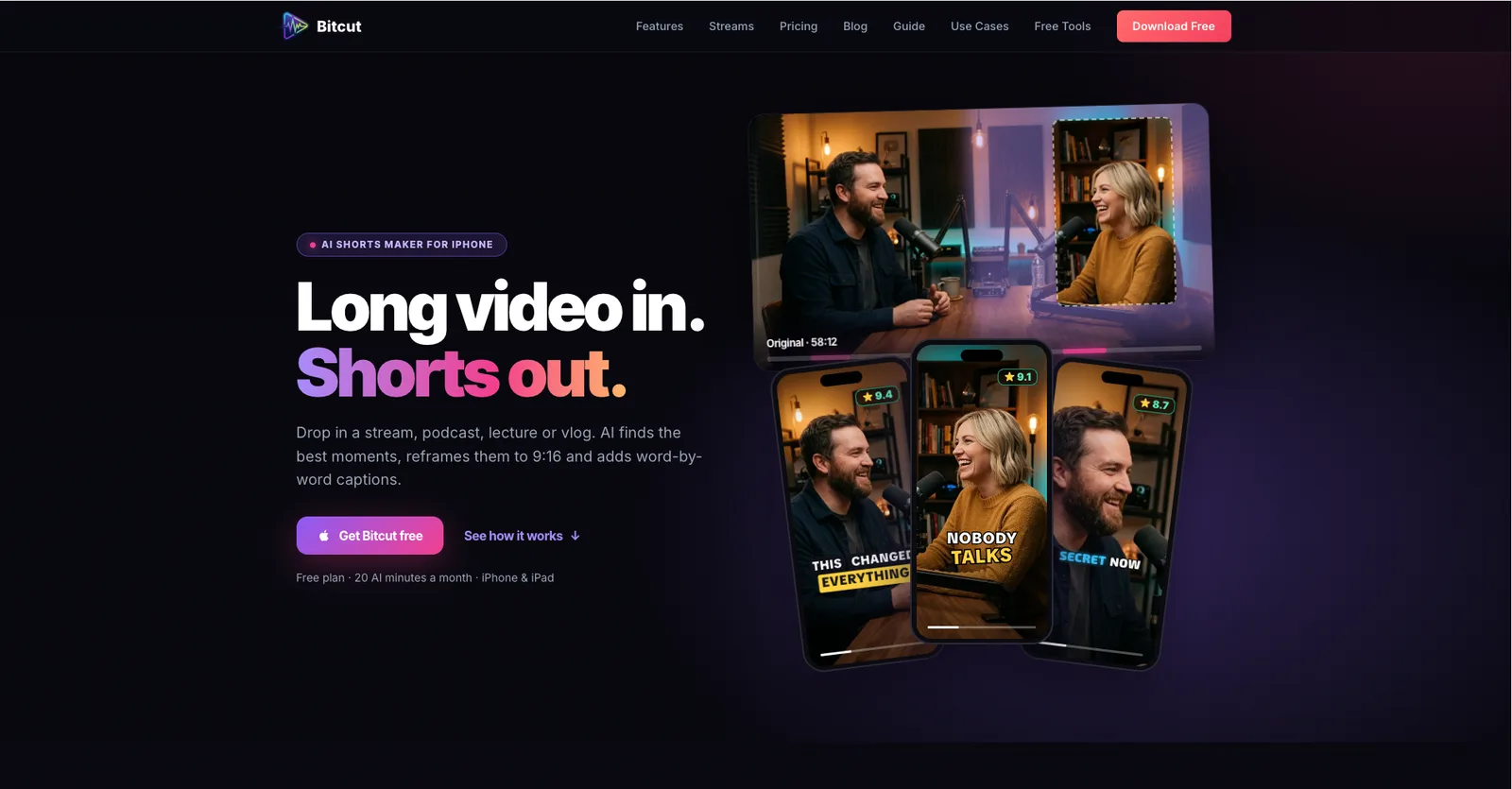
Automatically edit long videos into vertical Shorts, Reels, and TikTok clips using AI
 1 / 8
Product facts
- Type
- Web App / SaaS
- Category
- Creativity & Media › Video Editing
- Pricing
- Freemium
- Launched
- Nov 11, 2026
- Listed
- Nov 11, 2026
- Website
- bitcut.app
Overview
Bitcut is an AI video editing app for iPhone and iPad that automatically turns long videos—such as podcasts, stream replays, lectures, or vlogs—into vertical short-form clips ready for social media.
Key capabilities
- AI clip extraction & scoring: Automatically identifies highlights, scores them by quality with reasons (e.g., strong hook, storytelling, powerful ending), and supports filtering by duration.
- Auto reframing: Converts 16:9 landscape videos to 9:16 vertical format, using face tracking to keep the speaker in frame. Available on the Pro plan.
- Word-level captions: Auto-generates speech-synced captions with multiple styles; text and colors can be edited manually.
- Beat-sync editing: After adding music, cuts automatically snap to the beat. Available on all plans.
- Stream highlight processing: Paste a Twitch or YouTube link to process up to 5 hours of stream footage, generating chaptered 16:9 highlight reels and vertical Shorts with layouts like split screen and camera bubble.
Who it's for
Podcasters, YouTubers, educators, musicians, social media managers, game streamers, and other creators who frequently produce short-form video.
Pricing
The editor itself is free; AI features are available via monthly subscription or one-time purchase. The Free plan includes 20 minutes of AI processing per month with watermarked exports. The Pro plan is $9.99/month, removing the watermark and adding 300 minutes of AI time plus face tracking. The Creator plan is $19.99/month, adding multilingual captions and AI Story Director. The Streamer plan is $29.99/month, built for streamers, allowing 15 streams every 30 days. A one-time purchase of $9.99 per stream is also available.
Key features
- AI clip extraction & scoring: Automatically finds highlights, scores them by quality with reasons, and supports filtering by duration.
- 16:9 to 9:16 auto reframing: Uses face tracking to convert landscape videos to vertical while keeping the speaker in frame.
- Word-level synced captions: Auto-generates speech-synced captions with multiple styles; text and colors are editable.
- Beat-sync editing: After adding background music, cuts automatically align to the beat.
- Stream highlight extraction: Paste a Twitch or YouTube link to automatically extract the best moments from your stream.
- YouTube chapter generation: Auto-generates chapters for exported 16:9 highlight reels, ready to paste into your YouTube description.
- Multi-layout switching: Supports five layouts—split screen, camera bubble, camera only, content only, and face follow—switchable per scene.
- Background processing: Long videos can be processed in the background, showing progress and queue position without keeping the app open.
- Multilingual captions: Creator plan and above support generating captions in multiple languages.
- Cloud storage: The Pro plan includes 5 GB of cloud storage; the Creator plan includes 50 GB.
Releases
Notify me Initial · Bitcut
Q&A
- Which platforms does Bitcut support?AI-generated
- Bitcut currently supports iPhone and iPad running iOS 18 or later.
- What are the limitations of the free version?AI-generated
- The free version includes full editor features and 20 minutes of AI processing per month, but exported videos have a watermark.
- How do I process stream recordings?AI-generated
- Paste a Twitch or YouTube link, or import a file directly from your iPhone. Choose a highlight length of 10, 20, or 30 minutes, and Bitcut will analyze and list the highlights for you to select.
- Is face tracking a paid feature?AI-generated
- Yes, face tracking is included in the Pro plan ($9.99/month) and above.
- What is the maximum length supported for stream processing?AI-generated
- The Stream Highlights feature supports processing stream recordings up to 5 hours long.
- Can I process a single stream without subscribing?AI-generated
- Yes. Bitcut offers a one-time purchase option at $9.99 per stream, supporting up to 5 hours with no watermark and no subscription required. Your first stream under 3 hours can be processed as a free trial (with watermark).
Bookmark
This product has no owner yet
It was listed by the platform or its author left. If it is your work, prove your relationship to become the owner.
Claim this productAlternatives

Aisma
Describe your edits in natural language to AI-edit already-shot video clips.
Released yesterday12
Paid

VideoTextRemover
An online AI tool that removes burned-in subtitles, titles, and other on-screen text from MP4 and MOV videos while reconstructing the background.
Released 3 weeks ago22
Freemium

录咖AI
An online AI audio and video processing platform offering speech-to-text, subtitle generation, video translation, and more.
Released last month4
Freemium

Video Background Changer
An online AI tool to remove and replace video backgrounds. Export transparent or solid-color background videos without signing up.
Released 2 weeks ago20
Freemium

Video To Frames
Extract frames from videos in your browser with multiple export modes—no file uploads required.
Released 3 weeks ago22
100% Free

Live Photo Converter
Preview videos and GIFs in your browser, then create Live Photos with the Liveify app on iPhone.
Released 4 weeks ago31
Freemium

AdHub
AI-powered video ad creation and editing tool. Generate animated ads from a single sentence or edit talking-head videos with one click.
Released 3 weeks ago23
Paid

Online Video Editor
Edit local videos for free in your browser—no login, no file uploads.
Released 3 weeks ago16
100% Free

GIF Downloader
Download videos and GIFs from social platforms online, or convert MP4 to GIF in your browser.
Released last month16
100% Free

短影AI
An AI-powered local offline tool that helps content creators turn long videos into multiple short clips with one click.
Released last month14
Paid
The product content on this page was translated by AI from the author's original.